
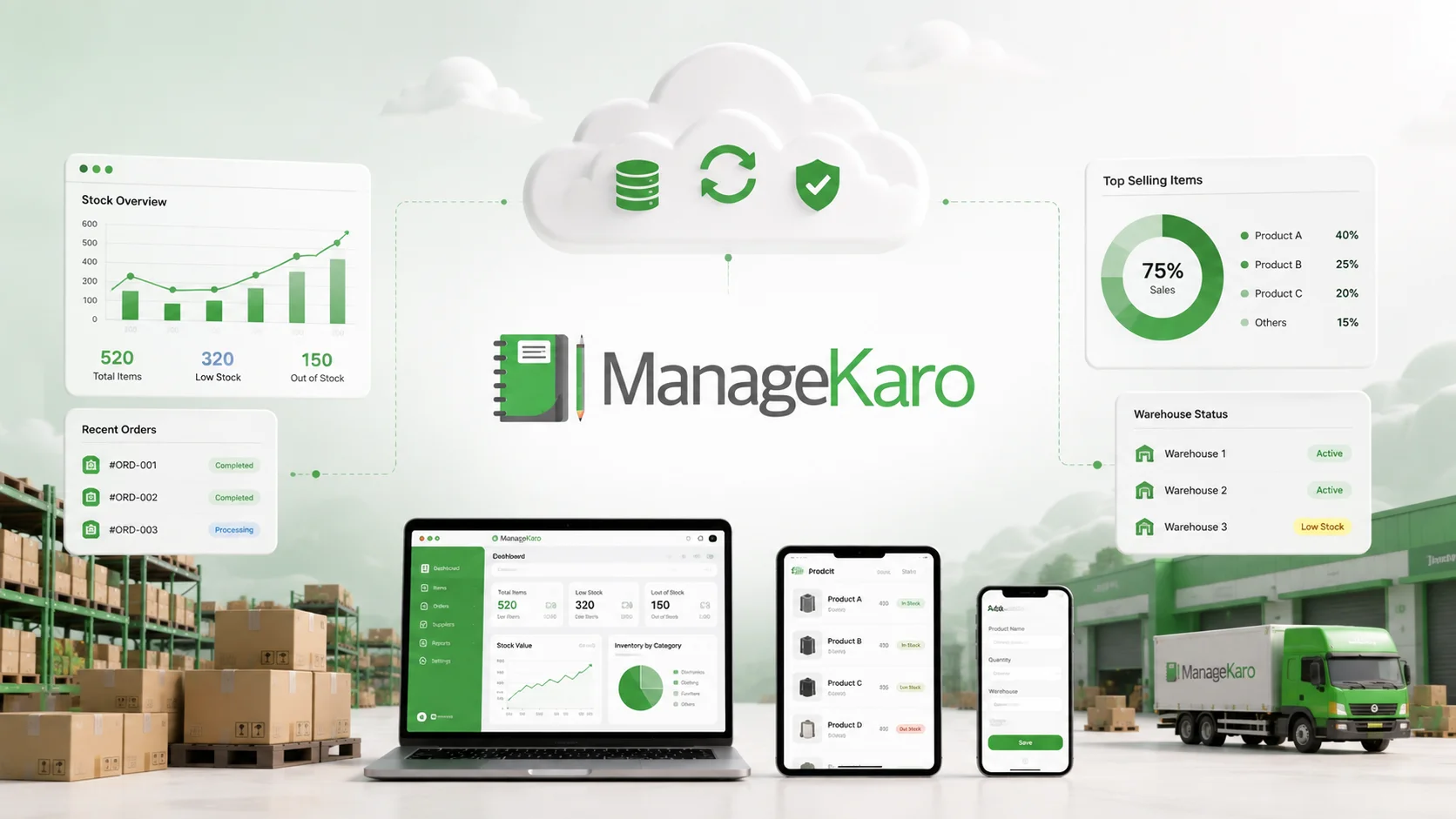
Quick Answer: What Is Cloud-Based Inventory Management Software?
Cloud-based inventory management software is an online system that tracks your stock, sales, purchases, and suppliers in one place, so you can check inventory from any device with an internet connection. Instead of keeping records in a notebook, a spreadsheet, or on one office computer, your data is stored online and updates as products are sold, received, or returned.
The best cloud-based inventory management software for a small business has five things: real-time stock updates, low-stock alerts, a connection between sales and stock, purchase and supplier tracking, and simple reports. Pricing and fit vary, so compare a few options below before you choose.
If you have outgrown notebooks and spreadsheets, cloud-based inventory management software is the usual next step. It solves a problem every growing store knows: an item shows as available at the register but was already sold, staff promise stock that is not there, and low-stock products are discovered only when the shelf is empty.
This guide explains how a cloud-based inventory management system works, how it compares with on-premise and manual tracking, which features matter, what it costs, and how six popular options compare for small businesses. It also covers how to switch without disrupting your store.
Disclosure: ManageKaro, the company behind this blog, makes one of the products listed below. We describe what each option is best for, including cases where another tool may fit you better.
How a Cloud-Based Inventory Management System Works
A cloud-based inventory management system runs on the vendor’s servers instead of one computer in your store. You log in through a web browser or mobile app, and everyone on your team works from the same stock record.
Each business event updates that shared record:
- A sale is recorded. Stock for that product goes down automatically.
- A purchase is received. Stock goes up, and the supplier and cost are saved.
- A return or adjustment is entered. The quantity is corrected, so counts stay accurate.
- A low-stock level is reached. You see an alert before the product runs out.
- Reports refresh. Current stock, fast movers, slow movers, and stock value reflect the latest activity.
Because there is one shared record, the owner, the cashier, and the warehouse team all see the same numbers. That is the main difference from a notebook or a spreadsheet saved on one computer.
Cloud-Based vs. On-Premise vs. Manual Inventory Management
When you compare inventory management software, cloud-based and on-premise are the two main deployment types. Manual tracking is where most businesses start.
| Area | Cloud-based | On-premise | Manual (notebook or spreadsheet) |
|---|---|---|---|
| Where data lives | Vendor’s secure servers | Your own computer or server | Paper or a single file |
| Access | Any device with a login | Usually on-site unless you set up remote access | Whoever holds the notebook or file |
| Setup and upkeep | Vendor handles servers and updates | You or your IT person handle installs and updates | None, but everything is done by hand |
| Upfront cost | Usually a subscription or plan fee | Often a larger license and hardware cost | Lowest |
| Internet needed | Yes, unless the tool has an offline mode | No | No |
| Multiple locations | Easier to run from one account | Harder to keep in sync | Very difficult |
| Backups | Typically vendor-managed (confirm with each vendor) | Your responsibility | Easy to lose or damage |
| Best for | Growing and multi-location businesses | Single sites with IT support and strict data control | Very small, low-volume businesses |
Some cloud tools also include an offline mode. ManageKaro, for example, keeps core functions working when the internet drops and syncs when the connection returns. If your internet is unreliable, ask every vendor exactly which functions work offline.
Signs Your Business Needs Cloud-Based Inventory Software
You are probably ready for cloud inventory software if any of these sound familiar.
You cannot check stock when you are away
If you have to call staff every time you want a stock update, you are depending on someone else’s memory. A cloud system lets you check stock yourself, from your phone or laptop.
Staff give customers wrong availability updates
Outdated records lead staff to promise products that were already sold. That costs you trust, and customers often buy elsewhere.
Stock records live on one device
When inventory is saved on one office computer, only one person can update it, and everything stalls when that person is out.
Several people handle sales, purchases, and receiving
Even with a single store, different people record sales, receive goods, and prepare reports. A shared system keeps them working from the same numbers.
You find out about shortages too late
If you discover low-stock items only when the shelf is empty, you are reacting instead of planning. Low-stock alerts turn that into a routine reorder.
Why Real-Time Stock Control Matters
Real-time stock control means your inventory record updates quickly enough to support daily decisions. When a product sells, the count drops, and when new stock arrives, the count rises. Also, when an item runs low, you know before customers are disappointed.
Without that visibility, businesses commonly run into:
- Stockouts on popular products
- Duplicate purchases of items already in stock
- Wrong availability promises to customers
- Late reordering and rushed, costlier purchases
- Cash tied up in slow-moving stock
With connected, up-to-date records, owners can reorder earlier, catch errors sooner, give customers reliable answers, and use reports to decide what to restock, promote, or stop buying. For a deeper look at why stock and sales should work from one record, read our guide to POS inventory management.
Key Features to Look For in Cloud-Based Inventory Management Software
The best cloud-based inventory management software is not the one with the longest feature list. It is the one that covers these essentials and fits how your team works every day.
Real-time stock updates
Stock should change as sales, purchases, returns, and adjustments are recorded. If you have to update counts manually after every sale, you are not getting the main benefit of the cloud.
Low-stock and out-of-stock alerts
Alerts let you reorder before a product runs out, and they stop staff from promising items you do not have. Check that you can set a reorder level for each product.
A connection between sales, billing, and stock
Inventory works best when it is linked to billing or point of sale. Each sale then updates stock automatically, with no double entry. Our guide to affordable POS software for small business explains why this link matters.
Purchase and supplier tracking
Look for purchase records, supplier details, product costs, and received stock. This is what makes smarter reordering and supplier comparison possible.
Multi-location and multi-warehouse support
If you run more than one store or warehouse, confirm that the system tracks stock transfers and shows stock by location. If you run one store today but plan to grow, check this now, not later.
Mobile and offline access
Owners need to check stock from a phone, and counters need to keep selling when the internet drops. Ask which features work offline and how data syncs afterward.
User roles and permissions
Not every employee needs access to costs, profit, or settings. Role-based permissions protect sensitive data and reduce mistakes.
Useful reports
Basic reports should answer practical questions:
- What is in stock right now?
- Which products are low or out of stock?
- Which items sell fastest, and which barely move?
- How much money is tied up in stock?
- What did we buy, from whom, and at what cost?
- How are sales performing by product?
Best Cloud-Based Inventory Management Software Compared
We compared each option on five criteria: real-time stock tracking, connection to billing or accounting, multi-location support, mobile and offline use, and pricing transparency. Details come from each vendor’s public pages, reviewed in November 2026. Features and prices change, so confirm current details with the vendor before you buy.
| Software | Best for | Standout strengths | What to check |
|---|---|---|---|
| ManageKaro | Pakistani retailers, wholesalers, and distributors who want inventory, billing, and POS in one system | Inventory with billing, POS, finance, HR and payroll, and delivery; multi-warehouse stock with rack organization; low-stock alerts; offline sync; WhatsApp invoice sharing | Built for small and mid-size businesses; confirm any third-party integrations you need |
| Zoho Inventory | Small businesses selling across multiple channels, especially those already using Zoho | Serial and batch tracking, transfers between warehouses, multi-channel order management, mobile app | Plan limits, pricing currency, and local payment options |
| Fishbowl | Businesses that buy, store, and ship products and use QuickBooks Online or Xero | Built around QuickBooks Online and Xero; multi-location visibility; role-based access | Pricing, and whether you need this depth of warehouse features |
| Splendid Accounts | Pakistani small businesses that want accounting and inventory together | Online inventory plus sales, purchase, accounting, POS, and manufacturing modules; batch tracking; multi-currency; 14-day free trial | It is accounting-first, so confirm the inventory depth you need |
| NimbusRMS | Pakistani retailers running one or more stores | Cloud retail POS and inventory, multi-store support, online and offline checkout, free account to start | Retail-focused, so check fit if you run wholesale or distribution |
| CloudPOS | Pakistani retailers that need FBR integration | Cloud POS and ERP with billing, inventory, multi-store operations, offline sales, and FBR integration | Confirm which plan includes FBR integration and offline features |
How to choose from this list
- You run one or two stores and need billing and POS too: look for a platform that connects stock to sales automatically, such as ManageKaro, NimbusRMS, or CloudPOS.
- Accounting is your biggest pain point: compare accounting-first tools like Splendid Accounts.
- You sell online across several channels or use QuickBooks or Xero: Zoho Inventory or Fishbowl may fit better.
- You run multiple warehouses or branches: confirm transfers, per-location reporting, and user permissions during a demo.
Growing teams have extra needs around permissions and multiple locations. Our checklist for cloud-based inventory management software for growing teams covers them in more detail.
How ManageKaro Handles Cloud-Based Inventory Management
ManageKaro is a business management platform for Pakistani small and mid-size businesses. Its inventory module is part of the same system as billing, POS, finance, HR, and delivery, so stock does not live in a separate tool.
In practice, that means:
- One sale updates several records. A POS sale updates stock, the customer’s ledger, and the daily cash book without re-entering the same numbers.
- Stock across warehouses. You can track stock by warehouse, manage transfers, and organize products by racks and sub-racks.
- Low-stock alerts. Items that fall below your set level are flagged so you can reorder in time.
- Offline and mobile access. Core functions keep working when the internet drops and sync when it returns, and you can check your business from supported devices.
- User roles. Owners control what each employee can see or edit.
ManageKaro is not the only good choice, which is why the comparison above includes alternatives. If you want to see how it fits your products and workflow, test it with your own data using the free trial or demo. For hardware and building material stores with large catalogs, see our guides on how to manage inventory in a hardware store and inventory management for hardware and building material suppliers.
How Much Does Cloud-Based Inventory Management Software Cost?
Cloud inventory software is usually priced in one of these ways:
- Monthly or annual subscription that scales by users, locations, or order volume
- One-time (lifetime) license with no recurring fee
- Free plan with limits on items, users, or features
- Add-on fees for extra users, warehouses, integrations, setup, or training
Before comparing prices, ask what is included: number of users, number of locations, billing and POS modules, support, data export, and any setup fees. A cheap plan that leaves out billing or extra users can cost more in the end.
ManageKaro offers two plans: an annual plan at PKR 10,000 per year and lifetime access for a one-time PKR 25,000. According to its pricing page, both include billing, inventory, POS, HR, and financial management. For a full breakdown of what drives the price, read our inventory management software cost guide.
Who Should Use Cloud-Based Inventory Software?
Cloud inventory software is useful for any business that sells physical products and needs clearer stock control. It is especially helpful for:
- Retail stores and mini-marts
- Wholesalers and distributors
- Pharmacies
- Clothing and electronics stores
- Hardware and building material stores
- Growing small businesses with several staff members
- Owners who want to check stock remotely
If you are still deciding whether software is worth it at your size, read the best inventory management software for small businesses.
What to Check Before Choosing Cloud Inventory Software
Use these questions when you compare options or sit through a demo:
- Is it easy enough for your least technical employee to use?
- Does it connect inventory with billing or POS?
- Can it track purchases and suppliers?
- Does it show low-stock and out-of-stock products?
- Which functions work offline, and how does data sync?
- Does it support multiple warehouses or branches if you need them?
- Can you control who sees costs and reports?
- Can you export your data if you leave?
- What does support look like, and in what hours and language?
- What is the total cost, including extra users, locations, and setup?
The best system is not the one with the most features. It is the one your team will actually use every day, and that solves your real stock problems.
How to Get Started With Cloud Inventory Software
Switching is easier when you do it in stages.
- Clean your product list. Remove duplicates and agree on one name and unit for each product.
- Enter opening stock. Do a physical count so your starting numbers are accurate.
- Set reorder levels. Start with your fastest-selling products, then expand.
- Set user roles. Decide who can sell, receive stock, and view reports.
- Run in parallel briefly. Use the new system alongside your old records for a week or two, then compare counts.
- Review reports weekly. Look at low stock, fast movers, and slow movers, and adjust your buying.
If you sell through a scanner at the counter, a barcode POS system can make step 2 and daily entry much faster.
Final Thoughts
Cloud-based inventory management software replaces delayed updates, scattered records, and manual stock confusion with one shared, current record. With real-time stock, low-stock alerts, purchase and supplier records, and reports, you can reorder earlier, avoid promising stock you do not have, and make decisions with better information.
The right choice depends on your business: compare a few options, test them with your own products, and check the total cost, not just the headline price. If you want inventory connected with billing, POS, finance, and delivery, you can explore ManageKaro’s inventory module and see whether it fits your workflow.
FAQ: Cloud-Based Inventory Management Software
What is cloud-based inventory management software?
Cloud-based inventory management software is an online system that tracks stock, sales, purchases, suppliers, and low-stock items from any device with internet access. Your data is stored on the vendor’s servers, so your team works from one shared, up-to-date record.
What is the difference between cloud-based and on-premise inventory software?
Cloud-based software runs on the vendor’s servers and is accessed through a browser or app, usually for a subscription or plan fee. On-premise software is installed on your own computer or server, so you handle updates and backups, and remote access takes extra setup.
Is cloud inventory management software good for small businesses?
Yes. Small businesses benefit because they avoid buying servers, can check stock from anywhere, catch low-stock items sooner, and reduce manual errors. Start with a tool that connects inventory to billing, so each sale updates stock automatically.
What features should a cloud-based inventory management system have?
Look for real-time stock updates, low-stock alerts, a connection to sales and billing, purchase and supplier records, multi-location support, user permissions, and reports on current stock, fast movers, and slow movers.
Is stock management software the same as inventory management software?
In most cases, yes. “Stock management” usually emphasizes counting products and reorder levels, while “inventory management” often also covers purchasing, costs, and reporting. Most cloud tools cover both, so compare features instead of the label.
How much does cloud-based inventory software cost?
Prices range from free plans with limits to monthly subscriptions, annual plans, and one-time licenses. Costs rise with users, locations, and add-ons. ManageKaro’s plans start at PKR 10,000 per year, with a PKR 25,000 lifetime option.
Is cloud-based inventory software secure?
Reputable vendors typically offer encrypted connections, regular backups, and user permissions, but practices differ. Ask each vendor about encryption, backups, role-based access, and data export. On your side, give each employee a separate login and limit access to sensitive reports.
Does cloud inventory software work without internet?
Some cloud tools need a constant connection, while others offer an offline mode. ManageKaro keeps core functions working offline and syncs your data when the connection is restored. Confirm exactly which functions work offline during a demo.
Which cloud-based inventory management software is best for businesses in Pakistan?
It depends on your business type. Check for local-currency pricing, tax invoicing needs such as FBR integration, offline use, and support in your time zone. Options in this guide include ManageKaro, Splendid Accounts, NimbusRMS, and CloudPOS. Test each with a free trial or demo using your own products.
2 thoughts on “Best Cloud-Based Inventory Management Software for Small Businesses in 2026”