Selling products is only one part of running a successful retail business. Store owners must also manage customers who want to return damaged products, exchange incorrect sizes, or request refunds.
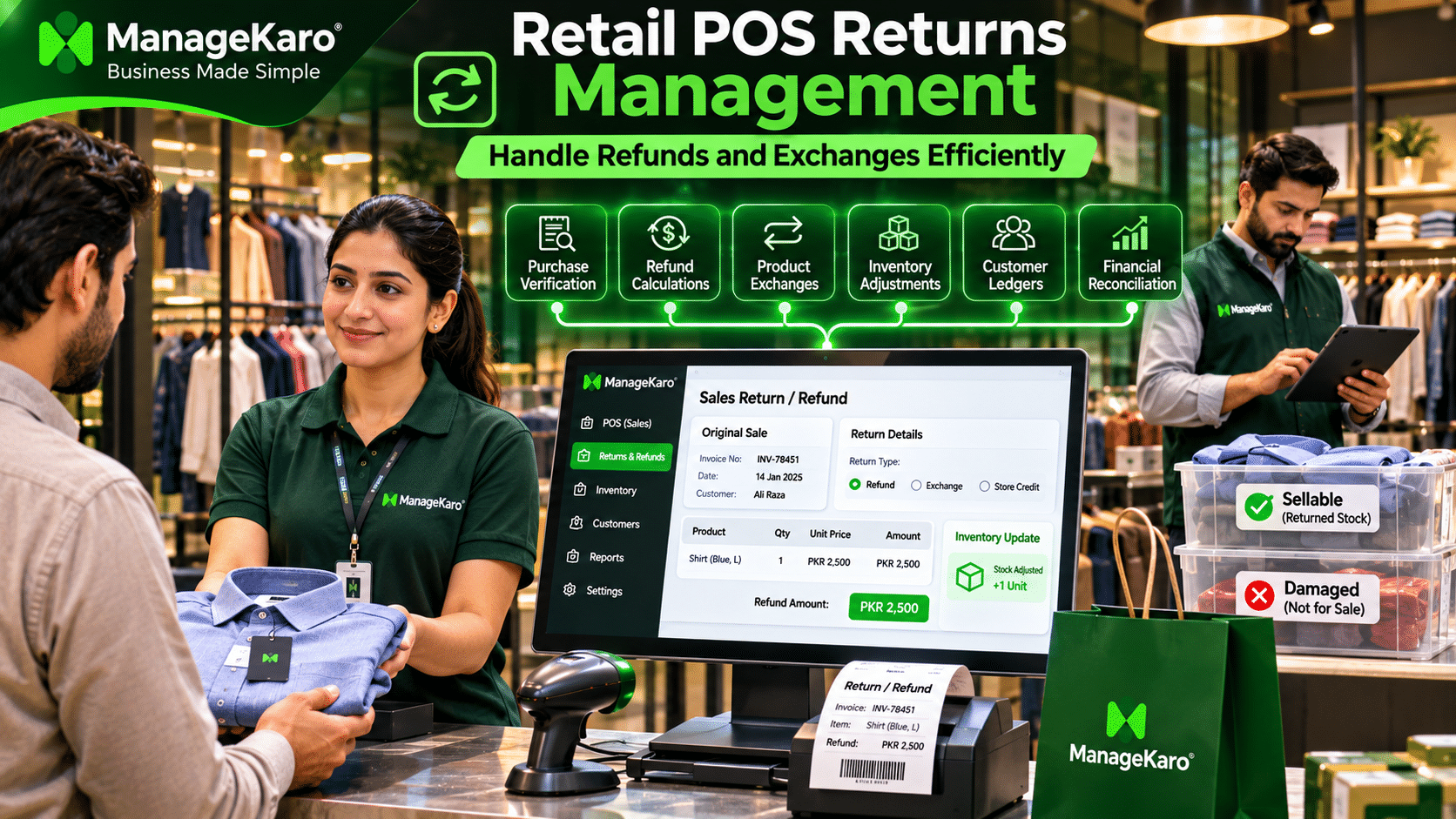
Imagine a customer returning a shirt purchased yesterday. Your cashier needs to find the original invoice, verify the product, calculate the refund, and update the inventory records.
If these activities are handled manually, employees may make mistakes that affect stock accuracy, customer satisfaction, and financial records.
This is where retail POS returns management becomes important.
A suitable point of sale system helps retailers organize sales returns, refunds, exchanges, and related inventory adjustments.
With ManageKaro, businesses can maintain connected sales, inventory, customer, and financial records that support more organized retail operations.
This guide explains how retailers can manage returns efficiently, reduce refund-related errors, protect profitability, and create a better customer experience.
What Is POS Returns Management?
POS returns management is the process of handling product returns, customer refunds, exchanges, and related inventory and financial adjustments through a point of sale system.
Instead of maintaining separate handwritten records, retailers can use suitable POS software to connect return transactions with original sales and business records.
Quick Answer: How Does POS Returns Management Work?
POS returns management involves verifying the original purchase, inspecting the returned product, determining refund or exchange eligibility, recording the transaction, and updating inventory and financial records accordingly.
An effective returns management process helps retailers maintain accurate records while improving customer service.
Why Efficient Returns Management Matters for Retail Stores
Product returns are a normal part of retail operations. However, poorly managed returns can create unnecessary financial and operational problems.
Improve Customer Satisfaction
Customers appreciate a clear and convenient return process.
When employees can verify purchases and resolve return requests efficiently, customers are more likely to trust the business.
Maintain Accurate Inventory Records
A returned product may need to be added back to available stock, classified as damaged, or returned to a supplier.
Recording the correct inventory adjustment helps prevent stock discrepancies.
Reduce Financial Errors
Incorrect refunds, duplicate refunds, and unrecorded exchanges can create differences between actual cash collections and financial records.
A structured return process helps reduce these risks.
Protect Business Profitability
Frequent returns may indicate product quality problems, incorrect product descriptions, supplier issues, or pricing mistakes.
Reviewing return records helps retailers identify these problems and take corrective action.
Types of Retail Returns and Refunds
Retail businesses handle different types of returns depending on their policies, product categories, and customer requirements.
Full Refunds
A full refund involves returning the eligible purchase amount to the customer.
For example, a customer purchases a jacket for PKR 4,000 and returns it in accordance with the store’s return policy.
The retailer records a refund of PKR 4,000, assuming no other applicable adjustments.
Partial Refunds
A partial refund occurs when only part of a transaction is refunded.
For example, a customer purchases three products worth PKR 6,000 but returns one item priced at PKR 1,500.
The retailer records a refund of PKR 1,500 rather than reversing the entire sale.
Product Exchanges
An exchange occurs when a customer returns one product and receives another.
If the replacement product has a different price, the retailer must calculate and record the difference.
Damaged Product Returns
Damaged or defective products require additional inspection.
These products should not automatically be returned to sellable inventory. They may need to be classified as damaged stock, quarantined, repaired, or returned to the supplier.
Store Credit
Some retailers offer store credit instead of an immediate refund when permitted by their policies and applicable consumer protection requirements.
The customer can use the recorded credit toward a future purchase.
Store credit must be tracked separately to prevent duplicate use and maintain accurate financial records.
How a POS System Handles Product Returns
An organized return workflow helps employees process transactions consistently.
Step 1: Find the Original Sales Transaction
The cashier should locate the original invoice or sales receipt.
This helps verify:
- Purchase date
- Product details
- Quantity purchased
- Original selling price
- Discounts applied
- Payment method
Step 2: Verify Return Eligibility
Employees should review the store’s return policy and applicable consumer rights.
Important considerations include the return period, product condition, proof of purchase, and product-specific restrictions.
Step 3: Inspect the Returned Product
The employee should determine whether the returned product is suitable for resale.
A damaged product should be handled differently from an unopened product in good condition.
Step 4: Record the Return Transaction
The retailer should record the returned product, quantity, refund amount, return reason, and original transaction reference.
Where supported, POS software can link the return directly to the original sale.
Step 5: Process the Refund or Exchange
The cashier records the approved refund or replacement transaction using the appropriate payment method.
Step 6: Update Inventory and Financial Records
The returned product should be assigned the correct inventory status.
The business should also record any changes to sales revenue, cash collections, customer balances, and applicable taxes.
Explore the ManageKaro POS module to learn more about connected retail sales management.
Practical Example of a Retail Sales Return
Consider a clothing store where a customer purchases the following products:
| Product | Quantity | Price |
|---|---|---|
| Shirt | 2 | PKR 3,000 |
| Jeans | 1 | PKR 3,500 |
| Jacket | 1 | PKR 4,500 |
| Total purchase | PKR 11,000 |
The customer later returns one shirt worth PKR 1,500.
Updated Transaction Summary
| Transaction detail | Amount |
|---|---|
| Original sales value | PKR 11,000 |
| Returned product value | −PKR 1,500 |
| Adjusted sales value | PKR 9,500 |
If the customer originally paid in cash and receives a cash refund, the retailer records a cash outflow of PKR 1,500.
If the returned shirt is suitable for resale, one unit can be restored to available inventory.
This example excludes separate tax and discount adjustments.
How to Manage Product Exchanges Efficiently
Product exchanges are particularly common in clothing, footwear, electronics, and general retail stores.
An exchange may involve products with equal or different prices.
Exchange With the Same Price
A customer purchases a medium-sized shirt for PKR 2,000 and exchanges it for a large-sized shirt with the same price.
The retailer records the return of the original shirt and the sale or issue of the replacement shirt.
No additional payment is required.
Exchange With a Higher-Priced Product
| Transaction | Amount |
|---|---|
| Returned shirt | PKR 2,000 |
| Replacement shirt | PKR 2,800 |
| Additional customer payment | PKR 800 |
The customer pays the PKR 800 difference.
Exchange With a Lower-Priced Product
| Transaction | Amount |
|---|---|
| Returned product | PKR 3,500 |
| Replacement product | PKR 2,700 |
| Difference payable to customer | PKR 800 |
The retailer handles the PKR 800 difference according to the applicable refund policy and consumer protection requirements.
In every exchange, both the original product return and the replacement product movement should be recorded.
How Returns Affect Inventory Management
Product returns directly affect inventory accuracy.
However, not every returned product should be added back to available stock.
Sellable Product Returns
If a product is unopened, undamaged, and suitable for resale, the retailer may restore it to available inventory.
For example:
| Inventory activity | Quantity |
|---|---|
| Opening stock | 100 |
| Products sold | −12 |
| Sellable products returned | +3 |
| Updated sellable stock | 91 |
Damaged Product Returns
If a customer returns a damaged product, it should be recorded separately from sellable stock.
Adding damaged items to available inventory can create inaccurate stock availability and customer service problems.
Supplier Returns
Some defective products may be eligible for return to the supplier.
Retailers should maintain records of supplier returns, replacement requests, and any supplier credits received.
Inventory Adjustments
A business may need to adjust inventory records when returned products are damaged, incomplete, or unsuitable for resale.
Every adjustment should have an appropriate reason and supporting record.
Learn more about ManageKaro inventory management software.
How Refunds Affect Financial Records
Refunds affect sales reporting, payment collections, and business profitability.
Retailers should understand the difference between reversing a sale and paying money back to a customer.
Example of Daily Sales After Returns
| Financial activity | Amount |
|---|---|
| Gross sales before discounts and returns | PKR 150,000 |
| Sales discounts | −PKR 5,000 |
| Sales returns | −PKR 8,000 |
| Net sales | PKR 137,000 |
The business generated PKR 137,000 in net sales before any separate tax adjustments.
However, actual cash collections may differ because of credit sales, digital payments, previous customer balances, and refund timing.
Refunds Against Credit Sales
Suppose a customer purchases products worth PKR 10,000 on credit and later returns an item worth PKR 2,000.
If no payments or other adjustments have occurred, the outstanding customer balance becomes PKR 8,000.
The business should adjust the customer ledger rather than automatically issue a cash refund.
Impact on Product Profitability
A returned product may affect profitability differently depending on whether it can be resold.
If a returned item is damaged and cannot be recovered, the business may also experience an inventory loss.
Accurate sales, inventory, and expense records help retailers understand these financial effects.
Explore the ManageKaro financial management module.
How to Prevent Retail Return Fraud
Return fraud can occur when individuals attempt to receive refunds for products they did not purchase, submit duplicate refund requests, or return different items from those originally purchased.
Retailers can reduce these risks through consistent verification procedures.
Verify Original Purchase Records
Match the returned product with the original invoice, purchase date, quantity, and selling price.
Track Previous Refunds
Employees should check whether a product or transaction has already been refunded.
This helps prevent duplicate refunds.
Require Appropriate Approval
High-value refunds, unusual transactions, and exceptions to standard policies may require manager approval.
Record Return Reasons
Common return reasons include:
- Incorrect size
- Defective product
- Wrong item supplied
- Product damage
- Customer preference
- Billing error
Consistent reason recording helps identify unusual patterns.
Review Return Activity Regularly
Retail owners should review return records to identify repeated issues involving particular products, transactions, or billing counters.
Unusual activity should be investigated fairly rather than automatically treated as fraud.
How to Create an Effective Retail Return Policy
A clear return policy helps customers understand their options and employees apply consistent procedures.
Define the Return Period
Specify the period during which eligible products may be returned or exchanged.
Explain Product Eligibility
Clearly communicate which products can be returned and any condition or packaging requirements.
Specify Refund Methods
Explain whether eligible refunds are issued through cash, the original payment method, store credit, or another permitted method.
Establish Exchange Procedures
Describe how price differences are handled when customers exchange products.
Communicate the Policy Clearly
Make the policy available at the checkout counter, on receipts where practical, and on the business website.
Retailers should ensure that their policies comply with applicable consumer protection laws. A store policy should not override customers’ statutory rights.
Manual Returns Management vs POS Returns Management
| Feature | Manual returns management | POS-based returns management |
|---|---|---|
| Purchase verification | Searching paper receipts | Digital transaction records |
| Refund calculation | Manual calculations | Software-supported calculations |
| Inventory adjustments | Separate manual entries | Connected adjustments where supported |
| Return history | Registers or spreadsheets | Organized digital records |
| Duplicate refund prevention | Difficult to monitor | Transaction verification where supported |
| Financial reporting | Manual reconciliation | Connected financial records |
| Return analysis | Time-consuming | Reporting where supported |
| Customer service | Dependent on manual procedures | More structured workflows |
POS-based returns management can reduce repetitive work and improve record organization when the software supports the required return workflows.
How ManageKaro Helps Retailers Manage Sales and Inventory
ManageKaro is an all-in-one business management and POS software platform designed for small and growing businesses.
Its connected business management capabilities provide a foundation for maintaining the records required during retail return and refund processes.
Sales and Billing Management
ManageKaro helps businesses organize sales transactions and billing records.
Accurate original sales information is important when verifying customer purchases.
Inventory Management
Retailers can maintain product information, stock quantities, and inventory-related records.
These records support better visibility when products move into or out of inventory.
Customer and Ledger Management
ManageKaro helps businesses maintain customer balances, payments, and ledger records.
This is particularly useful when financial adjustments involve credit customers.
Financial Management
Organized financial records help businesses review expenses, transactions, collections, and business performance.
Connected Business Operations
By bringing sales, inventory, purchases, suppliers, customers, and financial records into one platform, ManageKaro helps businesses reduce dependence on disconnected registers and spreadsheets.
Retailers should confirm the availability of dedicated sales-return workflows, partial refunds, exchange processing, store credit, and return-specific permissions for their selected ManageKaro configuration.
Which Retail Businesses Need Returns Management?
An organized returns management process is useful for many retail industries.
| Retail business | Common return requirements |
|---|---|
| Clothing stores | Size, colour, and style exchanges |
| Footwear stores | Size and fitting exchanges |
| Electronics stores | Defective products and warranty-related returns |
| Grocery stores | Incorrect or damaged products |
| Cosmetics stores | Product eligibility and condition checks |
| Hardware stores | Incorrect specifications or quantities |
| Furniture stores | Damage and delivery-related issues |
| Online retailers | Incorrect orders and delivery returns |
Each industry should establish return procedures that reflect its products, customer requirements, and applicable regulations.
Best Practices for Retail POS Returns Management
Retail owners can improve their return procedures by following these practices:
- Maintain accurate original sales records.
- Verify purchases before processing refunds.
- Record every return and exchange.
- Separate sellable and damaged returned products.
- Track refund amounts and payment methods.
- Require approval for appropriate exceptions.
- Maintain clear customer and supplier records.
- Review frequently returned products.
- Train employees on return policies.
- Reconcile sales, inventory, and financial records regularly.
These practices help retailers maintain consistent operations and reduce avoidable errors.
Essential Return Management Metrics Retailers Should Track
Monitoring return-related metrics helps business owners identify product and operational problems.
Product Return Rate
Product return rate measures the percentage of sold units that are returned.
For example, if a retailer sells 500 units and receives 20 returns from those sales:
Return rate = (20 ÷ 500) × 100 = 4%
For meaningful comparisons, returned units should be matched to the relevant sales period or sales cohort.
Refund Value
Refund value measures the amount refunded to customers during a particular period.
Most Frequently Returned Products
Identifying frequently returned products can help retailers investigate quality, sizing, descriptions, or supplier problems.
Damaged Return Value
This measures the inventory cost associated with returned products that cannot be resold or otherwise recovered.
Exchange Rate
Tracking exchanges separately from refunds helps retailers understand how customers resolve product-related issues.
Regularly reviewing these metrics supports more informed purchasing, product selection, and customer service decisions.
Final Thoughts
Retail POS returns management helps businesses handle refunds, exchanges, product returns, and related inventory adjustments in a more organized way.
An effective return process protects stock accuracy, supports financial reporting, improves customer satisfaction, and helps retailers identify recurring product issues.
ManageKaro brings POS billing, inventory management, customer balances, purchases, suppliers, expenses, and financial records into one connected business management platform.
Whether you operate a clothing store, supermarket, electronics shop, or growing retail business, accurate records and clear return procedures are essential for maintaining business control.
Ready to simplify your retail operations? Explore ManageKaro and discover a more connected approach to managing sales, inventory, and finances.
Frequently Asked Questions
What is POS returns management?
POS returns management is the process of recording product returns, refunds, exchanges, and related inventory and financial adjustments through a point of sale system.
How does a POS system process a product return?
A suitable POS system verifies the original transaction, records the returned product, calculates the eligible refund, and supports the necessary inventory and financial adjustments.
What is the difference between a refund and an exchange?
A refund involves returning an eligible amount to the customer, while an exchange involves replacing a returned product with another product. An exchange may require an additional payment or refund if prices differ.
How do product returns affect inventory?
Sellable returned products may be restored to available inventory. Damaged or unsuitable products should be recorded separately to maintain accurate stock information.
How can retailers prevent duplicate refunds?
Retailers can prevent duplicate refunds by verifying original invoices, reviewing previous return records, maintaining transaction references, and applying appropriate approval procedures.
Can POS software manage partial refunds?
Some POS systems support partial refunds, allowing retailers to refund selected products or eligible amounts without reversing the entire original transaction.
How do refunds affect retail sales reports?
Sales returns generally reduce net sales. Refund payments also affect payment and financial records according to the original transaction, payment method, and applicable accounting treatment.
How does ManageKaro help retail businesses manage returns-related records?
ManageKaro connects sales, inventory, customer balances, ledgers, purchases, suppliers, and financial records. These capabilities support organized retail record management. Dedicated refund and exchange functionality should be confirmed before implementation.