
Buying a POS system is an important decision for any small business.
A good POS system can make billing faster, reduce mistakes, improve inventory control, track customers, manage payments, and give owners clearer reports. But the wrong POS system can create daily frustration, slow down staff, and make business records harder to manage.
Many business owners only check the billing screen before buying POS software. They ask, “Can it make invoices?” or “Can it print receipts?” But a modern POS system should do more than create bills.
Before buying, small businesses should check whether the POS system supports their real daily workflow.
This guide explains the most important POS system features every small business should check before buying.
Quick Answer: What POS Features Should Small Businesses Check First?
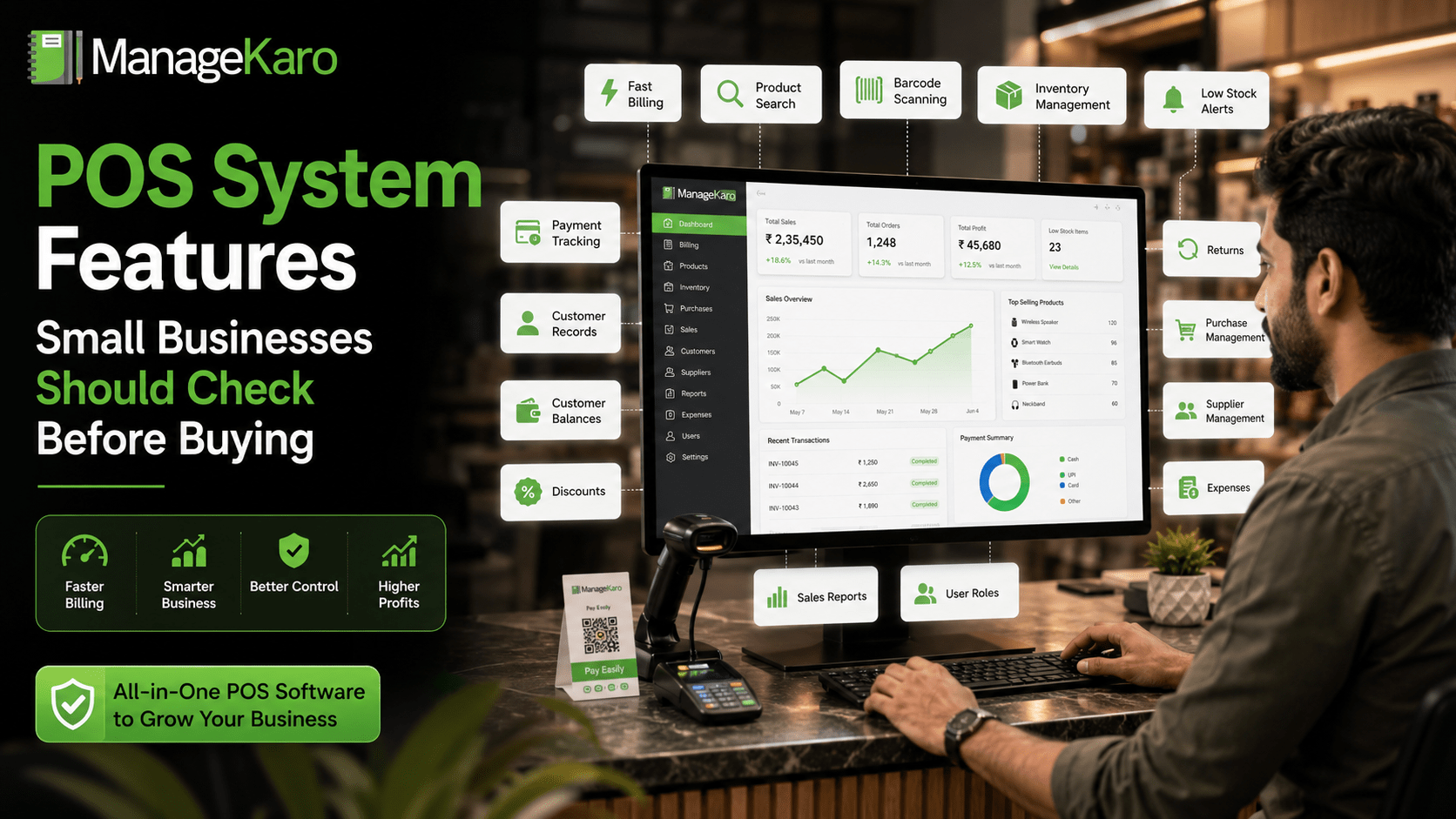
Small businesses should check whether a POS system includes fast billing, product search, barcode support, inventory management, payment tracking, customer records, discounts, returns, purchase management, supplier records, reports, user roles, and growth support.
ManageKaro helps small businesses manage POS billing together with inventory, sales, purchases, suppliers, expenses, customer balances, ledgers, and reports in one connected system.
Why POS Features Matter Before Buying
A POS system becomes part of daily business operations.
Staff use it to bill customers. Owners use it to review sales. Inventory teams use it to check stock. Purchase teams use it to reorder products. Managers use it to understand performance.
If the system is missing important features, the business may still depend on notebooks, spreadsheets, calculators, and WhatsApp updates.
This creates problems such as:
- Billing errors
- Stock mismatches
- Confusing reports
- Missed customer balances
- Delayed purchases
- Poor cash closing
- Staff mistakes
- Manual double entry
- No clear business visibility
That is why business owners should compare features carefully before buying.
1. Fast and Easy Billing
Billing is the heart of any POS system.
A small business should choose a POS system that makes billing fast and simple for staff.
Check whether the system allows staff to:
- Add products quickly
- Search products by name or code
- Change quantities easily
- Apply discounts
- Select payment methods
- Add customer details
- Print or share invoices
- Complete sales without unnecessary steps
If billing is complicated, staff will slow down during busy hours.
2. Product Search
Product search is one of the most important POS features.
Staff should be able to find products quickly during billing, stock checks, returns, and customer queries.
A good POS system should support search by:
- Product name
- Product code
- Category
- Barcode
- SKU or item number
Fast product search helps reduce customer waiting time and billing mistakes.
3. Barcode Scanning
Barcode scanning is useful for businesses with many products.
It helps staff add items to the bill faster and reduces the chance of selecting the wrong product.
Barcode support is especially useful for:
- Grocery stores
- Pharmacies
- Retail shops
- Supermarkets
- Electronics stores
- Garment stores
- Hardware stores
- Mobile accessory shops
Before buying, check whether the POS system supports barcode scanning smoothly.
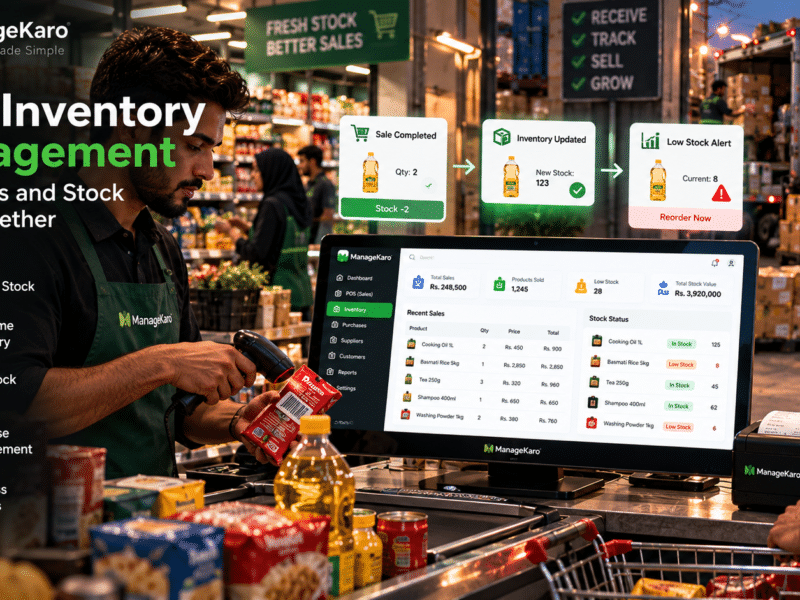
4. Inventory Management
A POS system should connect with inventory.
If billing and stock are separate, the business may face stock mismatches.
Good inventory features help business owners track:
- Current stock
- Low-stock items
- Out-of-stock products
- Product movement
- Stock value
- Fast-moving items
- Slow-moving items
When sales and inventory are connected, every sale becomes easier to review in stock records.
5. Low-Stock and Out-of-Stock Visibility
Small businesses lose sales when products run out without warning.
A POS system should help identify low-stock and out-of-stock products so owners can reorder on time.
This feature is important because it helps prevent:
- Missed sales
- Last-minute purchasing
- Customer disappointment
- Emergency supplier calls
- Poor shelf availability
Low-stock visibility gives owners more control over purchasing decisions.
6. Payment Method Tracking
Modern businesses accept different payment methods.
A POS system should help record whether customers paid by:
- Cash
- Card
- Bank transfer
- Digital wallet
- Online payment
- Partial payment
- Credit
Payment method tracking helps owners review daily collections and improve cash closing.
7. Customer Records
Customer records are useful for businesses that want better customer management.
A POS system should help store customer names, contact details, purchase history, balances, and payment activity.
This is especially useful for businesses that:
- Sell on credit
- Have repeat customers
- Offer customer accounts
- Manage loyalty or discounts
- Track outstanding payments
Customer records help owners understand customer activity more clearly.
8. Customer Balance Tracking
Many small businesses allow customers to buy now and pay later.
If customer balances are not tracked properly, money can be forgotten or delayed.
A good POS system should help track:
- Credit sales
- Partial payments
- Outstanding balances
- Customer ledgers
- Payment history
This feature is especially important for wholesalers, retailers, service businesses, and B2B sellers.
9. Discounts and Offers
Small businesses often give discounts.
The POS system should allow discounts to be recorded clearly, instead of staff adjusting totals manually.
Check whether the POS supports:
- Item-level discounts
- Bill-level discounts
- Percentage discounts
- Fixed amount discounts
- Special offers
- Discount reporting
This helps owners understand how discounts affect sales and profit.
10. Returns and Exchanges
Returns are part of business operations.
A POS system should make it easy to record returns and exchanges properly.
Without proper return tracking, stock records and sales reports may become inaccurate.
A good system should show:
- Returned products
- Returned quantity
- Refund amount
- Exchange details
- Customer information
- Updated stock impact
11. Purchase Management
Inventory does not only move through sales. It also enters the business through purchases.
A POS system that includes purchase management helps owners track what was bought, from whom, at what cost, and when.
Purchase records help businesses:
- Avoid duplicate buying
- Review supplier history
- Track product costs
- Understand stock arrival
- Improve reorder planning
For growing businesses, purchase management is a must-have feature.
12. Supplier Management
Supplier records help businesses manage vendor relationships.
A strong POS and business management system should help track:
- Supplier names
- Supplier contact details
- Purchase history
- Product supply records
- Supplier payments
- Supplier balances
Supplier management is important for businesses that buy stock regularly.
13. Expense Tracking
Small businesses often track expenses separately from sales.
But when expenses are not recorded properly, owners cannot understand the real financial picture.
A POS system with expense tracking helps record daily business costs such as:
- Rent
- Utilities
- Staff payments
- Transport
- Repairs
- Packaging
- Miscellaneous expenses
This gives owners better control over business spending.
14. Sales Reports
Reports help business owners make decisions.
A POS system should not only record sales; it should show useful sales information.
Important sales reports include:
- Daily sales
- Weekly sales
- Monthly sales
- Product-wise sales
- Payment method summary
- Discounts
- Returns
- Top-selling products
- Staff-wise sales
Reports help owners understand performance without manually calculating everything.
15. Inventory Reports
Inventory reports help owners understand stock health.
Useful inventory reports may include:
- Current stock
- Stock value
- Low-stock items
- Out-of-stock products
- Fast-moving items
- Slow-moving items
- Product movement
- Stock by category
These reports help owners reduce overstocking and avoid stockouts.
16. User Roles and Staff Access
Not every staff member should have full access to everything.
A POS system should support user roles so different staff members can have different permissions.
For example:
- Cashiers may access billing.
- Warehouse staff may access stock.
- Managers may access reports.
- Owners may have full control.
User roles help reduce mistakes and protect sensitive records.
17. Multi-Device or Multi-Location Support
Some businesses start with one counter but later grow into multiple counters, branches, or warehouses.
Before buying a POS system, check whether it can support future growth.
Useful growth features include:
- Multiple users
- Multiple devices
- Multiple counters
- Branch-wise records
- Location-wise stock
- Central reporting
- Cloud access
A system that supports growth can save you from changing software later.
18. Easy Reports for Owners
Reports should be simple enough for business owners to understand.
A POS system should show useful information clearly, not only complicated tables.
Owners should be able to quickly review:
- Today’s sales
- Cash collected
- Products sold
- Low-stock items
- Customer balances
- Purchases
- Expenses
- Business performance
The best POS system makes decision-making easier.
19. Ease of Use
A POS system may have many features, but it must still be easy to use.
If staff find the system difficult, they may make mistakes or avoid using it properly.
Before buying, check:
- Is the interface simple?
- Can staff learn it quickly?
- Is billing fast?
- Are reports easy to understand?
- Can owners manage settings easily?
Ease of use is one of the most important buying factors.
20. Support and Setup Help
Small businesses often need help during setup.
Before buying a POS system, check whether the provider offers support for:
- Initial setup
- Product entry
- Staff training
- Billing setup
- Inventory setup
- Troubleshooting
- Updates
- Ongoing help
Good support makes adoption easier.
POS Buying Checklist for Small Businesses
Before buying POS software, check these features:
- Fast billing
- Product search
- Barcode scanning
- Inventory management
- Low-stock visibility
- Payment method tracking
- Customer records
- Customer balances
- Discounts
- Returns and exchanges
- Purchase management
- Supplier management
- Expense tracking
- Sales reports
- Inventory reports
- User roles
- Multi-device support
- Multi-location support
- Easy dashboard
- Setup support
A POS system should support your full business workflow, not only billing.
How ManageKaro Helps Small Businesses
ManageKaro helps small businesses manage POS billing and business operations in one connected system.
With ManageKaro, businesses can manage:
- POS billing
- Sales records
- Inventory
- Product records
- Purchases
- Suppliers
- Expenses
- Customer balances
- Ledgers
- Reports
- Low-stock items
- Out-of-stock products
This helps owners reduce manual work, improve visibility, and manage daily operations more confidently.
Instead of using separate tools for billing, stock, suppliers, customers, expenses, and reports, ManageKaro gives businesses a connected system for better business control.
Final Thoughts
Before buying a POS system, small businesses should look beyond basic billing.
A strong POS system should support fast checkout, inventory tracking, customer records, purchase management, supplier records, expenses, reports, user roles, and business growth.
The right POS system helps owners save time, reduce errors, improve stock visibility, and make better decisions.
ManageKaro helps small businesses manage POS billing together with inventory, sales, purchases, suppliers, expenses, customer balances, ledgers, and reports in one connected platform—making it easier to run daily operations with more control.
Frequently Asked Questions
What features should a small business POS system have?
A small business POS system should include fast billing, product search, barcode support, inventory management, payment tracking, customer records, discounts, returns, reports, and user roles.
Why is inventory management important in a POS system?
Inventory management is important because every sale affects stock. A POS system connected with inventory helps owners track current stock, low-stock items, out-of-stock products, and product movement.
Should a POS system include customer balance tracking?
Yes, customer balance tracking is important for businesses that sell on credit, allow partial payments, or manage repeat customer accounts.
Is barcode scanning necessary for small businesses?
Barcode scanning is useful for businesses with many products or busy checkout counters because it speeds up billing and reduces product selection mistakes.
How can ManageKaro help small businesses choose a POS system?
ManageKaro helps small businesses manage POS billing, inventory, sales, purchases, suppliers, expenses, customer balances, ledgers, and reports in one connected system, making it easier to manage daily operations.
One thought on “POS System Features Every Small Business Should Check Before Buying”