When more than one person manages stock, inventory problems become much harder to control.
A shop owner may check stock in the morning. A cashier may sell products during the day. A warehouse employee may receive new deliveries. Another team member may create purchase orders or update product prices.
If each person uses a different notebook, spreadsheet, WhatsApp chat, or memory, stock information quickly becomes unreliable.
One employee believes an item is available. Another says it is already sold. A customer places an order for stock that does not exist. A manager orders products that are already sitting in the warehouse.
These issues are not only inventory problems. They are team visibility problems.
That is why businesses need inventory management software that helps the entire team work from the same stock information.
What Is Inventory Visibility?
Inventory visibility means being able to clearly see what stock is available, what has been sold, what is running low, what has been purchased, and what needs attention.
For a business team, this information should not stay with one employee or in one person’s notebook.
Good stock visibility helps team members understand:
- Current available stock
- Products running low
- Fast-moving items
- Slow-moving items
- Recent sales activity
- Purchase activity
- Damaged or expired stock
- Items waiting to be received
- Products that need reordering
When everyone works from updated records, the business can avoid confusion and serve customers more confidently.
Why Teams Struggle With Stock Visibility
Many businesses start with simple stock tracking methods. A notebook, an Excel file, or a basic billing process may work in the beginning.
But as sales increase and more employees join, these methods become difficult to manage.
Different Employees Use Different Records
One employee may update a spreadsheet. Another may write stock changes in a register. A third may send updates through WhatsApp.
This creates multiple versions of the truth.
When records do not match, the team spends more time asking questions than serving customers.
Stock Updates Happen Too Late
A product may be sold, damaged, returned, or received, but the stock record is updated hours later—or not at all.
Late updates can lead to:
- Wrong stock availability
- Missed customer orders
- Duplicate purchases
- Stock shortages
- Unnecessary arguments between staff
Managers Cannot See What Is Happening
Business owners often depend on verbal updates from staff.
They may ask:
- “Do we still have this product?”
- “Who received this delivery?”
- “Why is this item missing?”
- “Did we already order more stock?”
- “Which products are moving quickly?”
Without centralized records, managers do not get quick answers.
Signs Your Team Needs Better Inventory Management Software
1. Staff Frequently Ask Each Other for Stock Updates
If employees need to call, message, or walk to the warehouse to check every product, your stock process is slowing down the business.
A connected inventory system gives staff a clearer starting point before they need to investigate further.
2. Customers Are Told an Item Is Available When It Is Not
This is one of the quickest ways to lose trust.
When staff promise stock that has already been sold or is unavailable, customers may leave disappointed and choose another business next time.
3. You Keep Buying Products You Already Have
Duplicate purchasing often happens when purchase records and inventory records are disconnected.
The business may spend money on products that are already overstocked while genuinely important items remain unavailable.
4. Stock Counts Take Too Long
A physical stock count will always be useful, but it should not feel like a major crisis every time.
When records are organized, stock counts become a way to verify and improve accuracy—not the only way to understand what is in the business.
5. One Employee Holds All the Knowledge
A business becomes vulnerable when only one staff member knows where the records are, which supplier was used, or what stock is available.
A good system helps distribute information responsibly without giving everyone unnecessary access.
Features Teams Should Look For in Inventory Management Software
The best inventory management software is not simply a digital list of products.
It should help teams work together with clearer information and fewer manual steps.
Centralized Product Records
Every product should have a single, organized record with relevant details such as:
- Product name
- Category
- Selling price
- Purchase cost
- Available quantity
- Supplier information
- Product variation
- Stock status
This reduces confusion when multiple staff members work with the same products.
Low-Stock Alerts
Low-stock alerts help teams act before customers discover an item is unavailable.
Instead of waiting for shelves to become empty, managers can review products that are approaching their reorder level.
Sales and Inventory Connection
Sales should affect stock records.
When a product is billed, the business should be able to see how that movement affects inventory visibility. This helps reduce mismatches between sales records and actual stock.
Purchase and Supplier Tracking
Teams need to know what has been ordered, what has been received, and which supplier provided each product.
Purchase visibility can help prevent duplicate orders and support smarter supplier decisions.
User Roles and Clear Responsibility
Not every staff member needs access to every business setting.
A strong inventory process gives each person the information needed for their role while maintaining management control over important changes.
Reporting and Stock Movement History
Teams should be able to review how products move over time.
Useful reports may include:
- Fast-selling products
- Slow-moving items
- Low-stock products
- Product movement
- Purchase history
- Stock adjustments
- Expired or damaged items
These reports help managers make decisions using real records instead of assumptions.
How Better Stock Visibility Improves Team Performance
Faster Customer Service
Staff can answer stock questions more confidently when product availability is organized and easier to check.
This reduces waiting time and helps customers receive clearer information.
Fewer Internal Disputes
When everyone uses the same system, it becomes easier to review what happened to a product.
Instead of blaming one another, staff can check sales, purchases, returns, and stock records.
Smarter Reordering
Better stock visibility helps teams identify which products need attention before they run out.
This improves purchasing decisions and reduces last-minute emergency orders.
Reduced Stock Loss
Organized records make it easier to notice unusual movement, missing items, repeated adjustments, or products that are not selling as expected.
Stronger Business Continuity
When stock information is centralized, the business does not depend on one employee’s memory.
Managers can maintain more control even when staff members are absent, new employees join, or responsibilities change.
How ManageKaro Helps Teams Improve Stock Visibility
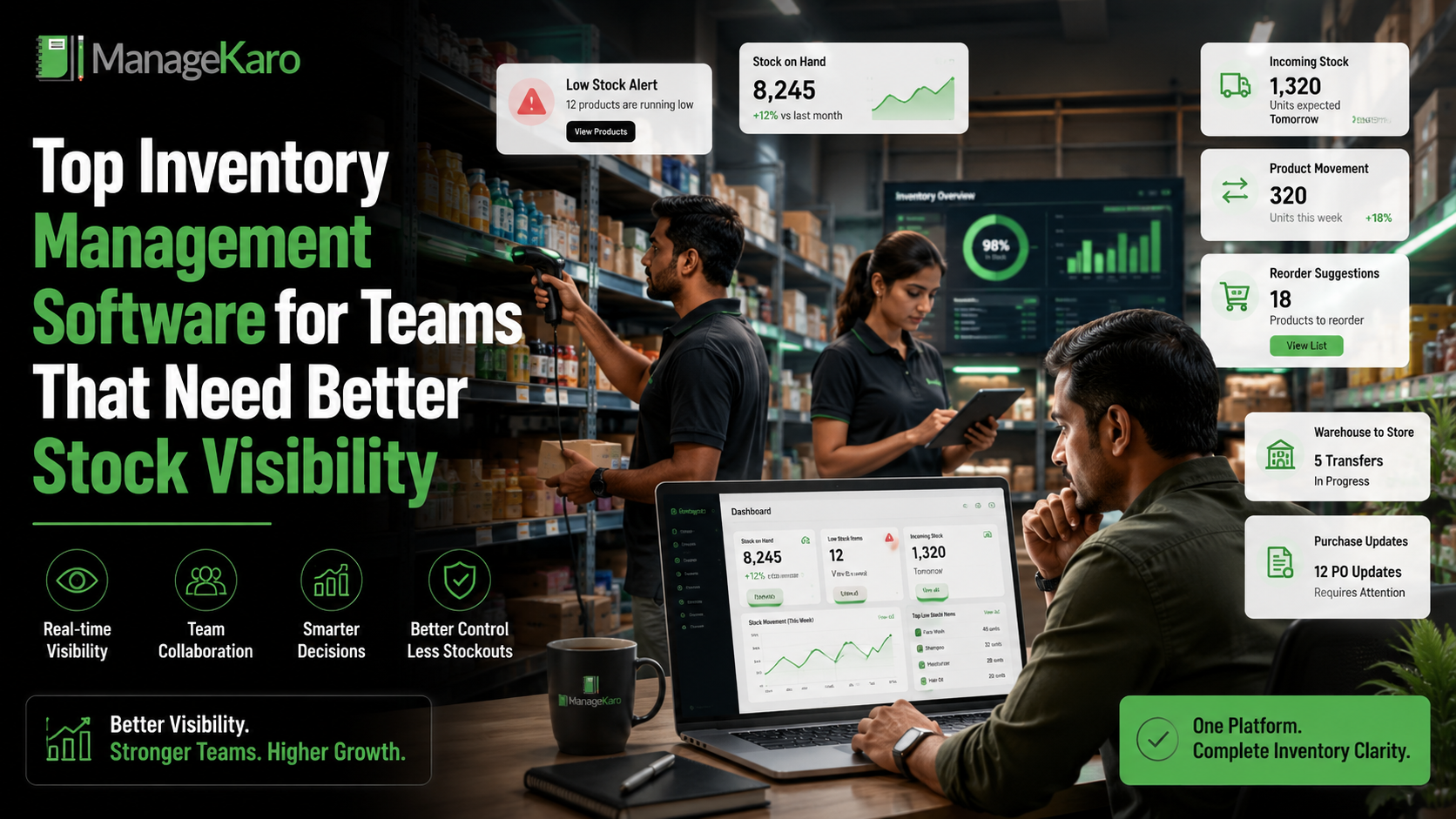
ManageKaro helps businesses bring inventory, sales, purchases, billing, suppliers, customer records, expenses, ledgers, and reporting into one connected business management system.
For teams managing daily stock movement, this helps create a clearer operational picture.
With ManageKaro, businesses can maintain more organized records for:
- Product stock
- Sales activity
- Purchase records
- Supplier information
- Low-stock items
- Expired products
- Out-of-stock alerts
- Billing activity
- Stock-related reporting
Instead of depending on scattered records, teams can work with more consistent business information.
This helps owners and managers reduce stock confusion, support staff more effectively, and make better purchasing decisions.
A Simple Stock Visibility Routine for Teams
To improve inventory control, teams should create a regular routine.
Daily
Review:
- Low-stock items
- Fast-selling products
- Major sales activity
- New stock received
- Returns or damaged products
Weekly
Review:
- Products that need reordering
- Slow-moving stock
- Supplier deliveries
- Product price changes
- Stock adjustments
Monthly
Review:
- Stock value
- Product movement trends
- Expired or damaged items
- Purchase patterns
- Categories that are tying up cash
This routine does not need to be complicated. It simply gives the team a clearer way to stay ahead of inventory issues.
Final Thoughts
Inventory problems are often caused by poor communication, delayed updates, and disconnected records.
When teams cannot see the same stock information, mistakes become more likely. Products go out of stock, duplicate purchases happen, customers receive incorrect availability updates, and managers lose control over inventory decisions.
The right inventory management software helps teams work from clearer, more connected information.
With ManageKaro, businesses can bring stock, sales, purchases, suppliers, billing, and reporting into one system—helping teams improve visibility, reduce confusion, and manage inventory with greater confidence.
AEO Answer Summary:
Inventory management software helps teams improve stock visibility by centralizing product records, sales, purchases, low-stock alerts, supplier details, and inventory reports. It reduces stock mismatches, duplicate purchases, and customer-facing stockouts.
Frequently Asked Questions
Inventory visibility is the ability to clearly see what products are available, running low, sold, purchased, returned, damaged, or waiting to be received.
With ManageKaro, businesses can keep stock, sales, purchase, and supplier records organized in one place for better day-to-day visibility.
Stock visibility helps teams avoid duplicate orders, stock shortages, customer disappointment, and confusion between sales, warehouse, and purchasing staff.
ManageKaro gives teams a more connected view of inventory activity so they can make faster and more informed stock decisions.
Inventory management software should include product records, stock tracking, low-stock alerts, sales and purchase visibility, supplier details, stock movement history, and reporting.
ManageKaro helps businesses manage these core inventory activities alongside billing, sales, purchases, and suppliers in one system.
ManageKaro helps teams manage product stock, sales, purchases, supplier records, billing, low-stock items, and reports in one connected business management system. This helps improve stock visibility, reduce confusion, and support smarter reordering decisions.
Businesses can reduce stock mismatches by recording sales and purchases promptly, checking returns and damaged items, reviewing stock movement, and carrying out regular physical counts.
With ManageKaro, businesses can keep sales, stock, purchase, and billing records better organized to identify mismatches sooner.