Buying a POS system is not something a small business owner should rush.
A point of sale system becomes part of daily operations. Staff use it to create bills. Owners use it to check sales. Inventory teams use it to review stock. Managers use it to understand performance. If the system is slow, confusing, or missing important features, the business may continue depending on notebooks, spreadsheets, calculators, and WhatsApp messages.
That is why a small business POS checklist is useful before buying.
Instead of choosing POS software only by price or appearance, business owners should compare how well the system supports billing, inventory, payments, customers, purchases, suppliers, expenses, reports, users, and future growth.
Quick Answer: What Should You Compare Before Buying a Small Business POS?
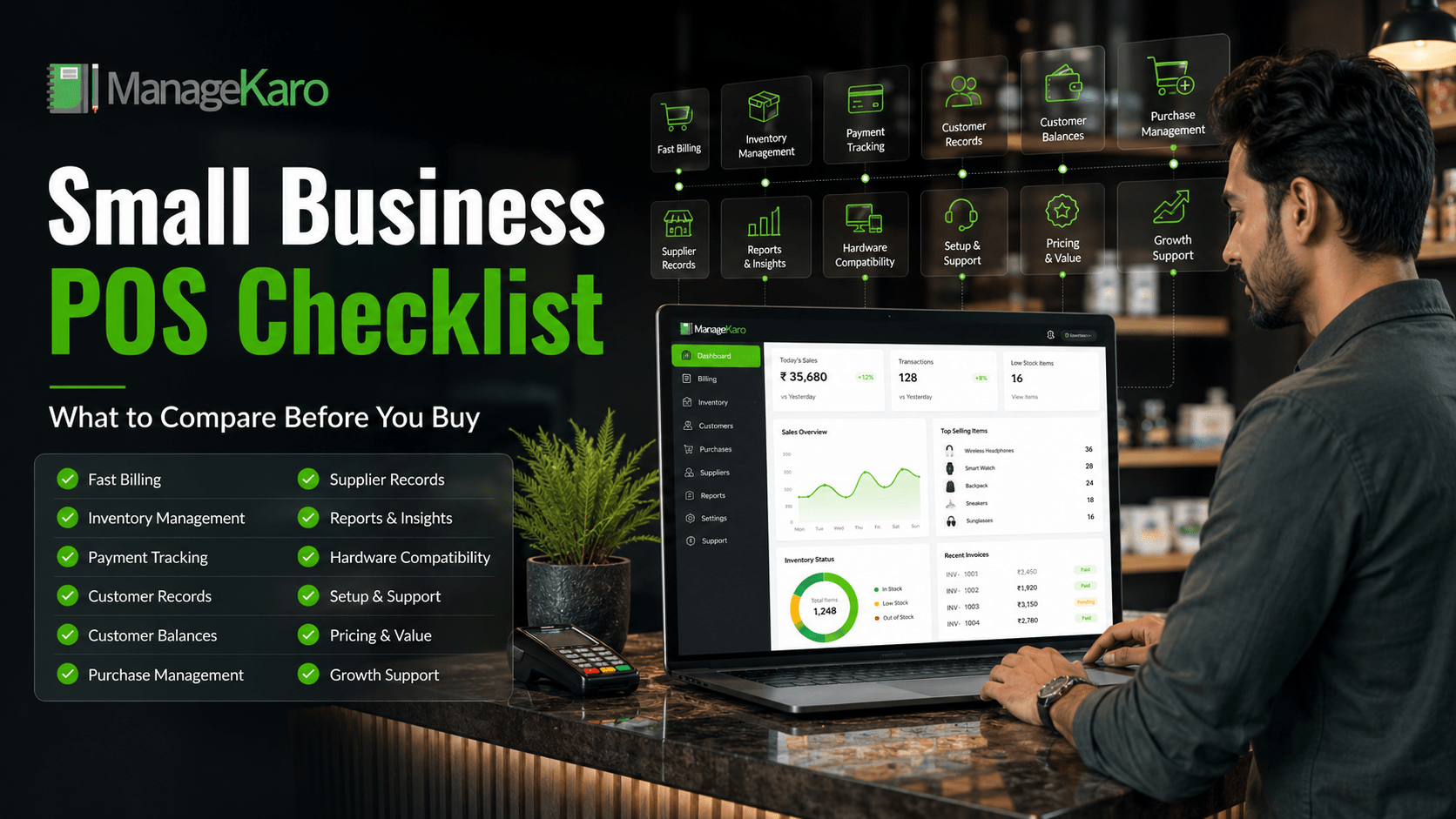
Before buying a small business POS system, compare billing speed, ease of use, inventory features, payment tracking, customer records, customer balances, purchase management, supplier records, reports, hardware needs, user roles, setup support, pricing, and scalability.
ManageKaro helps small businesses manage POS billing together with inventory, sales, purchases, suppliers, expenses, customer balances, ledgers, and reports in one connected system.
Why a POS Checklist Matters
Many small businesses buy POS software after watching a short demo.
The billing screen may look simple, but the system may not support the full business workflow.
A POS system should help answer important questions:
- Can staff create bills quickly?
- Can products be searched easily?
- Does inventory update clearly?
- Can the owner see low-stock items?
- Are payment methods tracked?
- Can customer balances be managed?
- Are purchases and suppliers recorded?
- Are reports easy to understand?
- Can more users or locations be added later?
- Is support available when needed?
A checklist helps owners compare systems more carefully before paying.
1. Compare Billing Speed
Billing is the most used POS feature.
Before buying, check whether staff can create a bill quickly without too many clicks.
Compare whether the POS allows:
- Product search
- Barcode scanning
- Quantity changes
- Discounts
- Customer selection
- Payment method selection
- Receipt printing or digital invoice sharing
A good POS system should make checkout faster, not slower.
2. Compare Ease of Use
Small business staff may not have time for complicated software.
The POS system should be easy to learn and simple to use during busy hours.
Ask:
- Is the dashboard clean?
- Can staff understand it quickly?
- Are common tasks easy to find?
- Is billing simple?
- Are reports readable?
- Can the owner manage settings easily?
Ease of use is one of the most important buying factors.
3. Compare Inventory Management
A POS system should not only create bills. It should help manage stock.
Compare whether the system can track:
- Current stock
- Product records
- Low-stock items
- Out-of-stock products
- Product movement
- Stock value
- Fast-moving products
- Slow-moving products
If billing and inventory are disconnected, stock mismatches can happen.
4. Compare Product Search and Barcode Support
Product search is important for speed.
Staff should be able to find products by name, code, category, SKU, or barcode.
Barcode support is especially useful for businesses with many products, such as grocery stores, pharmacies, retail shops, electronics stores, garment shops, and hardware stores.
Before buying, test product search with real product examples.
5. Compare Payment Tracking
Small businesses often accept more than one payment method.
A POS system should help record:
- Cash
- Card
- Bank transfer
- Digital wallet
- Partial payment
- Credit sale
Clear payment tracking helps with daily cash closing and reduces payment confusion.
6. Compare Customer Records
Customer records are useful for repeat customers, credit sales, and service-based businesses.
Compare whether the POS system can store:
- Customer name
- Contact details
- Purchase history
- Payment activity
- Outstanding balance
- Customer ledger
This is important for businesses that want better customer control.
7. Compare Customer Balance Tracking
If your business allows customers to pay later, this feature is essential.
Without customer balance tracking, owners may depend on notebooks or memory.
A good POS system should help track:
- Credit sales
- Partial payments
- Pending balances
- Customer ledgers
- Payment history
This helps protect cash flow.
8. Compare Purchase Management
Inventory enters the business through purchases.
A POS system should help owners record what was bought, from which supplier, at what cost, and when.
Compare whether the system supports:
- Purchase records
- Purchase history
- Product costs
- Supplier details
- Stock receiving
- Purchase reports
This helps owners make better reorder decisions.
9. Compare Supplier Management
Supplier records help small businesses control purchasing.
A useful POS system should help track supplier names, contact details, purchase history, supplier balances, and product supply information.
This is important for shops, wholesalers, distributors, and stock-heavy businesses.
10. Compare Expense Tracking
Sales alone do not show the full business picture.
Owners also need to track expenses such as rent, salaries, utilities, transport, packaging, repairs, and daily costs.
A POS system with expense tracking can help owners understand business performance more clearly.
11. Compare Reports and Dashboards
Reports are one of the biggest reasons to buy POS software.
Compare whether the POS system provides simple reports for:
- Daily sales
- Product-wise sales
- Payment summary
- Low-stock items
- Out-of-stock products
- Purchases
- Suppliers
- Customer balances
- Expenses
- Inventory value
- Business performance
Reports should be easy for owners to understand.
12. Compare User Roles
Not every staff member should access everything.
A cashier may need billing access. A manager may need reports. A warehouse staff member may need inventory access. The owner may need full control.
User roles help reduce mistakes and protect sensitive business records.
13. Compare Hardware Needs
Some businesses need hardware. Others can start with only POS software.
Compare what your business really needs:
- Laptop or desktop
- Tablet or mobile device
- Barcode scanner
- Receipt printer
- Cash drawer
- Payment terminal
- Label printer
Do not buy hardware only because it looks professional. Buy hardware when it improves speed, accuracy, or customer experience.
14. Compare Cloud Access
Cloud access can help owners review business data from different devices or locations.
This is useful for:
- Multi-user teams
- Multiple counters
- Branches
- Warehouses
- Remote owners
- Growing businesses
Before buying, check whether the POS system supports flexible access and secure records.
15. Compare Setup and Support
Small businesses often need help when moving from manual records to POS software.
Compare whether the provider supports:
- Product setup
- Staff training
- Inventory setup
- Billing configuration
- Troubleshooting
- Updates
- Ongoing support
Good support helps the business adopt the system faster.
16. Compare Pricing and Value
Price matters, but the cheapest option is not always the best.
Compare value, not just cost.
Ask:
- Does it reduce manual work?
- Does it prevent errors?
- Does it save staff time?
- Does it improve inventory control?
- Does it help with customer balances?
- Does it provide useful reports?
- Does it support business growth?
A POS system is valuable when it helps the business operate better every day.
17. Compare Growth Support
Your business may start small, but it may grow later.
Before buying, check whether the POS system can support:
- More products
- More users
- More devices
- More counters
- More branches
- More reports
- More business workflows
Changing software later can be difficult, so choose a system that can grow with the business.
Small Business POS Comparison Checklist
Use this checklist before buying:
- Fast billing
- Easy interface
- Product search
- Barcode scanning
- Inventory management
- Low-stock visibility
- Payment tracking
- Customer records
- Customer balances
- Purchase management
- Supplier records
- Expense tracking
- Sales reports
- Inventory reports
- User roles
- Hardware compatibility
- Cloud access
- Setup support
- Clear pricing
- Growth support
The best POS system should match your daily workflow, not only your budget.
How ManageKaro Helps Small Businesses
ManageKaro helps small businesses manage POS billing and daily operations in one connected system.
With ManageKaro, businesses can manage:
- POS billing
- Sales records
- Inventory
- Product records
- Purchases
- Suppliers
- Expenses
- Customer balances
- Ledgers
- Reports
- Low-stock items
- Out-of-stock products
This gives small business owners better visibility over daily operations.
Instead of using separate tools for billing, stock, purchases, suppliers, customers, expenses, and reports, ManageKaro provides a more connected way to manage the business.
Final Thoughts
A small business POS checklist helps owners make a better buying decision.
Before choosing POS software, compare billing speed, inventory control, payment tracking, customer records, purchases, suppliers, expenses, reports, hardware needs, user roles, setup support, price, and growth support.
The right POS system should make daily work easier and give owners better control.
ManageKaro helps small businesses manage POS billing together with inventory, sales, purchases, suppliers, expenses, customer balances, ledgers, and reports in one connected system, making it a practical option for owners who want better business control before they grow.