
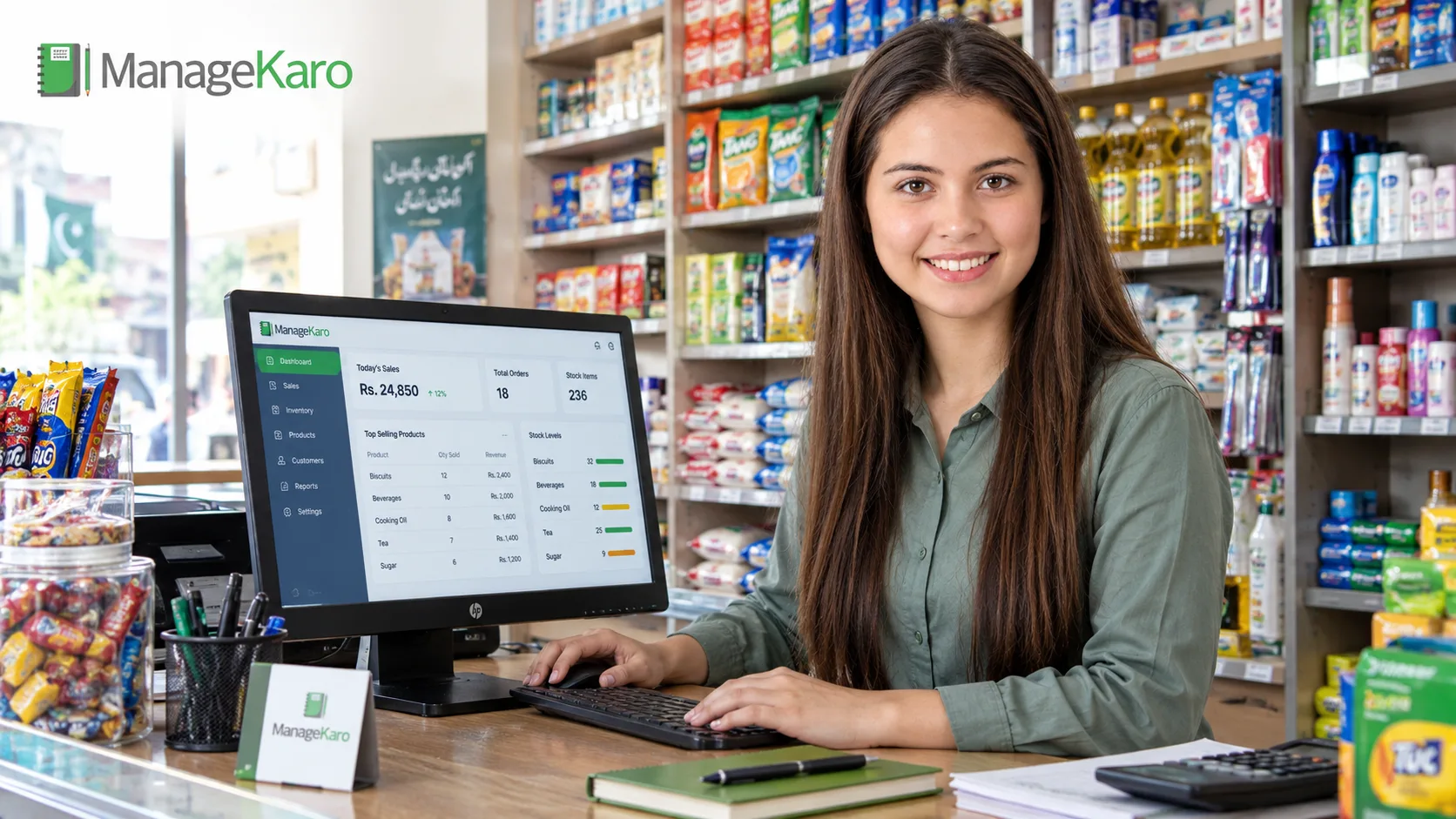
Running a shop involves more than selling products. Shop owners need to track inventory, record sales, manage expenses, monitor customer payments, and understand how their business is performing. When these activities rely on separate registers and spreadsheets, keeping records accurate and up to date can become difficult.
Shop management software in Pakistan helps businesses organize these daily operations through digital tools for billing, inventory, sales tracking, and financial reporting. Depending on the software, it may also support barcode scanning, multiple branches, employee management, and warehouse operations.
However, not every shop needs the same features. A small grocery store may prioritize fast billing and stock alerts, while a wholesale business may need purchase tracking, customer ledgers, and inventory across multiple locations.
This guide compares shop management software options, explains the features worth evaluating, and outlines the factors Pakistani business owners should consider before choosing a solution.
What Is Shop Management Software?
Shop management software is a digital system that helps retailers manage the day-to-day activities of a store. It can bring sales transactions, product records, inventory, billing, expenses, and business reports into one place.
Instead of recording every transaction separately, a shop owner can use connected software to maintain more consistent records and access business information when needed.
Depending on the product, common capabilities include:
- Sales and billing: Record purchases, generate invoices, and issue receipts.
- Inventory management: Track available stock, monitor low-stock products, and record stock movements.
- Purchase management: Maintain supplier records and track incoming goods where supported.
- Financial tracking: Record expenses, payments, customer balances, and other financial transactions.
- Business reporting: Review sales activity, stock levels, and financial performance.
- Employee access: Assign permissions to employees according to their responsibilities.
The exact features vary by provider and subscription plan. Before purchasing software, confirm which capabilities are included and whether additional fees apply.
Shop Management Software vs. POS Software vs. Inventory Software
These terms are related, but they do not always describe the same type of product.
Shop management software generally covers several business activities, potentially including sales, inventory, expenses, billing, and reporting.
Point-of-sale (POS) software focuses on processing transactions at checkout. Depending on the product, it may also handle receipts, discounts, payment records, and basic inventory tracking.
Inventory management software focuses on stock quantities, product records, stock movements, and inventory visibility across one or more locations.
Some platforms combine all three functions. For example, a POS transaction may automatically update stock records in a connected inventory system. This can reduce the need to enter the same information more than once.
When comparing products, look beyond the software category and verify the actual features available.
Best Shop Management Software in Pakistan Compared
The right solution depends on your shop’s size, workflow, budget, and operational requirements. The following products offer different approaches to retail management, from connected business operations to POS-focused systems.
This is a practical shortlist, not a definitive ranking of every provider in Pakistan. Product capabilities and pricing should be confirmed with each vendor before making a purchase.
1. ManageKaro — Connected Shop and Business Management
ManageKaro is an all-in-one business management platform built for Pakistani retailers, wholesalers, distributors, and other businesses.
Its published features connect billing, point of sale, inventory, financial management, employee management, and delivery operations. The platform also offers mobile access, offline functionality, multi-user access controls, and support for multiple warehouses.
Key capabilities include:
- Billing and invoicing with tax and discount options.
- POS sales with barcode scanning and multiple payment methods.
- Inventory tracking, low-stock alerts, warehouse management, and stock transfers.
- Financial records, including expenses, income, customer ledgers, outstanding balances, and profit-and-loss reports.
- Employee attendance, leave, payroll, and payslips.
- Delivery challans and delivery status tracking.
- An online store available through the platform.
- Mobile and offline access.
One of its practical advantages is the connection between business activities. According to its official website, a POS sale can update inventory, the cash book, and the customer ledger, reducing the need to maintain disconnected records.
ManageKaro may be worth evaluating if you want to manage shop operations, stock, billing, and financial records within one platform rather than combining several separate tools.
Before choosing it, test the features your business actually needs, including offline workflows, reporting, user permissions, and the handling of your specific product catalog.
Website: ManageKaro
2. Moneypex — Retail POS and Inventory Management
Moneypex offers POS software and business management tools for retailers and other businesses. Its retail POS product lists inventory tracking, barcode scanning, sales reporting, employee management, and multi-store functionality.
The provider also advertises online and offline operation, cloud backups, and FBR-related integration on its official POS website. Businesses with specific tax or electronic invoicing requirements should confirm the applicable integration, eligibility, and configuration directly with the vendor.
Features listed for its retail POS include:
- Sales processing and billing.
- Inventory tracking and low-stock alerts.
- Barcode scanning and printing.
- Multi-store management.
- Sales and performance reports.
- Staff and user management.
- Online and offline billing options.
Moneypex may suit retailers who prioritize checkout operations, stock control, and branch management. Review the available plans carefully to understand the difference between its online and offline products, including data storage, mobile access, support, and update arrangements.
Website: Moneypex POS
3. CISePOS — Retail POS and Store Operations
CISePOS provides cloud-based POS software for retail businesses, alongside solutions for other business categories.
Its published retail features include sales tracking, inventory management, customer records, product transfers, supplier-related purchase orders, reporting, and accounting functionality.
Relevant capabilities include:
- Product management and barcode printing.
- Inventory adjustments associated with sales.
- Stock management across multiple locations.
- Customer profiles and purchase information.
- Sales reports and business analytics.
- Expense records and accounting tools.
CISePOS may be relevant for retailers who want a POS-focused system with inventory and reporting features.
Before selecting it, check which functions are included in the plan you are considering and whether its deployment, connectivity, support, and integrations match your business requirements.
Website: CISePOS Retail Features
4. Loyverse — POS With Free Core Features
Loyverse is an international POS platform that offers free core tools and optional paid add-ons.
Its published free features include POS transactions, basic inventory tracking, low-stock notifications, customer loyalty tools, and sales analytics covering the most recent 31 days. The platform also lists multi-store management and support for selected hardware.
Its paid add-ons extend capabilities such as sales history, employee management, and advanced inventory functions.
Loyverse may be worth considering for smaller retailers who want to explore a POS system without committing to a paid subscription immediately.
However, free software is not automatically the most economical option for every business. Review the features included in the free version, the price of any necessary add-ons, supported hardware, and the availability of payment or tax integrations in Pakistan.
Confirm that the product meets your local operational and compliance requirements before using it for business-critical transactions.
Website: Loyverse POS
How Should You Compare These Options?
Rather than selecting software based on its name or promotional claims, compare each product against your actual requirements.
| Evaluation factor | What to check |
|---|---|
| Billing and POS | Can it process your typical transactions and issue suitable receipts? |
| Inventory | Does it track stock, low-stock items, and product movements? |
| Multiple locations | Can you view and transfer stock between the locations you use? |
| Financial records | Can it track expenses, payments, customer balances, and useful reports? |
| Internet connectivity | What works offline, and how does synchronization work after reconnecting? |
| Local requirements | Are the required tax, invoicing, and payment integrations supported? |
| Pricing | What is included, and what costs extra? |
| Support | Are training, technical assistance, and software updates included? |
The best choice is the product that meets your essential requirements at a reasonable total cost and can support your business as it grows.
Essential Features to Look for in Shop Management Software
A useful shop management system should address your daily operational needs without making routine tasks unnecessarily complicated.
1. Inventory Management and Low-Stock Tracking
Inventory management helps you maintain records of products received, sold, and remaining in stock. Without consistent stock records, shop owners may struggle to identify missing products, reorder items on time, or understand which products are available.
When evaluating inventory software, look for:
- Current stock quantities.
- Low-stock alerts or notifications.
- Organized product records.
- Stock adjustments and movement history where available.
- Support for multiple stores or warehouses if required.
- Inventory updates connected to sales.
- Product identification through barcodes or other supported methods.
For businesses that manage stock across several locations, it is also useful to know where each product is stored and whether inventory can be transferred between locations.
ManageKaro’s inventory feature page describes real-time stock tracking, low-stock visibility, rack and sub-rack organization, warehouse transfers, and inventory updates linked to POS sales.
You can explore the platform’s inventory management software for stock tracking and warehouse control to review the available capabilities.
Before purchasing any system, test how stock changes after a sale, purchase, return, or adjustment. Confirm that the software supports the transactions relevant to your business.
2. POS Billing and Sales Recording
A point-of-sale system helps shop staff process transactions and maintain sales records. Depending on the software, it may support barcode scanning, discounts, multiple payment methods, customer records, and receipt generation.
Useful capabilities to evaluate include:
- Fast product lookup and checkout.
- Barcode scanning, if relevant to your product range.
- Accurate quantity and price calculations.
- Discount and tax configuration.
- Receipt printing or digital receipt sharing.
- Refund and transaction correction workflows.
- Clear records of completed sales.
For shops with long checkout queues, test the system using a typical transaction rather than relying on a vendor’s feature list.
If your business needs to continue selling during internet outages, ask the provider to demonstrate offline billing and explain how transactions synchronize when connectivity returns.
3. Purchase Records and Supplier Management
Inventory control does not end when a customer purchases a product. Shop owners also need to track incoming stock and maintain reliable supplier records.
Depending on your operations, useful features may include purchase records, supplier details, received quantities, product costs, and stock adjustments.
These records help you compare incoming stock with existing inventory and identify discrepancies.
If your business regularly purchases products from multiple suppliers, check whether the software supports purchase orders, supplier balances, and receiving workflows. Do not assume these features are included simply because a product advertises inventory management.
4. Expense Tracking and Financial Reports
Sales figures alone do not explain how a shop is performing. Rent, utilities, salaries, purchasing costs, and other expenses also affect the business’s financial position.
Financial management features can help you organize income, expenses, payments, customer balances, and reports.
Before choosing a system, check whether it supports:
- Daily income and expense records.
- Cash and payment tracking.
- Customer ledgers and outstanding balances.
- Sales summaries.
- Profit-and-loss reporting.
- Exporting or reviewing business records.
A report is only as reliable as the underlying records and accounting setup. Verify how the software calculates its figures and whether it includes the financial information you need.
5. Customer Records and Outstanding Balances
Some retailers allow regular customers to purchase products on credit or pay later. In such cases, customer records and outstanding balances become important parts of daily shop management.
Software with customer ledgers can help you review transaction histories, record payments, and identify unpaid balances.
Check whether the system can distinguish between completed payments, partial payments, and outstanding amounts. Also review the permissions available for employees who access customer and financial information.
6. Barcode Scanning and Product Organization
Barcode scanning can speed up product lookup and reduce manual entry during checkout.
It is particularly useful for shops with large catalogs, products with similar names, or items that need consistent identification.
If your shop sells products with different sizes, colors, models, or specifications, check how the software handles product variations. Businesses dealing with auto parts, hardware, and electronics may also benefit from organized product categories and detailed product records.
Confirm hardware compatibility before buying barcode scanners, receipt printers, cash drawers, or other equipment.
7. Multi-Branch and Warehouse Management
Businesses with several locations need more than a single stock total.
Multi-location features can help shop owners view available inventory by branch, organize storage locations, and record transfers between warehouses.
Before purchasing, check whether the system supports your intended number of locations and whether you can view consolidated sales and stock reports.
For a business that operates from one small store, these capabilities may be unnecessary at first. For a growing retailer or distributor, they may become essential.
8. Offline Access, Security, and Data Backup
Internet reliability, data protection, and recovery options should be part of the software evaluation.
Some systems support selected offline operations, while others require an active connection for important tasks. Offline functionality can also vary by feature, device, and transaction type.
Ask the vendor:
- Which operations remain available without internet access?
- How are offline transactions synchronized?
- What happens if two users update the same record?
- How often is business data backed up?
- Can authorized users export their records?
- How are employee permissions controlled?
- What happens to your data if you cancel your subscription?
Do not assume that a product offering cloud access automatically supports every offline workflow. Test the functions your business relies on before committing.
How to Choose Shop Management Software for Your Business
Different types of shops have different operational requirements. The following examples can help you identify which features deserve the most attention.
Software for Grocery and General Stores
Grocery and general stores often manage many products with different prices and stock turnover rates.
Prioritize fast checkout, barcode support where applicable, current stock records, low-stock notifications, and clear daily sales reports.
If your store handles products sold by weight, expiry dates, or batches, verify that the software supports those specific workflows before purchasing.
Software for Clothing and Footwear Shops
Clothing and footwear retailers often maintain multiple sizes, colors, and styles within the same product range.
Look for product variation management, barcode support, inventory visibility, purchase records, and reports that help you understand which items are selling.
If you operate multiple branches, verify whether stock can be tracked and transferred between locations without relying on separate spreadsheets.
Software for Electronics and Auto Parts Stores
Electronics retailers and auto parts shops may need detailed product identification, organized storage locations, supplier records, and accurate stock movement histories.
For these businesses, inventory organization can be as important as checkout speed.
Check whether the software can accommodate the product attributes, codes, and storage arrangements you use. Do not assume that every inventory system supports serial numbers, warranty tracking, or vehicle-specific parts compatibility.
Software for Wholesale Businesses
Wholesale businesses often manage larger quantities, repeat customers, supplier relationships, and transactions with different pricing arrangements.
Relevant features may include bulk sales, customer ledgers, purchase records, stock transfers, and consolidated reporting.
If you sell to customers on credit, test how the software records outstanding balances and payments. If you operate several warehouses, confirm that stock visibility and transfers work across those locations.
Software for Multi-Branch Retailers
Retailers with several shops may need centralized product records, branch-level inventory, stock transfers, employee permissions, and consolidated reporting.
Before selecting a system, confirm whether each branch can operate with the appropriate access controls and whether managers can review the information they need without compromising other users’ permissions.
The right configuration should reflect how your business actually operates rather than adding complexity you do not need.
How Much Does Shop Management Software Cost in Pakistan?
The cost of shop management software depends on the provider, subscription plan, number of users, hardware requirements, and features included.
Some products offer free core POS functionality. Others charge recurring subscription fees, provide one-time license options, or offer different plans for online and offline use.
Instead of comparing the headline price alone, evaluate the total cost of using the software.
Free Software vs. Paid Plans vs. Free Trials
A free product may be sufficient for a small shop with straightforward requirements. However, advanced inventory management, longer sales history, employee controls, integrations, or additional locations may require paid features.
A free trial serves a different purpose: it gives you a limited period to test a product before purchasing a subscription or license.
During a trial, test the workflows you expect to use regularly. Check whether the trial includes all essential features and whether your business records can be retained or exported if you decide not to continue.
Subscription and One-Time License Costs
Subscription plans may include updates and support, depending on the provider. A one-time license may have different terms for future updates, maintenance, device access, and technical assistance.
Compare these terms before deciding which pricing model suits your business.
For example, ManageKaro publishes a three-day free trial and lists annual and lifetime-access options on its official pricing page. Review the current prices, currency, plan terms, and included services directly with the provider before purchasing.
Additional Costs to Consider
The total cost of shop management software may include:
- Computers, tablets, barcode scanners, or receipt printers.
- Internet access and connectivity requirements.
- Initial setup and staff training.
- Additional users or branches.
- Optional integrations or advanced features.
- Data migration and record cleanup.
- Ongoing support or maintenance, where charged separately.
A lower upfront price does not necessarily mean a lower long-term cost. Compare the full expense of operating the system over the period you expect to use it.
What Pakistani Shop Owners Should Check Before Buying
In addition to software features and pricing, local business requirements can influence which system is suitable.
Internet Connectivity and Offline Operations
If your shop experiences unreliable connectivity, ask the vendor to demonstrate the offline features available on your intended device.
Check whether you can continue billing, access product records, and save transactions during an outage. Also verify what information remains unavailable and how synchronization works after reconnecting.
The term “offline support” does not necessarily mean the entire platform works without internet access.
Tax and Electronic Invoicing Requirements
Tax and electronic invoicing obligations depend on the type of business, its registration status, and applicable federal or provincial rules.
If your business needs integration with the Federal Board of Revenue (FBR) or another relevant authority, verify the specific requirements that apply to your business.
Ask the vendor whether the software supports the required integration, which configuration is needed, and whether any additional charges apply. Confirm compliance through current official guidance rather than relying solely on a marketing statement.
You can consult the FBR’s official guidance on POS integration for retailers as a starting point.
Local Support and Staff Training
Software is only useful if your team can operate it correctly.
Before purchasing, find out how training is provided, what support channels are available, and how quickly the provider typically responds to technical questions.
If your employees need a particular interface language or additional training, confirm that these needs can be accommodated.
Data Migration and Backup
Moving from notebooks or spreadsheets to a new system requires accurate product, supplier, customer, and stock records.
Ask whether your existing data can be imported and which file formats are supported. Find out how backups work and whether you can export your records if you later change providers.
A clear migration plan can help you avoid incomplete records and unnecessary disruption during the transition.
Why Consider ManageKaro for Shop Management?
ManageKaro brings several business management functions into one platform, including POS, billing, inventory, financial management, HR, and delivery operations.
Its published features are intended for retailers, wholesalers, distributors, and other businesses that need connected operational records.
Connected Billing, Sales, and Inventory
ManageKaro lists POS billing, barcode scanning, multiple payment methods, and inventory updates linked to sales.
This connection can help reduce duplicate data entry when a transaction affects both sales and stock records.
Stock Visibility Across Locations
The platform’s inventory features include multi-warehouse support, stock transfers, low-stock visibility, and product organization using racks and sub-racks.
These capabilities may be useful for businesses that need to monitor products across different storage locations.
Financial and Operational Records
ManageKaro also lists financial features for tracking income, expenses, customer ledgers, outstanding balances, and profit-and-loss reports.
Its other published functions include employee management, payroll, delivery challans, and an online store.
Whether these features are right for your business depends on the workflows you need to manage. Review the official product information and test the relevant functions before choosing a plan.
You can start with ManageKaro’s 3-Day free trial and review the available plans to assess whether the platform suits your shop.
How to Evaluate Shop Management Software Before Committing
A structured evaluation can help you identify limitations before moving your business records into a new system.
Use the following checklist during a demo or free trial.
Test a Typical Sale
Create a sample transaction and check whether the software calculates prices, discounts, and taxes correctly. Confirm that the sale appears in the appropriate records and that the receipt contains the information you need.
Check the Inventory Update
After completing the sale, verify whether the stock quantity changes as expected.
If you operate multiple locations, test a stock transfer and check whether the available quantities are reflected correctly.
Review Daily Reports
Generate a sales report and review the recorded expenses or customer balances if those features are relevant to your business.
Check whether the reports are understandable, whether the figures match your sample transactions, and whether you can export the information you need.
Test User Permissions
If employees will use the system, confirm that you can assign appropriate permissions. Staff members should have access to the functions they need without automatically receiving access to every sensitive business record.
Confirm Offline Behavior
If offline operations are important, disconnect the device and test the supported workflows. Reconnect and verify how transactions synchronize.
Review Support and Exit Options
Before committing, understand how to contact support, what training is available, and how to retrieve your data if you stop using the service.
These practical checks provide a more reliable basis for choosing software than a feature list alone.
Frequently Asked Questions
What is the best shop management software in Pakistan?
The best option depends on your business requirements. Compare billing, inventory, reporting, offline access, support, and total cost. ManageKaro, Moneypex, CISePOS, and Loyverse are examples of platforms worth evaluating, but each should be assessed against your specific needs.
Which shop management software is suitable for a small business?
A small business may benefit from software that is straightforward to use and provides the essential features it needs, such as billing, inventory tracking, and sales reports. Consider future growth, but avoid paying for functions you will not use.
How much does shop management software cost in Pakistan?
Prices vary by provider and plan. Some products offer free core features, while others use subscriptions or one-time licenses. Hardware, additional users, support, and integrations may affect the total cost. Check current vendor pricing before making a decision.
What is the difference between POS software and shop management software?
POS software primarily handles checkout and sales transactions. Shop management software can cover a broader range of activities, including inventory, billing, expenses, financial records, and reporting. Some platforms combine both functions.
Can shop management software track inventory automatically?
Some systems update inventory when a sale is recorded through their POS functionality. Other stock movements may require separate entries or adjustments. Confirm which transactions update inventory automatically and test the process before purchasing.
Is there free shop management software in Pakistan?
Some products offer free core POS features or limited free plans, while others provide time-limited trials. Check which features are included, whether there are transaction or usage limits, and whether the product meets your local business requirements.
Can shop management software manage multiple branches?
Some systems support multiple branches or warehouses and provide stock transfers and consolidated reporting. Availability and limits vary by provider and plan, so confirm that the software supports your intended setup.
What should I check about offline billing and tax integration?
For offline billing, verify which operations remain available during an internet outage and how data synchronizes afterward. For tax integration, confirm the specific requirements applicable to your business and verify the provider’s support for those requirements with the vendor and relevant official authorities.
Conclusion: Choosing the Right Shop Management Software in Pakistan
Choosing shop management software is about finding a system that fits your daily operations, budget, and plans for growth.
Start by identifying your most important needs, whether they involve fast billing, accurate stock records, customer balances, financial reporting, or multiple locations. Then compare products using consistent criteria, verify their current pricing and capabilities, and test the workflows your employees will use.
ManageKaro is one option to consider if you want POS, billing, inventory, financial management, and other business operations connected in one platform. Other providers may be suitable depending on your budget, preferred workflow, and required features.
Take time to evaluate the options before committing. A system that maintains reliable records and fits your actual business processes can make everyday shop management more organized and easier to monitor.
Tracking expenses alongside sales is such an underrated benefit. Many retailers focus mainly on inventory, but having clear visibility into where money is going can really improve decision-making and profitability.