
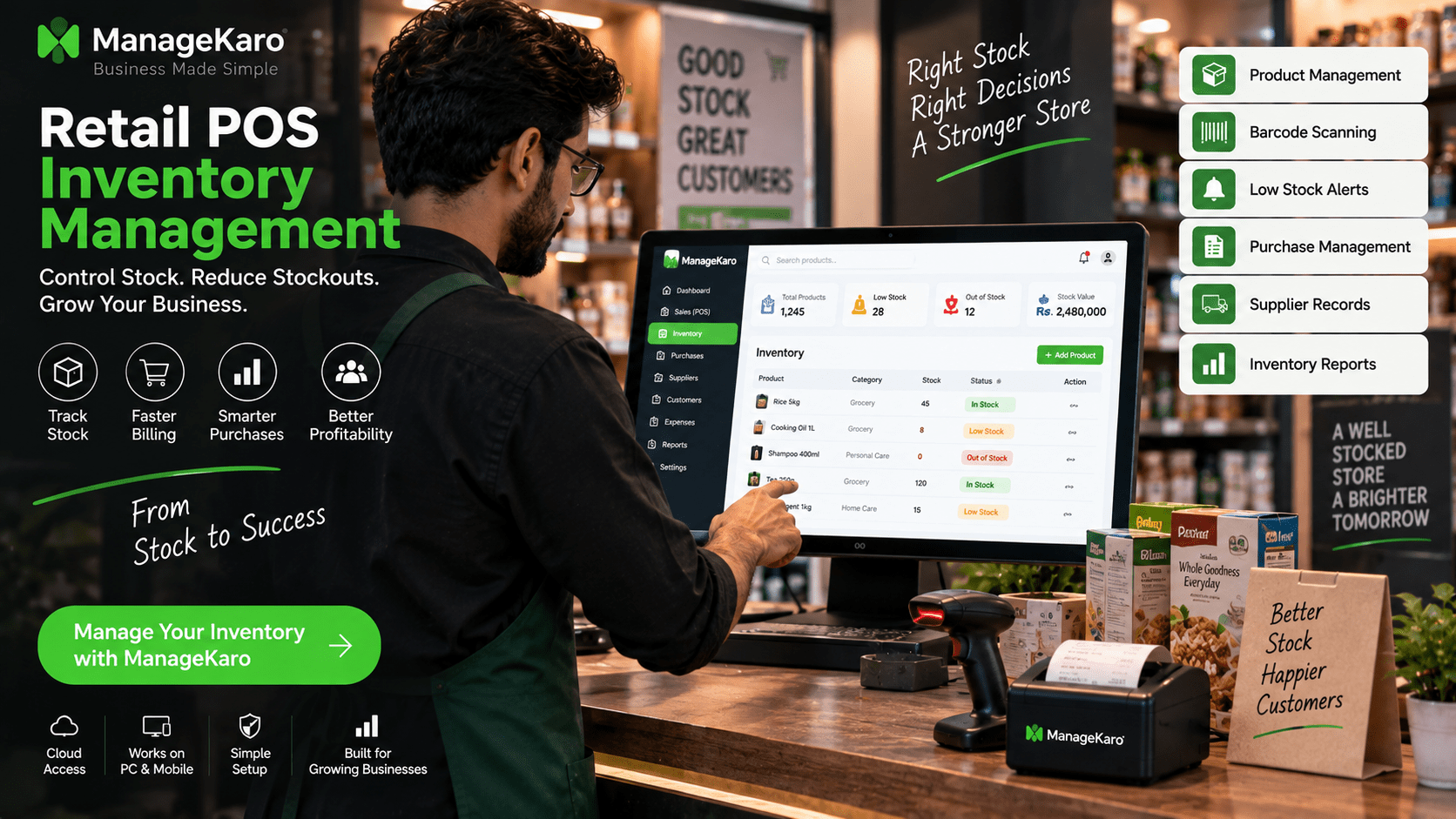
Retail inventory problems often start quietly.
A product sells at the counter, but the stock register is not updated. A popular item runs out before anyone notices. A slow-moving product stays on the shelf for months. A supplier delivers new stock, but purchase records are not organized. At the end of the day, the shop owner still does not have a clear picture of what is available, what is low, and what needs to be reordered.
This is why retail stores need POS inventory management.
A retail POS system with inventory management connects sales and stock. When products are sold, stock movement becomes easier to review. When items are low, the owner can take action earlier. When reports are available, the business can make better purchasing decisions.
For shop owners, better inventory control means fewer stockouts, less overstocking, better cash flow, and stronger daily business control.
Quick Answer: What Is Retail POS Inventory Management?
Retail POS inventory management is the process of connecting point of sale billing with stock tracking so shop owners can manage products, sales, purchases, low-stock items, out-of-stock products, suppliers, and inventory reports from one system.
ManageKaro helps retail store owners manage POS billing together with inventory, sales, purchases, suppliers, expenses, customer balances, ledgers, and reports in one connected business management system.
Why Inventory Control Matters in Retail Stores
Inventory is one of the most important parts of a retail business.
If stock is not controlled properly, the shop may lose sales, waste money, and disappoint customers.
Good inventory control helps shop owners know:
- What products are available
- Which items are low in stock
- Which products are out of stock
- Which products are selling fast
- Which products are not moving
- What should be reordered
- Which supplier provided stock
- How much money is tied up in inventory
Without this visibility, owners make decisions based on guesswork.
Common Retail Inventory Problems
1. Stock Runs Out Without Warning
This happens when low-stock items are not visible.
A product may be selling quickly, but if the system does not show low quantity, the owner may reorder too late.
2. Too Much Money Gets Stuck in Slow-Moving Stock
Some products may stay on shelves for a long time.
Without reports, owners may keep buying items that do not sell well, blocking cash that could be used for better products.
3. Sales and Stock Records Do Not Match
If billing and inventory are separate, sales may be recorded in one place and stock in another.
This creates mismatches between actual stock and recorded stock.
4. Purchase Records Are Scattered
If purchases are recorded in notebooks, invoices, or WhatsApp messages, it becomes difficult to understand supplier history and product costs.
5. Staff Depend on Manual Updates
Manual updates take time and create mistakes.
A connected POS inventory system helps reduce repeated manual entry.
How POS Inventory Management Works
A retail POS inventory system connects billing with product records.
A simple workflow looks like this:
- Products are added to the POS system.
- Opening stock is entered.
- Staff creates bills when customers buy products.
- Sales records are saved.
- Inventory movement becomes easier to review.
- Low-stock items are shown in reports.
- Purchases are recorded when new stock arrives.
- Owners review inventory and sales reports.
This creates a clearer link between sales, stock, purchases, and reports.
Benefits of Retail POS Inventory Management
Faster Stock Updates
When sales and stock are connected, product movement becomes easier to track.
Shop owners do not need to wait for manual stock counting to understand basic movement.
Better Low-Stock Visibility
A POS inventory system can help show which products need attention.
This helps owners reorder before stock runs out.
Fewer Stockouts
Stockouts happen when popular products are not reordered on time.
Better inventory visibility helps reduce missed sales and customer disappointment.
Less Overstocking
Overstocking happens when owners buy more than needed.
Inventory reports help identify slow-moving items, so owners can avoid tying up cash in products that do not sell quickly.
Smarter Purchasing
When purchase records are connected with inventory, owners can understand what was bought, from which supplier, and at what cost.
This improves reorder decisions.
Better Product Performance Tracking
Retail owners can review which products sell more and which products need attention.
This helps with pricing, promotions, purchasing, and shelf planning.
Easier Daily Management
A connected system reduces the need for separate billing registers, stock notebooks, purchase files, and manual reports.
Important POS Inventory Features Retail Stores Need
Product Management
The system should allow owners to add and manage product names, categories, prices, quantities, barcodes, and supplier details.
Barcode Scanning
Barcode scanning helps staff bill products faster and reduces product selection mistakes.
This is especially useful for grocery stores, pharmacies, garment shops, electronics shops, cosmetics shops, and supermarkets.
Opening Stock Setup
Opening stock should be added when setting up the system so inventory reports start correctly.
Low-Stock Alerts
Low-stock visibility helps owners reorder before products run out.
Out-of-Stock Tracking
Out-of-stock tracking helps owners understand which products are currently unavailable.
Purchase Management
A good POS inventory system should help record purchases and stock received from suppliers.
Supplier Records
Supplier details help owners review where products came from and what was purchased.
Product Movement Reports
Product movement reports help owners understand how stock changes over time.
Stock Value Reports
Stock value reports help owners understand how much money is tied up in inventory.
Fast and Slow-Moving Product Reports
These reports help owners decide what to reorder, promote, reduce, or stop buying.
Retail POS Inventory Example
Imagine a retail shop selling groceries, personal care items, and household products.
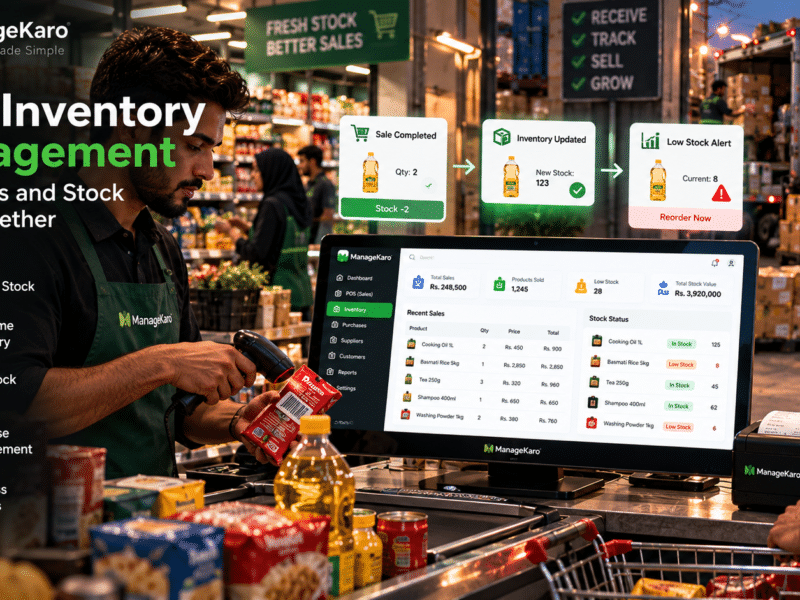
A customer buys three products. The staff scans the barcode and completes the sale. The POS saves the bill. The owner later checks reports and sees that one product is now low in stock.
The owner reviews purchase history and supplier records, then decides whether to reorder.
Without POS inventory management, this may require manual checking, staff updates, and paper records.
With a connected system like ManageKaro, the owner can manage billing, inventory, purchases, suppliers, and reports more clearly.
Retail Stores That Need POS Inventory Management
POS inventory management is useful for many retail businesses, including:
- Grocery stores
- Pharmacies
- Garment shops
- Electronics shops
- Hardware stores
- Cosmetics shops
- Mobile accessory shops
- Supermarkets
- General stores
- Shoes and fashion stores
- Home goods stores
- Stationery shops
- Multi-branch retail stores
Any shop that sells products daily needs better stock visibility.
Manual Stock Register vs POS Inventory System
| Area | Manual Stock Register | POS Inventory System |
|---|---|---|
| Stock updates | Manual | Easier to connect with sales |
| Billing link | Separate | Connected with sales records |
| Low-stock visibility | Difficult | Easier to identify |
| Purchase records | Scattered | More organized |
| Reports | Manual calculations | Easier to review |
| Product movement | Hard to track | Clearer through reports |
| Staff workload | Higher | Lower manual effort |
| Growth support | Limited | Better for growing stores |
Manual stock registers can work for very small shops, but growing stores need better structure.
How ManageKaro Helps Shop Owners Control Stock Better
ManageKaro helps retail shop owners manage inventory and POS billing in one connected system.
With ManageKaro, retail businesses can manage:
- POS billing
- Product records
- Stock levels
- Sales records
- Purchases
- Suppliers
- Low-stock items
- Out-of-stock products
- Expenses
- Customer balances
- Ledgers
- Reports
This helps shop owners reduce manual work, improve stock visibility, and make better daily decisions.
Instead of using separate systems for sales, stock, purchases, suppliers, and reports, ManageKaro gives retail stores a connected way to manage operations.
Mistakes Shop Owners Should Avoid
Not Entering Opening Stock Correctly
Wrong opening stock leads to wrong inventory reports.
Using Different Product Names
Product names should be consistent to avoid confusion in billing and reporting.
Ignoring Low-Stock Reports
Low-stock reports only help if owners review them regularly.
Keeping Purchases Separate From Inventory
Purchase records should connect with stock so owners know what came in and when.
Not Reviewing Slow-Moving Products
Slow-moving products can block cash and shelf space.
Depending Only on Manual Counting
Manual counting is still useful, but daily inventory control needs proper records.
Simple Inventory Routine for Retail Store Owners
Daily
Check:
- Low-stock products
- Out-of-stock products
- Sales activity
- Payment summary
- Product movement
Weekly
Review:
- Fast-moving products
- Slow-moving products
- Purchase needs
- Supplier activity
- Stock value
Monthly
Review:
- Inventory performance
- Product profitability
- Dead stock
- Reorder strategy
- Sales and stock trends
This routine helps shop owners stay in control.
Final Thoughts
Retail POS inventory management helps shop owners connect sales with stock.
Instead of managing billing separately from inventory, a connected system gives owners better visibility over product movement, low-stock items, purchases, suppliers, and reports.
For retail stores, better inventory control means fewer stockouts, less overstocking, smarter purchasing, and better business decisions.
ManageKaro helps retail store owners manage POS billing, inventory, purchases, suppliers, expenses, customer balances, ledgers, and reports in one connected system, making it easier to control stock and run the business with confidence.
Frequently Asked Questions
What is retail POS inventory management?
Retail POS inventory management connects point of sale billing with stock tracking so shop owners can manage products, sales, purchases, suppliers, low-stock items, and inventory reports from one system.
Why do retail stores need inventory management in POS?
Retail stores need inventory management in POS because every sale affects stock. A connected system helps owners track stock levels, reduce stockouts, avoid overstocking, and make better purchase decisions.
Can POS software help reduce stockouts?
Yes. POS software can help reduce stockouts by showing low-stock and out-of-stock products so owners can reorder before products run out.
What inventory features should retail POS software include?
Retail POS software should include product management, barcode scanning, stock tracking, low-stock alerts, out-of-stock tracking, purchase records, supplier records, product movement reports, and stock value reports.
How can ManageKaro help with retail inventory control?
ManageKaro helps retail store owners manage POS billing, inventory, sales, purchases, suppliers, expenses, customer balances, ledgers, and reports in one connected system, giving better stock visibility and daily control.

One thought on “Retail POS Inventory Management: How Shop Owners Can Control Stock Better”