Choosing the right inventory management software in 2026 is not just about counting products.
Growing businesses need better control over stock, sales, purchases, suppliers, billing, expenses, customer balances, reports, and team workflows. A simple spreadsheet may work in the beginning, but once daily sales increase, product lists grow, and more staff members become involved, manual inventory tracking starts creating problems.
Products go out of stock without warning. Slow-moving items block cash. Purchase records become scattered. Branch teams do not know what is available. Owners depend on phone calls, notebooks, and WhatsApp messages to understand the business.
That is why choosing the best inventory management software matters.
The right system helps businesses save time, reduce errors, improve stock visibility, and make smarter decisions every day.
Best Inventory Management Software in 2026: Key Takeaways
For businesses searching for the best inventory management software in 2026, the right choice is not only about counting stock. Growing businesses need a connected system that helps manage inventory, billing, purchases, suppliers, low-stock alerts, customer balances, expenses, ledgers, and reports with better visibility.
Manual inventory tracking through spreadsheets, notebooks, and disconnected tools can create stock errors, delayed purchase decisions, duplicate records, poor reporting, and confusion as the business grows. A smart inventory management system helps owners and teams reduce manual work, improve stock control, and make faster business decisions.
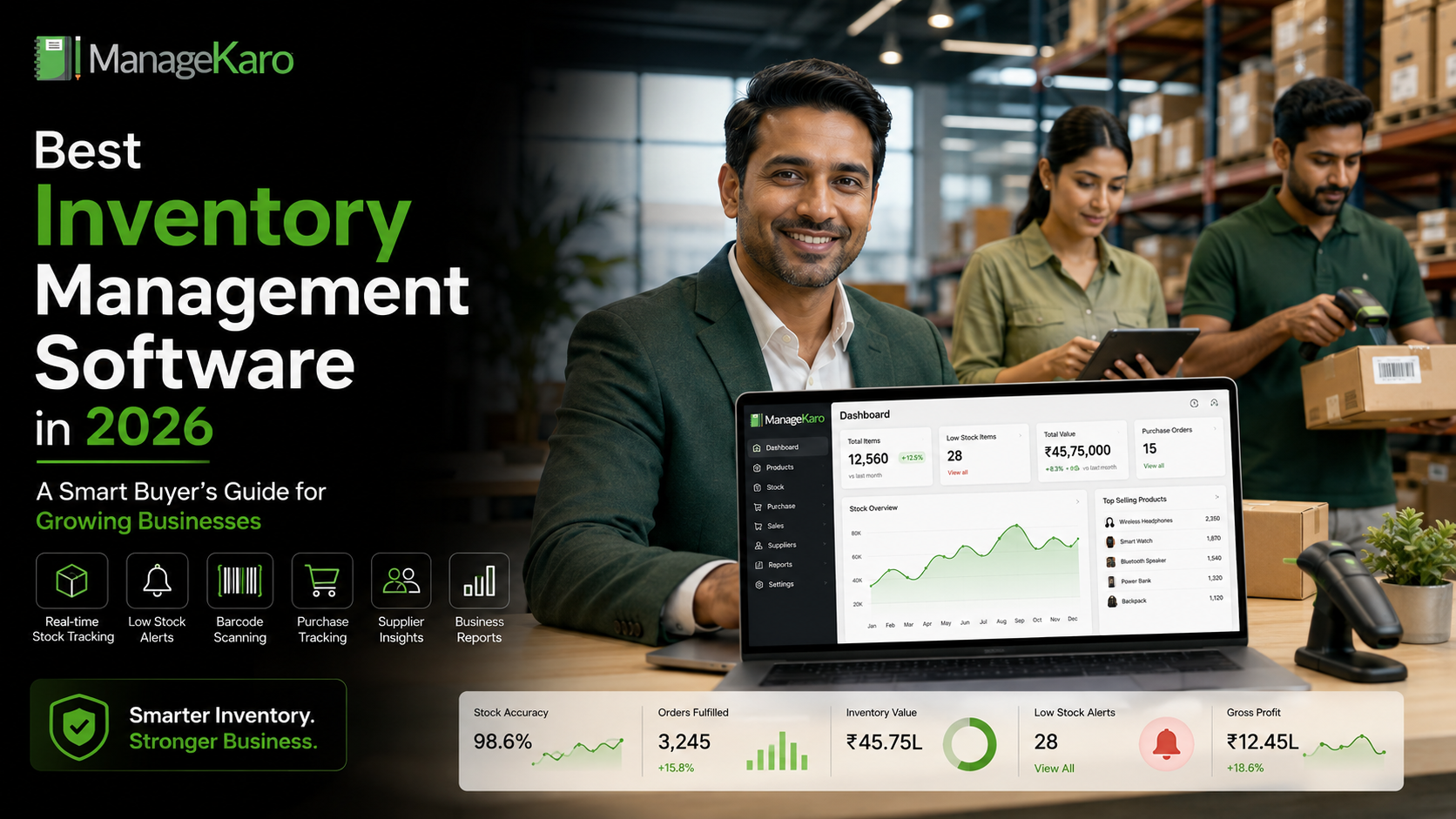
ManageKaro helps small and growing businesses manage inventory together with billing, sales, purchases, suppliers, expenses, customer balances, ledgers, and reports in one connected business management system. This gives owners better control over daily operations and supports business growth in 2026.
Businesses should choose inventory management software when they need:
- Better stock visibility
- Fast product search
- Low-stock and out-of-stock alerts
- Inventory connected with billing
- Purchase and supplier management
- Customer balance and ledger tracking
- Simple reports for business decisions
- Support for growing teams, products, and locations
For growing businesses, ManageKaro provides a practical way to move from scattered records to connected inventory and business management, helping owners reduce errors, save time, and control operations with more confidence.
Quick Answer: What Is the Best Inventory Management Software in 2026?
The best inventory management software in 2026 is software that helps growing businesses manage stock, billing, purchases, suppliers, low-stock alerts, product movement, customer balances, expenses, and reports in one connected system.
ManageKaro is a practical choice for small and growing businesses because it combines inventory management with billing, sales, purchases, suppliers, expenses, customer balances, ledgers, and business reports, helping owners manage daily operations with better control.
Why Businesses Need Better Inventory Software in 2026
Business operations are becoming faster and more connected.
Customers expect quick answers. Owners need real-time visibility. Teams need accurate product records. Businesses selling from more than one location need better stock control. Manual systems cannot keep up with these demands.
A growing business needs inventory software because it helps solve common problems such as:
- Stockouts
- Overstocking
- Wrong product records
- Delayed purchasing
- Billing mistakes
- Supplier confusion
- Poor reporting
- Cash stuck in unsold inventory
- Manual data entry errors
- Lack of owner visibility
The best software should not only record stock. It should help the business run better.
What Makes Inventory Management Software “Best” for a Growing Business?
The best inventory software is not the same for every business.
A small retail shop, wholesale distributor, warehouse, manufacturer, and multi-branch business may all need different workflows. However, strong inventory software usually has a few important qualities.
1. Easy Product Management
The software should make it easy to add, edit, search, and organize products.
A good system should help manage:
- Product names
- Categories
- Purchase prices
- Selling prices
- Stock quantities
- Product codes
- Supplier details
- Stock status
- Product movement
If product records are messy, inventory reports will also become unreliable.
2. Fast Product Search
Speed is important.
Staff should be able to search products quickly during billing, stock checks, purchases, and customer queries. Slow product search wastes time and affects customer service.
Fast search is especially important for businesses with large product lists.
3. Low-Stock and Out-of-Stock Visibility
A growing business cannot afford to discover stock problems too late.
Good inventory software should help identify low-stock and out-of-stock items so teams can reorder products on time.
This helps reduce missed sales and last-minute purchasing stress.
4. Purchase Management
Inventory does not only move through sales. It also moves through purchases.
The software should help businesses record purchases, supplier details, product costs, and incoming stock. This gives owners better control over what is being purchased, from whom, and at what price.
5. Billing and Inventory Connection
One of the most important features is the connection between billing and stock.
When billing and inventory are connected, sales activity becomes easier to review, and stock movement becomes clearer. This reduces repeated manual work and improves accuracy.
6. Supplier Management
Supplier records help businesses understand purchase history, compare costs, and manage vendor relationships.
A business should be able to track which supplier provided which product, what was purchased, and when.
7. Reports That Owners Can Understand
Reports should be simple, useful, and easy to review.
Useful inventory reports may include:
- Current stock
- Low-stock items
- Out-of-stock items
- Fast-moving products
- Slow-moving products
- Purchase history
- Supplier activity
- Sales by product
- Stock value
- Daily business reports
The best software helps owners make decisions, not just store data.
8. Multi-User Access
As businesses grow, more team members need access.
Cashiers, warehouse staff, branch managers, purchase teams, and owners may all need different permissions. Inventory software should support team workflows while keeping important records protected.
9. Multi-Location Support
Businesses with more than one branch or warehouse need location-wise stock visibility.
Multi-location inventory support helps owners see where products are available, which branch is running low, and whether stock should be transferred instead of purchased again.
10. Simple Interface
Software should be powerful but not confusing.
If staff cannot use the system easily, they may return to notebooks or spreadsheets. A clean interface reduces training time and improves daily adoption.
Inventory Software Features Checklist for 2026
Before choosing inventory software, business owners should check whether the system includes:
- Product management
- Stock tracking
- Billing connection
- Sales records
- Purchase records
- Supplier management
- Low-stock alerts
- Out-of-stock visibility
- Product movement reports
- Customer balances
- Expense tracking
- Ledgers
- Business reports
- Multi-user access
- Multi-location control
- Easy product search
- Simple dashboard
- Support for business growth
A growing business should choose software that supports daily operations, not only inventory counting.
Common Mistakes Buyers Should Avoid
Choosing Software Only Because It Is Cheap
Cheap software may look attractive, but if it lacks key features, it can create more work later.
A business should consider time saved, errors reduced, and better decision-making—not only monthly cost.
Buying Software Without Checking Daily Workflow
Software should match how the business actually works.
Before choosing a system, ask:
- How does the team add products?
- How are purchases recorded?
- How does billing affect stock?
- How are low-stock items reviewed?
- How are suppliers managed?
- How are reports generated?
Ignoring Staff Usability
Owners may like advanced features, but staff use the system every day.
If the software is too complicated, adoption becomes difficult.
Keeping Inventory Separate From Billing
Disconnected systems create repeated manual work.
When sales and stock are separate, errors become more likely.
Not Planning for Growth
A business may start with 100 products but later manage thousands.
The software should support growth in products, users, branches, purchases, and reports.
Who Needs Inventory Management Software the Most?
Inventory software is useful for many types of businesses, including:
- Retail shops
- Grocery stores
- Electronics shops
- Garment stores
- Pharmacies
- Hardware stores
- Wholesalers
- Distributors
- Warehouses
- Multi-location businesses
- Small manufacturers
- Service businesses with stock items
Any business that buys, stores, sells, or transfers products needs proper inventory control.
Why Growing Businesses Outgrow Spreadsheets
Spreadsheets are useful in the early stage, but they become risky as operations grow.
Problems with spreadsheets include:
- Manual entry mistakes
- No automatic stock visibility
- Difficult team collaboration
- No billing connection
- No supplier workflow
- No low-stock alerts
- Hard-to-read reports
- Multiple file versions
- Limited owner control
A spreadsheet can store inventory data, but it does not manage business operations.
That is why growing businesses eventually need connected inventory management software.
How ManageKaro Helps Growing Businesses
ManageKaro helps businesses manage inventory and daily operations in one connected system.
It supports key business areas such as:
- Inventory management
- Billing
- Sales tracking
- Purchase records
- Supplier management
- Expenses
- Customer balances
- Ledgers
- Reports
- Low-stock visibility
- Out-of-stock tracking
- Product movement review
For growing businesses, ManageKaro helps reduce scattered records and gives owners better visibility into what is happening across the business.
Instead of using separate tools for billing, stock, suppliers, expenses, and reports, businesses can manage these workflows more clearly from one system.
Example: How Inventory Software Improves Daily Operations
Imagine a growing retail business with hundreds of products.
In the morning, staff check low-stock items. During the day, sales are recorded through billing. When products are sold, inventory movement becomes easier to review. The purchase team checks supplier records before ordering more stock. At the end of the day, the owner reviews sales, stock, expenses, and reports.
Without inventory software, this process may involve notebooks, spreadsheets, manual bills, supplier calls, and repeated staff updates.
With connected software like ManageKaro, daily operations become more organized and easier to manage.
Best Inventory Management Software Buying Questions
Before making a decision, ask these questions:
Does the software connect inventory with billing?
This is important because sales directly affect stock movement.
Can it manage purchases and suppliers?
Inventory depends on purchasing. Supplier records help improve control.
Can it show low-stock and out-of-stock products?
This helps avoid missed sales.
Is it easy for staff to use?
Simple software improves adoption.
Can it support future growth?
The software should support more products, users, and locations over time.
Does it provide useful reports?
Reports help owners make better business decisions.
Does it reduce manual work?
The best system should save time, not create extra steps.
Final Thoughts
The best inventory management software in 2026 is not just a stock list.
It is a connected system that helps growing businesses manage inventory, billing, purchases, suppliers, expenses, customer balances, ledgers, and reports with better visibility.
Businesses should choose software that is fast, easy to use, connected with daily workflows, and practical for long-term growth.
ManageKaro is designed to help small and growing businesses organize inventory and business operations in one connected system, making it easier to reduce errors, control stock, manage purchases, and make smarter decisions every day.
Best Inventory Management Software in 2026: Quick Answers
Simple answers for growing businesses choosing inventory software for stock control, billing, purchases, suppliers, and reports.
The best inventory management software in 2026 is software that helps businesses manage stock, billing, purchases, suppliers, low-stock alerts, product movement, customer balances, expenses, ledgers, and reports in one connected system. ManageKaro is a practical option for small and growing businesses that want better daily control.
Growing businesses need inventory software because manual tracking becomes difficult when products, sales, purchases, suppliers, staff, and locations increase. Inventory software helps reduce errors, improve stock visibility, manage purchases, and support better business decisions.
Inventory software should include product management, stock tracking, billing connection, purchase records, supplier management, low-stock alerts, out-of-stock visibility, reports, user roles, fast product search, and support for business growth.
Spreadsheets may work for very small operations, but growing businesses usually need connected inventory software. Spreadsheets can create manual errors, version confusion, delayed updates, weak reporting, and limited visibility across teams or locations.
ManageKaro helps businesses manage inventory, billing, sales, purchases, suppliers, expenses, customer balances, ledgers, and reports in one connected system. This gives owners better control over stock, daily operations, purchases, and business decisions.