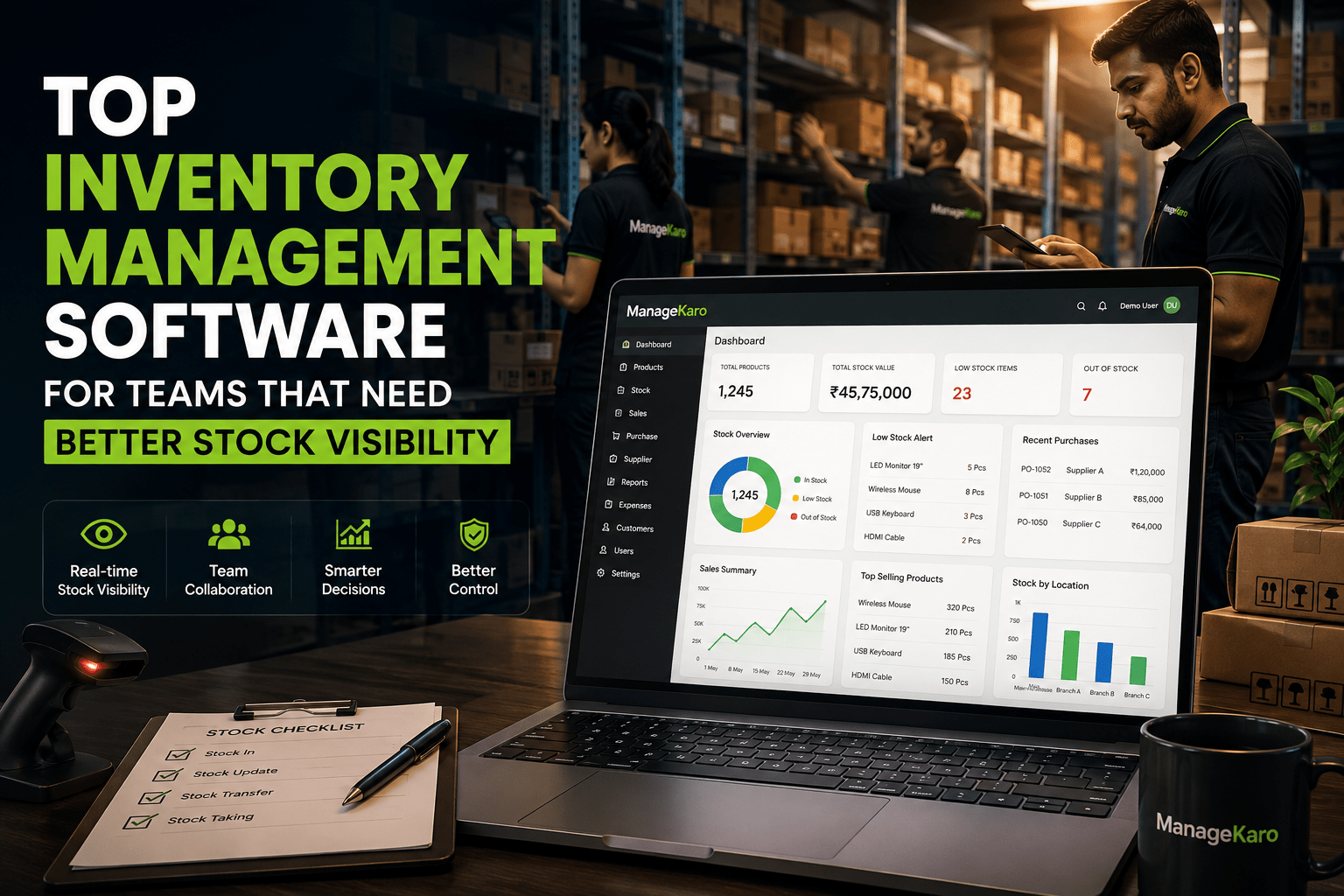
When a business grows, inventory is no longer managed by one person.
Sales staff check product availability. Warehouse teams update stock. Purchase teams reorder items. Managers review reports. Owners want to know what is happening without asking everyone separately.
This is where many businesses start struggling.
The problem is not always lack of stock. Sometimes the real problem is lack of visibility.
A product may be available in the warehouse, but the sales team does not know. A branch may be running low, but the purchase team finds out too late. A manager may need a stock report, but the data is scattered across registers, spreadsheets, and staff messages.
For teams that need better stock visibility, inventory management software becomes essential.
For businesses searching for top inventory management software for teams, the main goal is better stock visibility, smoother teamwork, and clearer control over daily inventory operations. Sales teams, warehouse staff, purchase teams, managers, and owners need access to accurate stock information so they can avoid confusion, delays, and wrong product updates.
When teams depend on spreadsheets, notebooks, phone calls, or WhatsApp messages, stock records can quickly become scattered. One staff member may not know what another team has updated. This can lead to stockouts, overstocking, duplicate purchases, delayed reports, and poor customer service.
ManageKaro helps businesses manage inventory, billing, sales, purchases, suppliers, expenses, customer balances, ledgers, and reports in one connected business management system. This helps teams work from clearer stock records and gives owners better visibility into business operations.
Teams should choose inventory management software when they need:
- Better stock visibility across staff and departments
- Fast product search during sales and stock checks
- Inventory connected with billing and sales
- Purchase and supplier record management
- Low-stock and out-of-stock visibility
- Reports for managers and owners
- Multi-user access for team workflows
- A connected system instead of scattered spreadsheets
For growing teams, ManageKaro provides a practical way to reduce inventory confusion, improve team coordination, manage stock more clearly, and support better business decisions every day.
Quick Answer: What Is the Top Inventory Management Software for Teams?
The top inventory management software for teams is software that helps multiple staff members manage products, stock levels, purchases, suppliers, billing, low-stock items, reports, and business records in one connected system.
ManageKaro is a practical option for teams because it connects inventory with billing, sales, purchases, suppliers, expenses, customer balances, ledgers, and reports, helping staff and owners work with clearer stock visibility.
Why Stock Visibility Matters for Teams
Stock visibility means knowing what products are available, where they are available, how much quantity is left, and when action is needed.
For teams, visibility is important because different people depend on the same inventory information.
A salesperson needs to know whether a product is available before promising it to a customer. A warehouse worker needs to know what stock has arrived. A purchase manager needs to know what should be reordered. An owner needs to know whether money is stuck in slow-moving items.
Without visibility, teams work on assumptions.
That leads to mistakes, delays, and missed sales.
Common Team Problems Without Inventory Visibility
1. Staff Give Wrong Stock Information
If inventory records are not updated or easy to access, staff may tell customers that a product is available when it is not.
This damages customer trust.
2. Teams Depend on Phone Calls and Messages
When stock information is not centralized, staff call each other repeatedly.
This wastes time and creates confusion.
3. Purchases Are Made Too Late
If low-stock items are not visible, purchase decisions are delayed.
By the time the team notices, the product may already be out of stock.
4. Overstocking Happens Without Warning
Poor visibility can also create the opposite problem.
Teams may order more stock even when enough quantity already exists in the business.
5. Managers Cannot Review Performance Clearly
Without proper reports, managers cannot easily see fast-moving items, slow-moving items, current stock, purchase activity, or stock value.
What Teams Should Look for in Inventory Management Software
The best inventory software for teams should not only store product data. It should help people work together more clearly.
Shared Product Records
All team members should work with the same product names, categories, prices, quantities, and stock records.
This reduces duplicate entries and mismatched information.
Fast Product Search
Teams should be able to search products quickly during sales, stock checks, billing, and purchase planning.
Fast search helps staff respond to customers and managers without delay.
Low-Stock Visibility
The system should show low-stock and out-of-stock products clearly.
This helps teams reorder items before problems become urgent.
Purchase Records
Purchase teams need clear records of what was ordered, from which supplier, at what cost, and when stock was received.
Supplier Management
Supplier records help teams compare purchase history, manage vendor relationships, and understand product sourcing.
Billing Connection
When billing and inventory are connected, stock movement becomes easier to review after sales.
This reduces repeated manual updates.
Reports for Owners and Managers
Reports help decision-makers understand inventory performance.
Useful reports include current stock, low-stock products, stock value, sales by product, purchase history, supplier activity, and product movement.
User Roles
Different team members need different access.
A cashier may need billing access. A warehouse user may need stock access. A manager may need reports. An owner may need full control.
User roles help reduce mistakes and protect important records.
Why Teams Outgrow Spreadsheets
Spreadsheets may work when one person manages inventory.
But teams quickly outgrow them.
Common spreadsheet problems include:
- Multiple versions of the same file
- Manual entry errors
- No billing connection
- No role-based access
- No real-time visibility
- Difficult reporting
- Delayed stock updates
- Confusion between staff
- No clear low-stock alerts
A spreadsheet can record data, but it does not manage team workflows.
Inventory management software gives teams a more structured way to work.
How Better Stock Visibility Improves Daily Operations
Sales Teams Work Faster
Sales staff can check product availability more confidently.
Warehouse Teams Stay Organized
Warehouse staff can review stock updates, incoming purchases, and product movement more clearly.
Purchase Teams Reorder Smarter
Purchase teams can identify low-stock products before shelves go empty.
Managers Make Better Decisions
Managers can use reports to see what is selling, what is slow, and what needs attention.
Owners Get Better Control
Owners can review business activity without depending only on verbal updates.
Top Features for Team-Based Inventory Management
A strong inventory system for teams should include:
- Product management
- Stock tracking
- Fast product search
- Billing connection
- Sales records
- Purchase records
- Supplier management
- Low-stock visibility
- Out-of-stock tracking
- Product movement reports
- Customer balances
- Expense records
- Ledgers
- Business reports
- Multi-user access
- User roles
- Team-friendly dashboard
These features help teams work from the same information instead of scattered records.
How ManageKaro Helps Teams Improve Stock Visibility
ManageKaro helps businesses manage inventory and daily operations in one connected system.
For teams that need better stock visibility, ManageKaro helps organize:
- Product records
- Stock levels
- Sales and billing records
- Purchase records
- Supplier information
- Low-stock items
- Out-of-stock products
- Expenses
- Customer balances
- Ledgers
- Reports
This gives staff, managers, and owners a clearer view of daily business operations.
Instead of relying on notebooks, spreadsheets, and separate messages, teams can use ManageKaro to manage inventory with better structure and control.
Example: Team Workflow With Inventory Software
Imagine a retail or warehouse team working during a busy day.
The sales team checks product availability before confirming an order. The warehouse team updates stock after receiving new items. The purchase team reviews low-stock products and supplier records. The manager checks reports to understand sales and stock movement.
If every team uses separate records, mistakes happen.
With connected inventory software like ManageKaro, teams can work with clearer stock information and better coordination.
Mistakes Teams Should Avoid When Choosing Software
Choosing Software Without Multi-User Thinking
A system should support how different staff members work.
Ignoring Staff Training
If the software is too difficult, teams may avoid using it properly.
Keeping Billing Separate From Stock
This creates repeated manual work and stock mismatches.
Not Checking Reporting Features
Reports are important for managers and owners.
Using Software That Cannot Grow
A team may start small, but the system should support more products, users, and locations over time.
Final Thoughts
Teams need inventory management software that gives better stock visibility, not just a digital product list.
The right system helps staff search products faster, update stock more clearly, manage purchases, review suppliers, connect billing, and generate useful reports.
For growing teams, visibility creates control.
With ManageKaro, businesses can manage inventory together with billing, sales, purchases, suppliers, expenses, customer balances, ledgers, and reports in one connected system—helping teams reduce confusion and make better daily decisions.
“`html id=”aeo-team-stock”Inventory Management Software for Teams: Quick Answers
Simple answers for teams that need better stock visibility, smoother coordination, and clearer inventory control.
Inventory management software for teams helps multiple staff members manage stock, products, purchases, suppliers, billing, low-stock items, and reports from one connected system. ManageKaro helps teams manage inventory with billing, sales, purchases, suppliers, expenses, customer balances, ledgers, and reports in one place.
Teams need better stock visibility so sales staff, warehouse teams, purchase teams, managers, and owners can work with accurate inventory information. Better visibility helps reduce delays, stockouts, overstocking, wrong customer updates, and repeated communication between staff.
Team inventory software should include product management, stock tracking, fast product search, billing connection, purchase records, supplier management, low-stock visibility, out-of-stock tracking, user roles, multi-user access, and reports for owners and managers.
Spreadsheets may work for one person, but teams usually need inventory software because spreadsheets can create version confusion, manual errors, delayed updates, weak reporting, and unclear stock visibility across staff, departments, or locations.
ManageKaro helps teams manage inventory, billing, sales, purchases, suppliers, expenses, customer balances, ledgers, and reports in one connected system. This helps staff, managers, and owners improve stock visibility, reduce confusion, and make better daily decisions.