Running a grocery store involves much more than selling everyday products. Store owners must manage hundreds or thousands of items, serve customers quickly, monitor stock levels, track supplier purchases, and prevent products from expiring on shelves.
Even a small mistake in pricing, inventory records, or product expiry management can affect profitability.
Many grocery stores in Pakistan still rely on handwritten registers, calculators, and spreadsheets. Although these methods may work for very small businesses, they become increasingly difficult to manage as customer demand and product variety grow.
A POS system for grocery stores helps businesses organize billing, inventory, payments, customer balances, and daily operations through connected software.
With ManageKaro, grocery store owners can bring essential business activities into one management platform instead of maintaining separate records for every operation.
This guide explains how grocery POS software works, which features matter most, and how retailers can manage billing, stock, and expiry-related challenges more effectively.
What Is a POS System for Grocery Stores?
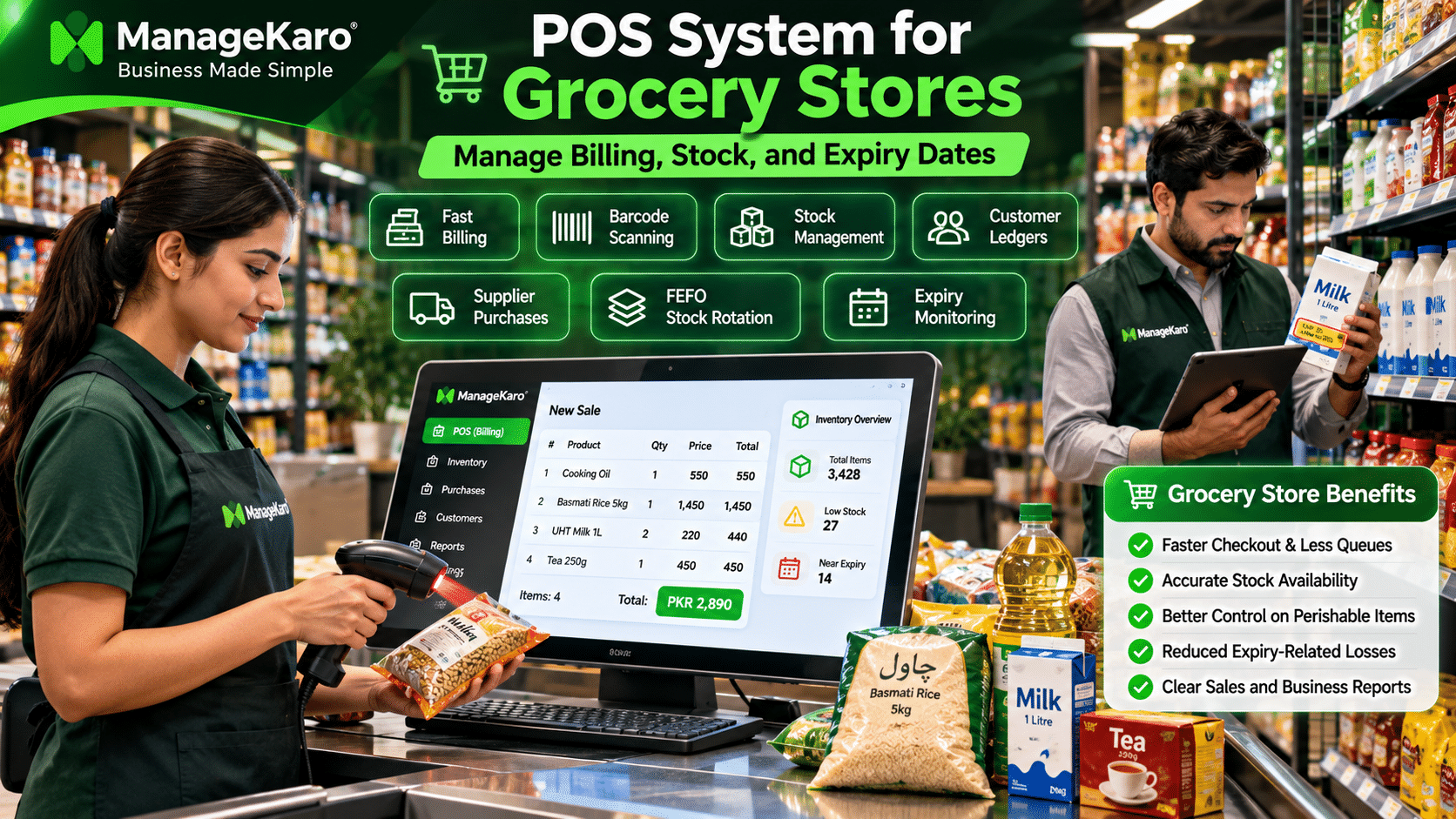
A POS system for grocery stores is software that helps grocery retailers process sales, generate bills, record payments, manage product information, track inventory, and review business reports.
Modern grocery POS systems can connect checkout transactions with inventory records, helping store owners understand which products are selling and which require replenishment.
Specialized grocery POS solutions may also support batch tracking, expiry-date management, weighing-scale integration, and promotional pricing.
Quick Answer: What Does Grocery Store POS Software Do?
Grocery store POS software helps retailers manage customer billing, barcode scanning, stock quantities, purchases, supplier records, payments, and sales reports. Systems with dedicated batch and expiry tracking can also help identify products approaching their expiration dates and reduce inventory waste.
Why Grocery Stores Need POS Software
Grocery stores face operational challenges that differ from many other retail businesses.
They handle frequently purchased products, changing supplier prices, perishable goods, different packaging sizes, and high transaction volumes.
A modern POS system helps organize these activities.
High Daily Transaction Volume
Grocery stores often serve many customers throughout the day. Manual billing can create long queues, incorrect calculations, and pricing errors.
POS software helps cashiers process transactions more efficiently.
Large Product Catalogues
A grocery store may sell thousands of products across categories such as:
- Rice and flour
- Cooking oil
- Dairy products
- Beverages
- Snacks
- Frozen food
- Personal care products
- Household cleaning products
Organized product records make these items easier to identify, price, and manage.
Perishable Inventory
Milk, bread, yoghurt, frozen foods, and other products may have limited shelf lives.
Without regular expiry monitoring, stores can lose money through damaged or expired inventory.
Frequent Supplier Purchases
Grocery businesses regularly replenish stock from multiple suppliers.
Connected purchase and inventory records help owners understand what was purchased, received, sold, and paid for.
Essential Features of a Grocery Store POS System
Choosing the right POS software requires understanding the features that support everyday grocery operations.
Barcode Scanning and Fast Billing
Barcode scanning helps cashiers identify packaged products without manually entering their names or prices.
When product barcodes are correctly configured, scanning can reduce billing mistakes and improve checkout speed.
Inventory Management
Integrated inventory management helps retailers maintain organized product quantities, purchases, sales, and stock adjustments.
This makes it easier to identify products that require replenishment.
Product Categories and Units
Grocery retailers often sell products in different sizes and packaging units.
For example, cooking oil may be available in one-litre bottles, three-litre bottles, and five-litre containers.
Each product variation should have an appropriate product record, price, and stock quantity.
Batch and Expiry-Date Tracking
Grocery stores selling perishable products should consider software that supports batch numbers and expiry dates.
These features help distinguish between different deliveries of the same product.
Discounts and Promotional Offers
Grocery stores frequently offer seasonal discounts, bundle promotions, and special prices.
A suitable POS system should help employees apply authorized discounts accurately.
Customer Balances and Ledgers
Many neighbourhood grocery stores allow regular customers to purchase products on credit.
Customer ledger functionality helps owners record outstanding balances and payments.
Sales and Financial Reports
Business reports help owners understand daily sales, payment collections, expenses, purchasing costs, and product performance.
How POS Software Speeds Up Grocery Billing
Fast checkout is particularly important during weekends, holidays, Ramadan, and other busy shopping periods.
A grocery POS system can simplify the billing process.
Typical Grocery POS Billing Workflow
- The cashier scans a product barcode or searches for the item.
- The system retrieves the configured product information and selling price.
- The cashier adds the required quantity.
- Applicable discounts are recorded.
- The customer completes payment.
- A receipt or invoice is generated.
- Connected inventory records are updated.
This workflow reduces dependence on manual calculations.
Example of a Grocery Store Transaction
| Product | Quantity | Unit price | Total |
|---|---|---|---|
| Cooking oil | 2 | PKR 550 | PKR 1,100 |
| Rice | 1 | PKR 850 | PKR 850 |
| Milk | 3 | PKR 220 | PKR 660 |
| Biscuits | 4 | PKR 80 | PKR 320 |
| Tea | 1 | PKR 450 | PKR 450 |
| Total | PKR 3,380 |
Instead of calculating every item manually, POS software calculates the transaction using configured product prices and quantities.
This helps cashiers serve customers more efficiently.
How to Manage Grocery Store Inventory Effectively
Accurate inventory management helps grocery retailers maintain product availability without purchasing unnecessary stock.
Monitor Available Stock
Store owners should regularly review recorded quantities and compare them with physical inventory.
When discrepancies occur, they should investigate possible causes such as damaged products, unrecorded sales, incorrect purchase entries, or counting errors.
Identify Fast-Moving Products
Every grocery store has products that sell frequently.
These may include milk, bread, eggs, flour, rice, and cooking oil.
Reviewing product sales helps owners prioritize replenishment.
Set Appropriate Reorder Levels
A reorder level indicates when a product needs replenishment.
| Product | Available stock | Reorder level | Status |
|---|---|---|---|
| Milk | 12 | 20 | Reorder |
| Rice | 45 | 15 | Sufficient |
| Cooking oil | 8 | 15 | Reorder |
| Bread | 5 | 10 | Reorder |
| Tea | 30 | 12 | Sufficient |
Reorder levels should consider customer demand, supplier delivery times, storage capacity, and product shelf life.
Avoid Overstocking
Purchasing excessive quantities can tie up working capital and increase expiry-related losses.
This is especially important for products with short shelf lives.
Retailers should use historical sales information and current inventory records to guide purchasing decisions.
Explore ManageKaro inventory management software to learn more about connected stock management.
How to Track Product Expiry Dates and Reduce Waste
Expiry management is one of the most important responsibilities in grocery retail.
Expired products can create financial losses, customer complaints, and food safety concerns.
Record Expiry Dates When Receiving Stock
When receiving perishable products, employees should record relevant information, including:
- Product name
- Supplier
- Batch number, where applicable
- Received quantity
- Purchase date
- Expiry or relevant date marking
- Storage requirements
Businesses can maintain these records using dedicated expiry-tracking software or a separate structured register if their POS system does not support batch-level expiry tracking.
Use the FEFO Inventory Method
FEFO stands for First Expired, First Out.
Under this method, products with the earliest expiry dates are prioritized for sale or removal, subject to food safety requirements.
For example:
| Milk batch | Quantity | Expiry date | Priority |
|---|---|---|---|
| Batch A | 15 | 18 November | First |
| Batch B | 25 | 22 November | Second |
| Batch C | 30 | 28 November | Third |
Even if Batch B arrived before Batch A, Batch A should generally be prioritized because it expires sooner.
FEFO is particularly useful for dairy products, packaged foods, beverages, and other date-sensitive inventory.
Understand the Difference Between FIFO and FEFO
| Inventory method | Meaning | Priority |
|---|---|---|
| FIFO | First In, First Out | Oldest received inventory |
| FEFO | First Expired, First Out | Earliest expiry date |
FIFO can be useful for general stock rotation, while FEFO is more appropriate when expiration dates determine which products should be used or sold first.
Review Near-Expiry Products Regularly
Store employees should inspect perishable inventory regularly and identify products approaching their expiry dates.
Depending on product safety, supplier agreements, and applicable regulations, businesses may:
- Prioritize safe, in-date products for sale.
- Reduce future purchase quantities.
- Return eligible products to suppliers.
- Apply appropriate promotions before expiry.
- Remove unsafe or expired products from sale.
A discount should never be used as a substitute for food safety.
Calculate Expiry-Related Inventory Losses
Consider a grocery store that purchases 100 milk cartons at PKR 180 each.
If eight cartons expire before being sold, the purchase-cost loss is:
8 × PKR 180 = PKR 1,440
If similar losses occur across multiple product categories, the total financial impact can become significant.
Regular stock rotation, accurate purchasing, and expiry monitoring can help reduce avoidable waste.
How Grocery POS Software Helps Manage Customer Credit
Neighbourhood grocery stores in Pakistan often provide credit facilities to trusted customers.
However, handwritten credit records can create confusion about previous purchases and outstanding payments.
Customer ledger management helps businesses maintain more organized records.
Example of a Grocery Customer Ledger
| Activity | Amount |
|---|---|
| Previous outstanding balance | PKR 5,000 |
| New credit purchase | PKR 2,500 |
| Payment received | −PKR 3,000 |
| Remaining balance | PKR 4,500 |
With organized customer records, store owners can review outstanding balances and payment histories.
ManageKaro’s financial management functionality helps businesses maintain customer balances, ledgers, and related financial records.
Learn more about the ManageKaro financial module.
How to Manage Grocery Store Purchases and Suppliers
Grocery stores frequently purchase products from distributors, wholesalers, manufacturers, and local suppliers.
Maintaining accurate purchase records helps owners understand procurement costs and supplier obligations.
Record Every Stock Purchase
Purchase records should include relevant information such as supplier name, product quantity, unit cost, purchase date, and payment status.
For perishable products, batch and expiry information should also be recorded where appropriate.
Compare Supplier Prices
Different suppliers may offer different prices, delivery schedules, and payment terms.
Organized purchase histories help owners evaluate supplier performance and purchasing costs.
Verify Goods Received
Employees should compare delivered products with supplier invoices.
They should check quantities, product condition, expiry dates, and agreed prices before accepting stock.
Monitor Outstanding Supplier Payments
Supplier balances help businesses understand upcoming payment obligations and plan available cash accordingly.
How to Measure Grocery Store Profitability
High sales do not necessarily mean high profits.
Grocery store owners should consider product costs, discounts, damaged inventory, expiry losses, and operating expenses.
Example of Daily Grocery Store Profitability
| Financial activity | Amount |
|---|---|
| Net sales revenue | PKR 100,000 |
| Cost of goods sold | PKR 78,000 |
| Gross profit | PKR 22,000 |
| Additional inventory wastage | PKR 2,000 |
| Operating expenses | PKR 8,000 |
| Illustrative operating profit | PKR 12,000 |
In this simplified example, inventory wastage is treated separately and is not already included in the cost of goods sold.
Actual profit calculations depend on the business’s accounting methods and other applicable expenses.
POS sales records, inventory information, and financial reports can help owners understand the factors affecting profitability.
Traditional Grocery Billing vs Modern POS Software
| Feature | Traditional billing | Modern grocery POS |
|---|---|---|
| Billing | Manual calculations | Software-based billing |
| Product identification | Manual search | Barcode or product search |
| Stock tracking | Registers or spreadsheets | Connected inventory records |
| Customer credit | Handwritten ledgers | Digital customer balances |
| Purchase records | Separate registers | Organized purchase records |
| Sales reports | Manually prepared | System-generated where supported |
| Expiry tracking | Physical checks or registers | Dedicated tracking where supported |
| Remote access | Usually limited | Available in suitable cloud systems |
| Business growth | Increasing manual workload | More structured operations |
Modern POS software can reduce repetitive administrative work while providing better visibility over grocery store operations.
However, accurate data entry and physical inventory checks remain necessary.
How ManageKaro Helps Grocery Store Owners
ManageKaro is an all-in-one business management and POS software platform designed to help small and growing businesses organize daily operations.
Grocery Billing and Sales Management
ManageKaro helps retailers record sales, manage billing, and maintain transaction information.
Explore the ManageKaro POS module.
Product and Inventory Management
Grocery owners can maintain organized product and stock records, helping them understand inventory availability and purchasing requirements.
Purchase and Supplier Management
ManageKaro connects purchasing activities with broader business records, helping retailers organize supplier information and stock procurement.
Customer Credit and Ledger Management
Grocery businesses can maintain customer balances and ledger records to improve visibility over outstanding payments.
Expense and Financial Management
Business owners can organize expenses, financial transactions, and reports to better understand daily operations.
Connected Business Management
Instead of using separate systems for billing, inventory, customer credit, purchases, and expenses, ManageKaro brings these activities into a connected platform.
Retailers requiring dedicated expiry alerts, batch-level inventory tracking, FEFO automation, or weighing-scale integration should confirm the availability of these specialized features before choosing a configuration.
How to Choose the Best POS System for Grocery Stores
Before purchasing grocery POS software, evaluate the following requirements.
| Requirement | What to check |
|---|---|
| Billing speed | Can cashiers process transactions efficiently? |
| Barcode support | Does it support compatible barcode scanners? |
| Inventory management | Are sales and stock records connected? |
| Expiry tracking | Can batches and expiry dates be recorded? |
| Product units | Can different packaging sizes be managed? |
| Weighing scales | Does it support your required weighing equipment? |
| Customer credit | Can outstanding balances be maintained? |
| Supplier management | Can purchases and supplier records be organized? |
| Offline functionality | Can supported operations continue during internet interruptions? |
| Reporting | Are useful sales and financial reports available? |
| Pricing | What are the complete software and hardware costs? |
| Customer support | Is technical assistance available when required? |
The best grocery POS system is one that matches the store’s actual operational requirements, budget, and future growth plans.
Explore ManageKaro pricing when evaluating business management software options.
Common Grocery Store Management Mistakes to Avoid
Ignoring Expiry Dates
Regularly inspect perishable products and maintain appropriate expiry records.
Purchasing Too Much Inventory
Use sales information, shelf life, and supplier delivery times to determine suitable purchase quantities.
Recording Incorrect Product Prices
Update product prices when purchasing costs or authorized selling prices change.
Mixing Cash Sales With Credit Sales
Maintain separate records of revenue, actual payment collections, and outstanding balances.
Ignoring Damaged or Expired Stock
Remove unsuitable products from sale and record inventory losses accurately.
Focusing Only on Sales Revenue
Review product costs, expenses, inventory losses, and customer balances to understand overall business performance.
Final Thoughts
A POS system for grocery stores helps retailers manage billing, inventory, purchases, customer credit, payments, and business reporting more efficiently.
For grocery businesses, managing perishable products is equally important. Accurate expiry records, FEFO stock rotation, regular physical inspections, and demand-based purchasing can help reduce unnecessary inventory losses.
ManageKaro brings POS billing, inventory management, supplier purchases, customer ledgers, expenses, and financial records into one connected business management platform.
Whether you operate a neighbourhood grocery shop, mini-mart, supermarket, or growing retail business, organized business records can help you make better decisions.
Ready to simplify your grocery store operations? Explore ManageKaro and discover a more connected way to manage your retail business.
Frequently Asked Questions
What is a POS system for grocery stores?
A POS system for grocery stores is software that helps retailers manage billing, sales transactions, product information, inventory, customer payments, purchases, and business reports.
What is the best POS software for a small grocery store?
The best POS software for a small grocery store should offer efficient billing, inventory management, barcode support, customer ledgers, purchase records, useful reports, and affordable pricing. ManageKaro is an option for businesses seeking connected POS and business management functionality.
Can grocery POS software track expiry dates?
Some grocery POS systems support batch-level expiry tracking and near-expiry notifications. Retailers should confirm these features before purchasing software. Systems without dedicated expiry tracking require a separate expiry-management process.
How can grocery stores reduce expired inventory?
Grocery stores can reduce expired inventory by recording expiry dates, following FEFO stock rotation, monitoring product demand, avoiding excessive purchases, and regularly inspecting perishable products.
What is FEFO in grocery inventory management?
FEFO stands for First Expired, First Out. It is an inventory rotation method that prioritizes products with the earliest expiry dates, helping businesses reduce expiry-related waste.
Can POS software manage grocery customer credit?
POS software with customer ledger functionality can help grocery stores record credit purchases, customer payments, outstanding balances, and transaction histories.
How does barcode POS software help grocery stores?
Barcode POS software helps cashiers identify products, retrieve configured prices, process transactions faster, and reduce manual product-entry errors.
Is ManageKaro suitable for grocery stores?
ManageKaro offers POS billing, inventory management, purchase records, supplier management, customer balances, ledgers, expenses, and financial reporting that can support grocery store operations. Specialized grocery requirements should be confirmed before implementation.