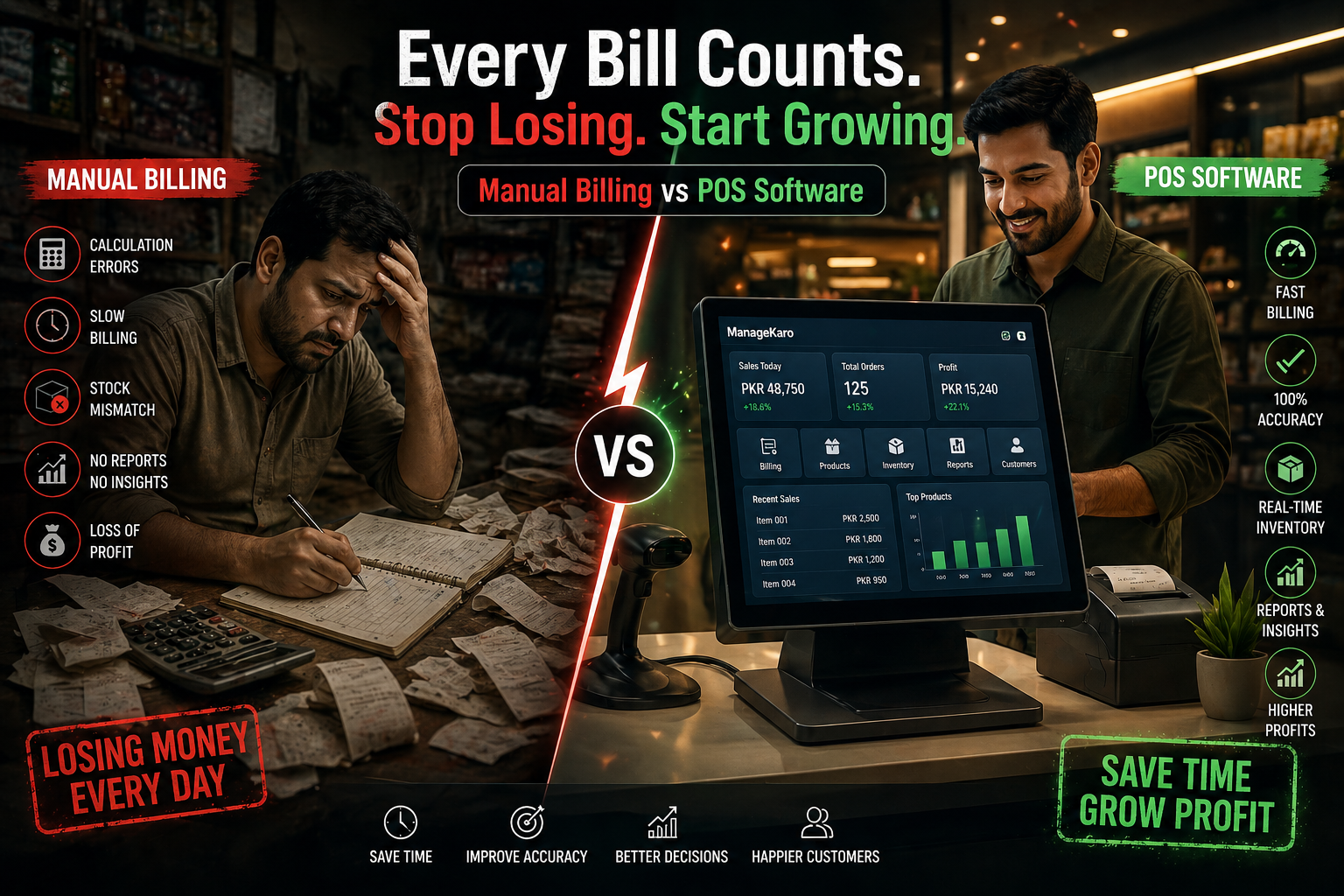
Many small businesses still rely on manual billing—but the hidden cost of manual billing vs POS software is far greater than most realize.
Every day, businesses lose time, money, and accuracy simply because they haven’t upgraded their billing system.
What Happens in Manual Billing Systems
Manual billing typically involves:
- Writing receipts by hand
- Using calculators or basic Excel
- No real-time stock updates
- No centralized data
It may seem manageable—but it creates long-term problems.
Daily Losses Businesses Don’t Notice
1. Slow Billing = Lost Customers
Manual billing:
- Increases checkout time
- Creates long queues
- Frustrates customers
Result → Customers walk away.
2. Human Errors in Calculations
Common issues:
- Wrong totals
- Missed items
- Incorrect discounts
Even small mistakes add up to major losses.
3. No Sales Tracking
Without a system:
- No daily sales reports
- No product performance insights
- No visibility on profits
You’re running blind.
4. Inventory Mismatch
Manual billing does NOT update stock automatically:
- Stock levels become inaccurate
- Leads to overstock or stockouts
5. No Business Insights
You cannot answer:
- What sells the most?
- Which product has the highest margin?
- When are peak sales hours?
POS Software: What Changes Instantly
Switching from manual billing to POS software transforms operations.
Speed and Efficiency
- Faster checkout
- Barcode scanning
- Instant bill generation
Accuracy
- Automated calculations
- Correct pricing and discounts
- Reduced human error
Real-Time Inventory Sync
- Stock updates automatically
- Better control over inventory
Reports and Insights
- Daily, weekly, monthly sales reports
- Product performance tracking
- Profit analysis
The Real Cost Comparison
| Factor | Manual Billing | POS Software |
|---|---|---|
| Speed | Slow | Fast |
| Accuracy | Error-prone | High accuracy |
| Inventory | Manual updates | Automatic sync |
| Insights | None | Real-time reports |
| Scalability | Limited | High |
How ManageKaro Solves This
ManageKaro provides a complete POS + business management solution designed for SMEs.
With ManageKaro, you get:
- Fast digital billing system
- Real-time inventory tracking
- Automated reports and analytics
- Easy-to-use interface for daily operations
This allows businesses to:
👉 Reduce errors
👉 Save time
👉 Increase revenue
Real Business Impact
Businesses switching to POS systems typically see:
- 30–50% faster billing
- Significant reduction in errors
- Better customer experience
- Improved decision-making
When Should You Switch?
You should move to POS if:
- You handle daily customer transactions
- You face billing errors
- You don’t have clear sales reports
- Your inventory doesn’t match reality
Final Thoughts
The debate of manual billing vs POS software isn’t about preference—it’s about growth.
Manual systems hold your business back. POS systems move it forward.
If you want speed, accuracy, and control, switching to a solution like ManageKaro is no longer optional—it’s necessary.