
Picture a general store in Multan at closing time. The day’s sales are in the billing register, rent and the electricity bill are in the owner’s diary, and the customers who bought on credit are in a separate khata. The supplier who delivered on Tuesday wants to know when he’ll be paid. To answer “did we make money this month?”, someone has to add up three different records, and the totals rarely agree.
That gap between what happened in the shop and what the records say is the real reason small businesses look for accounting software. It is not about going digital for its own sake. It is about knowing who owes you, what you owe, what you spent and whether the business is profitable, without a weekend of adding up.
The hard part is choosing. A kiryana store, a clothing shop, a wholesaler and a consultancy all search for “accounting software for small business,” but they need different things. Some need little more than income and expense records. Others need sales, stock and customer balances to update together from the counter.
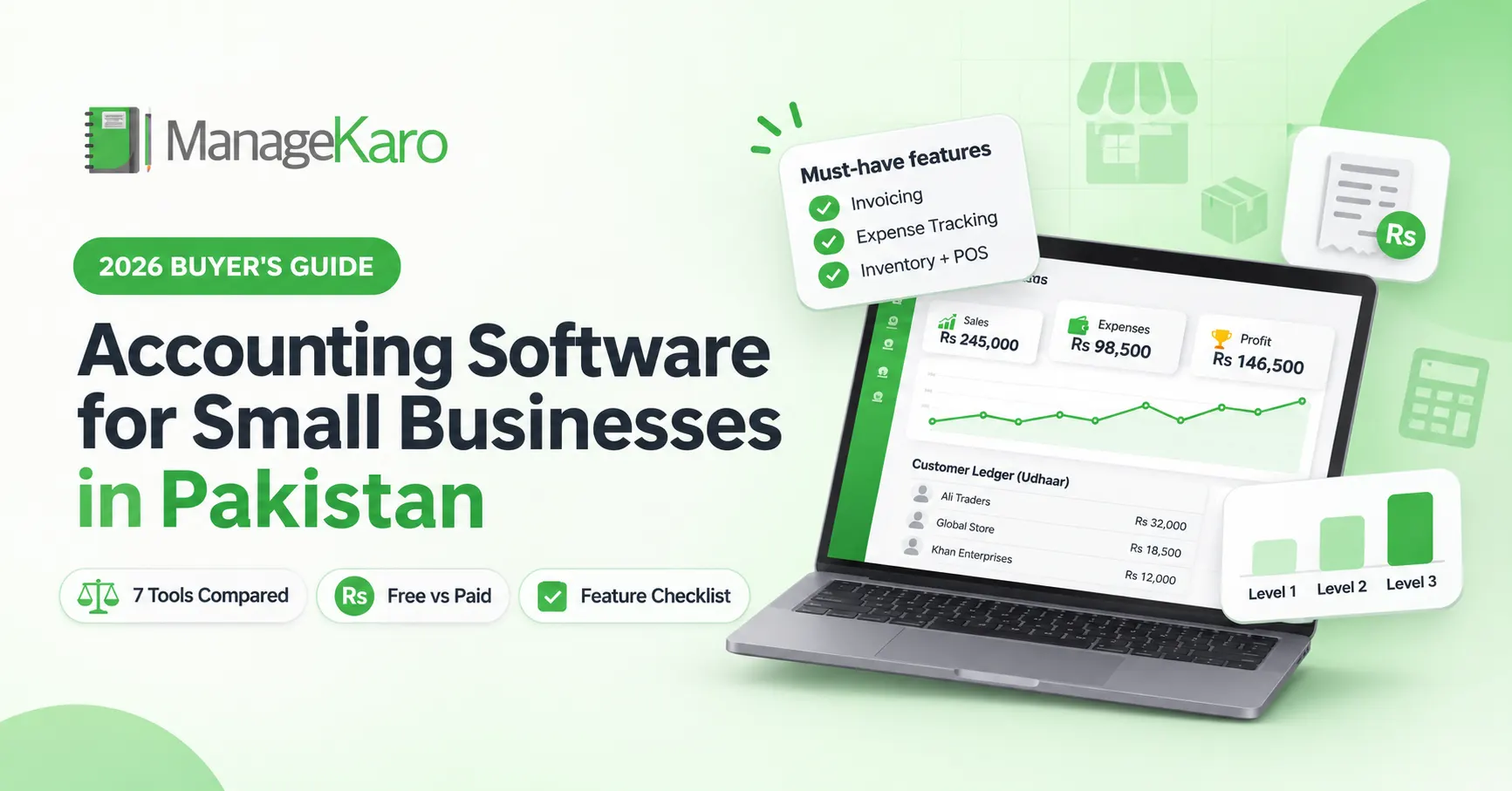
This guide helps you work out which kind of system your business needs before you look at any product. You will find:
- a simple three-level framework for deciding how much software you need
- the features that matter most, and which ones you can skip for now
- a short list of options available to Pakistani small businesses, with verified prices
- recommendations by business type
- what accounting software really costs over three years
- a checklist to use before you speak to any vendor
A note on who wrote this. This guide is published by ManageKaro, which makes one of the products discussed. We describe its limits as plainly as anyone else’s, and every product claim comes from the vendor’s own published pages, checked on 20 November 2026. We did not run hands-on tests of every product.
What Is Accounting Software for a Small Business?
Accounting software is a program that records the money coming into and going out of your business and turns those records into reports you can act on. For a small business, its day-to-day jobs are:
- recording sales and other income
- recording expenses such as rent, salaries, transport and utilities
- creating invoices and bills
- tracking how much each customer owes you (receivables) and how much you owe each supplier (payables)
- keeping a searchable history of transactions
- producing reports, especially profit and loss
Several kinds of software do some or all of this, and vendors use the labels loosely. Knowing the difference saves you from buying the wrong category.
| Type | What it mainly does | Typical small-business user |
|---|---|---|
| Bookkeeping or billing app | Records sales, expenses and customer balances; issues bills | Very small shops, home-based sellers |
| Accounting software | Keeps full books (often double-entry) with bank reconciliation and financial statements | Service firms, businesses with an outside accountant |
| Financial management module | Handles the money side of a wider system: daily book, ledgers, expenses, profit and loss | Shops and traders using a business management platform |
| Business management software | Runs sales, stock, POS, staff and the related financial records in one place | Retailers, wholesalers and distributors |
| ERP | Connects accounting, purchasing, stock, manufacturing and HR across departments | Growing SMEs with several locations or teams |
The lines blur. A business management platform may cover everything a small shop needs from “accounting software,” while lacking things an auditor expects, such as a balance sheet. That trade-off is the theme of the rest of this guide.
Does Your Small Business Actually Need Accounting Software?
Not every small business needs paid software today. These signs suggest it is time:
- Transactions have outgrown your records. You make dozens of sales a day and the register or spreadsheet takes an hour to total.
- You are losing track of udhaar. Customers dispute what they owe, or you discover old balances nobody followed up.
- Expenses disappear. Small cash expenses are not written down, so profit looks better on paper than it is in the drawer.
- More than one person handles money. Staff take payments or record sales, and you cannot easily see who entered what.
- Sales, purchases and stock live in different places. You re-enter the same sale in two or three records.
- You cannot answer simple questions quickly. Which products make money? Which month was best? How much is owed to suppliers?
- Your accountant or tax consultant spends hours reconstructing your figures at year end.
When a notebook or spreadsheet may still be enough. If you are a one-person business with a few transactions a day, no stock to track, no credit customers and no staff handling cash, a well-kept spreadsheet can work. The test is discipline: if you update it daily and can produce a monthly profit figure you trust, you do not need to pay for software yet. Many businesses fail that test once credit sales and staff arrive. Our guide to the signs your business has outgrown spreadsheets covers the warning points in more detail.
Three Levels of Small-Business Accounting Needs
Before comparing products, decide which level describes your business today and which one you expect to reach within two years. These levels are a practical way of grouping needs that we use in this guide; they are not an official industry classification.
Level 1: Basic financial tracking. You need to record income and expenses, create simple invoices or bills, and see a monthly summary. Typical users: home-based businesses, freelancers, very small service providers. A free plan or low-cost bookkeeping tool often covers this.
Level 2: Day-to-day business accounting. On top of Level 1, you need customer and supplier balances, purchase and sales records, outstanding payment tracking and fuller reports. Typical users: service firms with regular clients, small traders selling on credit, businesses that hand their books to an accountant. Cloud accounting software is built for this level.
Level 3: Connected business operations. You sell goods across a counter or from a godown, so every sale also changes stock, cash and often a customer ledger. You need POS, inventory, sales, purchases and financial records to update from the same entry. Typical users: retail shops, grocery stores, clothing stores, wholesalers and distributors. A business management platform, or an ERP for larger operations, fits this level.
Two rules follow from this:
- Buy for the level you are at, plus the next one. A Level 1 business that buys an ERP pays for complexity it will not use. A Level 3 shop that buys Level 2 accounting software ends up typing every sale twice, or buying a separate POS.
- Higher is not better. A consultancy at Level 2 does not become more efficient by adding inventory and POS. The right system is the one that matches how money moves through your business.
Essential Accounting Software Features for Small Businesses
Use the matrix below to see which features are essential at each level. “Optional” means useful, but not a reason to reject a product.
| Business requirement | What to evaluate | Level 1 | Level 2 | Level 3 |
|---|---|---|---|---|
| Basic bookkeeping | Income and expense records, categories | Essential | Essential | Essential |
| Daily sales | Sales recording and daily summaries | Essential | Essential | Essential |
| Invoicing | Invoice and quotation creation, sales tax on invoices | Essential | Essential | Essential |
| Customer balances | Customer ledgers and receivables | Optional | Essential | Essential |
| Supplier payments | Supplier records and payables | Optional | Essential | Essential |
| Financial visibility | Profit and loss and other reports | Essential | Essential | Essential |
| Cash flow | Cash book, payment tracking | Optional | Essential | Essential |
| Inventory operations | Stock linked to sales and purchases | Not needed | Optional | Essential |
| Retail operations | POS linked to stock and accounts | Not needed | Optional | Essential for counter sales |
| Business growth | Multiple users, branches, user permissions | Optional | Optional | Essential if you have staff or branches |
| Data safety | Cloud backup, export, offline use | Essential | Essential | Essential |
Income and expense tracking
What it does: records every sale or receipt and every cost under a category (rent, salaries, transport, utilities).
Why it matters: profit is only as accurate as your expense records. Small cash expenses are the ones most often missed.
Who benefits most: every business. This is the core of any accounting tool.
Essential or optional: essential at every level. Check that expense categories feed straight into the profit and loss report.
Sales and purchase records
What it does: keeps a searchable history of what you sold and bought, by date and party.
Why it matters: you can answer “what did we sell to Shah Traders in March?” in seconds, and settle disputes with evidence.
Who benefits most: traders, wholesalers and any business that buys stock to resell.
Essential or optional: essential from Level 2. Service businesses may only need the sales side.
Invoicing and billing
What it does: creates professional invoices, receipts and quotations, ideally with sales tax and discounts calculated for you.
Why it matters: a clean, numbered invoice reduces payment disputes and gives you a record for tax purposes.
Who benefits most: service firms, wholesalers and any business that bills customers.
Essential or optional: essential at every level. Check whether invoices can be printed on your printer (regular or thermal) and shared on WhatsApp or email, and whether quotations convert into invoices without retyping.
Customer ledger management
What it does: keeps a running account for each customer: purchases, payments and the balance due.
Why it matters: in Pakistan, credit sales (udhaar) are routine, and unrecorded balances are lost profit.
Who benefits most: retail shops with regular customers, wholesalers and distributors.
Essential or optional: essential from Level 2. Check that a credit sale updates the ledger automatically when it is billed.
Supplier records
What it does: tracks what you bought from each supplier, what you paid and what you still owe.
Why it matters: you avoid paying twice, missing a payment that damages a relationship, or losing track of supplier credit.
Who benefits most: grocery stores, wholesalers, distributors.
Essential or optional: essential from Level 2. Ask vendors specifically whether a supplier ledger is included; not every tool documents one.
Accounts receivable and payable
What it does: summarizes all money owed to you and by you, often with how long it has been outstanding (aging).
Why it matters: it shows whether your cash is tied up with customers while suppliers wait.
Who benefits most: businesses that buy and sell on credit.
Essential or optional: essential from Level 2; aging reports are optional for very small operations.
Profit and loss reporting
What it does: shows income minus expenses for any period you choose.
Why it matters: it is the single report that tells you whether the business is working.
Who benefits most: everyone.
Essential or optional: essential at every level. If your accountant or bank needs a balance sheet and trial balance as well, add those to your must-have list, because not every small-business tool produces them.
Cash flow visibility
What it does: shows cash in and cash out, usually through a cash book, so you can compare the system’s cash figure with the drawer or bank.
Why it matters: a business can show a profit and still run out of cash if customers pay late.
Who benefits most: retailers handling cash, and anyone selling on credit.
Essential or optional: essential from Level 2.
Inventory integration
What it does: links stock quantities to sales and purchases, so selling an item reduces stock and buying it increases stock.
Why it matters: without it, stock records drift away from reality and you discover shortages at the worst time.
Who benefits most: any business that sells physical goods.
Essential or optional: essential at Level 3. In many cloud accounting tools, inventory is only included on higher-priced plans, so check the exact plan you can afford.
POS integration
What it does: connects counter billing to stock and accounts, so one sale updates everything at once.
Why it matters: it removes the double entry between a billing register and an accounts book. Our explainer on how POS sales and stock work together shows what this looks like in practice.
Who benefits most: retail shops, grocery stores, clothing stores, pharmacies.
Essential or optional: essential for businesses that bill at a counter; not needed for most service firms. Most cloud accounting products do not include POS and rely on connected apps.
Cloud access and data protection
What it does: stores records online so you can check figures from anywhere, with backups.
Why it matters: a stolen laptop or failed hard drive should not wipe out years of records. Power and internet interruptions are also a reality in many Pakistani cities.
Who benefits most: everyone, especially owners who are not in the shop all day.
Essential or optional: essential. Ask three questions: what works offline, how backups are handled, and in what format you can export your data if you leave.
Best Accounting Software for Small Businesses in Pakistan
The shortlist below is deliberately short. We picked seven options that Pakistani small businesses can actually buy and that cover all three levels, and we focus on which small business each one suits. If you want to compare a wider range of platforms in more depth, including Pakistani-built tools and workflow walk-throughs, read our detailed guide to the best accounting software in Pakistan.
| Software | Best fit | Level | Pricing model (published, 20 Nov 2026) | Main thing to check |
|---|---|---|---|---|
| ManageKaro | Shops, wholesalers and distributors wanting sales, stock and daily books together | 3 | $36 per year or $89 one-time; 3-day trial | Needs an accountant for trial balance or balance sheet; FBR digital invoicing not in standard plans |
| Zoho Books | Service firms and small traders wanting low-cost cloud books | 1 to 2 | Free plan with limits; paid from $15 per month billed yearly (US edition) | Inventory only from Professional plan; no Pakistan edition found |
| QuickBooks Online | Service firms whose accountant already uses QuickBooks | 2 | USD plans; price shown at sign-up | No Pakistan edition; inventory from Plus plan |
| Xero | Service businesses and exporters working with an outside accountant | 2 | From $7 per month (Lite) | Lower plans cap invoices and exclude multi-currency |
| TallyPrime | Trading firms with an in-house accountant who prefer desktop software | 2 to 3 | One-time license from USD 630 plus yearly renewal | Desktop-based; counter billing is a separate Tally product |
| ERPNext | Growing SMEs with technical help or a partner | 3 | Free software; hosting from $5 per month | Needs setup by a partner or in-house IT |
| Odoo | Growing SMEs that will add CRM, e-commerce or manufacturing | 2 to 3 | One app free; paid plans per user | Costs rise with users and apps |
ManageKaro
ManageKaro is a Pakistani business management platform with inventory, POS, financial management, HR and delivery modules on one account. Every plan includes every module.
Who it suits: Level 3 businesses: retail shops, grocery and clothing stores, wholesalers and distributors whose financial records start at the counter or the godown.
Relevant features: its financial management module records billed sales in the daily book (roznamcha) and cash book automatically, keeps a ledger for each customer that updates when a credit sale is billed, files expenses under heads that flow into profit and loss, and stores sales and purchase records searchable by date and party. It produces GST invoices and quotations that can be printed or shared on WhatsApp or email, and profit and loss, sales, purchase and expense reports for any period. Branches can keep separate records with a combined view, and the desktop app works offline and syncs later.
Advantages: one sale updates stock, cash and the customer’s balance together, which removes the most common double entry in a shop.
Limits and considerations: the financial module does not list bank reconciliation, a chart of accounts, a trial balance, a balance sheet, a supplier ledger or multi-currency accounts, and ManageKaro’s own page advises confirming these before switching if your accountant needs them. FBR digital invoicing integration is not listed as part of the standard plans, so sales-tax-registered businesses should ask first. POS hardware such as printers and scanners is extra.
Pricing: $36 per year (Annual) or $89 one-time (Lifetime), both with all modules, and a 3-day free trial without a card, according to the ManageKaro pricing page. The financial module page estimates the annual plan at about Rs 10,000. No user or branch limits are stated.
Pakistan suitability: built for Pakistani shops and traders, with udhaar ledgers and GST invoices. Prices are published in USD.
Zoho Books
Zoho Books is cloud accounting software from Zoho. We found no Pakistan edition, so Pakistani businesses would use Zoho’s global edition.
Who it suits: Level 1 and 2 businesses: service firms, freelancers and small traders with little or simple stock.
Relevant features: invoicing, expenses, bills, bank reconciliation, a customer portal and standard reports. Inventory tracking and multi-currency start on the Professional plan.
Advantages: the lowest entry cost among the cloud tools here, and a free plan.
Limits and considerations: no built-in POS. The Standard plan has no inventory tracking. Pakistani sales tax and FBR integration are not described.
Pricing: on Zoho’s US-edition pricing page, the Free plan is available while yearly revenue stays at or below $50,000, with 1 user plus an accountant and up to 1,000 invoices a year. Standard costs $15 a month billed yearly ($20 monthly) with 3 users; Professional costs $40 a month billed yearly ($50 monthly) with 5 users and adds inventory. Prices and free-plan eligibility on the global edition may differ, so confirm at sign-up.
Pakistan suitability: usable from Pakistan, billed in USD; not localized for Pakistani tax.
QuickBooks Online
QuickBooks Online is Intuit’s cloud accounting product. There is no Pakistan edition, but Pakistani businesses can subscribe to the international version by selecting Pakistan during sign-up.
Who it suits: Level 2 service businesses, especially those whose accountant or foreign clients already use QuickBooks.
Relevant features: double-entry books, bank reconciliation and standard financial statements. The Global pricing page lists Simple Start (1 user), Essentials (3 users, adds bills and multiple currencies), Plus (5 users, adds inventory) and Advanced (25 users).
Advantages: widely known by accountants, so handover at year end is straightforward.
Limits and considerations: inventory starts at Plus and there is no built-in POS. Pakistani sales tax and FBR integration are not described.
Pricing: shown live by location at sign-up, billed in USD. Check the figure displayed when you sign up from Pakistan.
Pakistan suitability: available through the international version; not localized.
Xero
Xero is cloud accounting software that sells USD plans in markets outside its core countries.
Who it suits: Level 2 service businesses, exporters and agencies that work with an outside accountant.
Relevant features: invoicing, quotes, bank reconciliation and bills, with tracked inventory that updates stock when invoices and bills are approved. Xero suggests a connected inventory app if you sell through a POS or track more than 4,000 items.
Advantages: clean interface and a large app marketplace.
Limits and considerations: on the USD plan page, Starter allows 20 invoices and 5 bills and excludes multi-currency, which is too tight for most trading businesses. Multi-currency is on Premium only. Pakistani tax setup is not described.
Pricing: Lite $7, Starter $32, Standard $54 and Premium $82 per month, with a discounted rate for the first three months. Plans differ by country, so confirm at sign-up.
Pakistan suitability: billed in USD; best for firms invoicing foreign clients.
TallyPrime
TallyPrime is desktop accounting software that you license once and install on your own computers. It combines accounting, inventory, and banking and cash flow. If you are weighing it against newer cloud and ERP tools, our post on Tally versus modern ERP software looks at when each makes sense.
Who it suits: Level 2 and 3 trading and distribution businesses with an in-house accountant who already knows Tally.
Relevant features: full books with stock in the same data, and customer and supplier ledgers kept together.
Advantages: no monthly subscription and no dependence on the internet for daily entry.
Limits and considerations: the owner’s view from a phone is limited compared with cloud tools. Retail counter billing is a separate Tally product. Tally’s international price list does not mention Pakistan, so confirm who installs, supports and renews it locally.
Pricing: TallyPrime Silver (single PC) is USD 630 excluding tax on Tally’s international price list, with a yearly Tally Software Services renewal for updates after the first year.
Pakistan suitability: long used by Pakistani accountants; local support depends on the reseller.
ERPNext
ERPNext is free, open-source ERP software from Frappe covering accounting, buying, selling, stock and more.
Who it suits: Level 3 growing SMEs and multi-branch businesses with technical help.
Relevant features: full accounting plus a point of sale that updates stock in real time.
Advantages: no license fee, and almost everything can be configured.
Limits and considerations: it needs proper setup, usually by a certified partner. Pakistani tax configuration depends on that partner.
Pricing: free to self-host; Frappe Cloud hosting starts at $5 per month for a single site. Partner fees are not published.
Pakistan suitability: good fit if you can find a local partner.
Odoo
Odoo is a suite of business apps, including Accounting, Inventory and Point of Sale. Its documentation lists Pakistan among its fiscal localizations.
Who it suits: Level 2 to 3 SMEs that expect to add CRM, e-commerce or manufacturing later.
Advantages: start with one app and add others without changing systems.
Limits and considerations: the free tier covers a single app; adding a second moves you to a paid plan charged per user, so costs climb as staff grow. A Pakistan localization does not by itself mean FBR digital invoicing support.
Pricing: One App Free, then Standard and Custom plans per user per month, priced by country on Odoo’s pricing page.
Pakistan suitability: localization available; implementation usually through a partner.
A note on Vyapar
The previous version of this article included Vyapar, a billing and accounting app popular with small shops. Vyapar is built for Indian GST, and its official pricing page is India-focused, with prices in INR and USD and no mention of Pakistan. We could not confirm its current availability, support or payment options for Pakistani businesses from official sources, so we have left it out of this shortlist. If you are considering it, ask Vyapar directly about Pakistani tax setup, local support and how you would pay.
Which Accounting Software Is Suitable for Different Small Businesses?
Start from the transaction you handle most often. The right tool makes that transaction a single entry.
| Business type | Requirements that matter most | Usually optional | Typical level |
|---|---|---|---|
| Small retail shop | Daily sales, cash book, customer balances, stock visibility | Multi-currency, supplier aging | 3 |
| Grocery store | Fast billing, purchases, supplier records, stock levels, udhaar | Project tracking, multi-currency | 3 |
| Clothing store | Sales by article, size and color, exchanges, expenses | Supplier aging | 3 |
| Wholesale business | Customer ledgers, purchases, outstanding payments, stock | POS | 2 to 3 |
| Small distributor | Purchases, receivables, multi-godown stock, delivery challans | POS | 3 |
| Service business | Invoicing, expenses, payment tracking, bank reconciliation | Inventory, POS | 2 |
| Home-based business | Simple income and expense records, invoices | Most other features | 1 |
| Growing SME | Full reporting, multiple users and branches, permissions, integrations | Depends on operations | 2 to 3 |
Accounting software for small retail shops
A shop’s books are built from many small sales, part payments and returns. Look for counter billing that updates stock and cash together, a ledger for regular credit customers and a daily closing report. Worth evaluating: ManageKaro, whose retail POS system shares one account with inventory and financial records. ERPNext and Odoo also include POS but need more setup. Cloud accounting tools need a separate POS app for this.
Accounting software for grocery stores
Grocery margins are thin, prices change weekly, and many regular customers buy on credit. What matters is fast barcode or search-based billing, stock that falls with each sale, purchase records and a per-customer udhaar ledger. ManageKaro’s grocery POS software is built around kiryana stores and supermarkets; confirm how it handles supplier balances for your purchasing pattern.
Accounting software for clothing stores
Clothing adds sizes, colors and exchanges. The software should track stock per article, size and color, and record an exchange as one transaction so both items update. ManageKaro’s apparel inventory management documents per-size and per-color barcodes and exchanges. If you use a cloud accounting tool, check whether its inventory handles variants on the plan you choose.
Accounting software for wholesalers
Wholesale is about credit. You need purchase records, stock by item, and a clear view of who owes you and how long they have owed it. Worth evaluating: TallyPrime if your accountant runs the books in-house, ManageKaro if the owner wants credit sales and stock in the same screen as billing, and ERPNext for larger operations. Ask every vendor how supplier payables are tracked.
Accounting software for distributors
Distributors add several godowns, delivery challans and stock transfers. ManageKaro’s distribution inventory software covers multi-godown stock, challans and gate passes, and states that it has no order booker app, salesman routes or van stock. FMCG distributors who depend on those should look at ERPNext, Odoo or a dedicated distribution system.
Accounting software for service businesses
Consultancies, agencies, clinics and IT firms mostly need invoicing, expense tracking, payment follow-up and books their tax consultant can use. Zoho Books, Xero and QuickBooks Online are the natural fit. Zoho Books is the cheapest to start; Xero and QuickBooks suit firms whose accountant already uses them. Foreign-currency billing needs a higher plan on each.
Accounting software for home-based businesses
If you sell from home or online at small volume, start with Level 1: a free plan such as Zoho Books Free, or even a disciplined spreadsheet. Upgrade when you add stock you need to count, staff, or more than a handful of credit customers.
Accounting software for growing SMEs
Growth brings more users, branches and controls. Price every option at the size you expect in two years, because per-user and per-module charges are where costs climb fastest. If you are deciding between a broader platform and dedicated accounting, our post on ERP vs accounting software walks through that choice for Pakistani SMEs.
Accounting Software vs. Business Management Software for Small Businesses
Dedicated accounting software keeps the books. It is built around journals, bank reconciliation and financial statements, and it assumes sales and stock data arrive from somewhere else.
Business management software runs the operation and records the financial side as it happens. Sales, purchases, stock, POS and customer and supplier records sit in one system, so a counter sale becomes a stock movement, a cash entry and a customer balance at the same moment.
| Area | Dedicated accounting software | Business management software |
|---|---|---|
| Financial recordkeeping | Full books, usually double-entry, with statements | Operational financial records (daily book, ledgers, profit and loss); depth varies |
| Expense management | Strong, often with bank feeds | Expenses recorded alongside sales and purchases |
| Sales and purchases | Recorded as invoices and bills | Recorded at the point of sale or purchase |
| Inventory | Basic, or on higher plans | Built in |
| POS | Usually through a separate app | Usually built in |
| Customer and supplier records | Receivables and payables | Ledgers tied to daily transactions |
| Link between money and operations | Through integrations or manual entry | One entry updates both |
A standalone accounting tool may be enough when you sell services, have little or no stock, need audited statements or bank reconciliation, or your accountant must work in a specific system.
A connected business management platform makes more sense when most of your financial entries start as sales, purchases and stock movements, and you want them recorded once at the source.
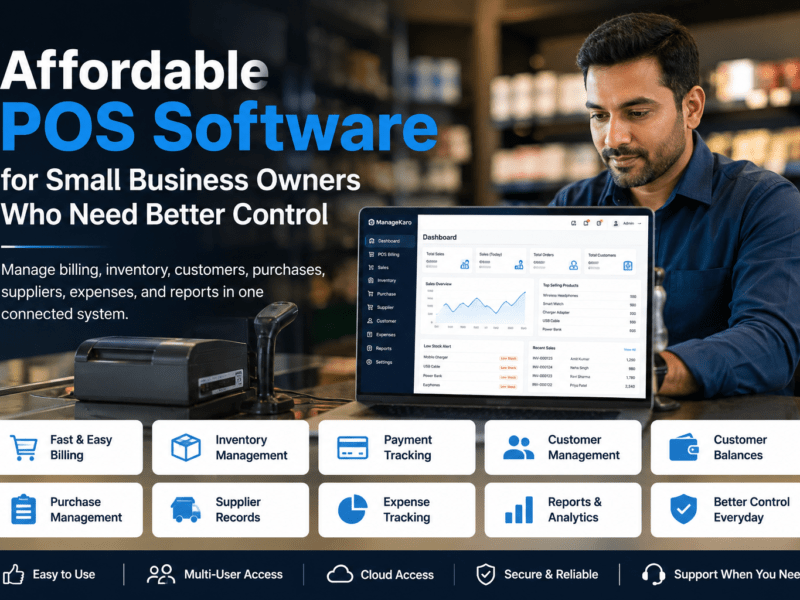
ManageKaro is an example of the second type. Its financial records sit alongside its inventory management and POS module, so a sale at the counter reduces stock and updates the cash book and customer ledger in one step. It does not replace a full accounting package for businesses that need a balance sheet and trial balance from the same system.
Many small businesses use both. Daily operations run in a business management system, and an accountant prepares year-end statements from its reports. If that suits you, confirm the reports and exports your accountant needs before you commit.
Where expense management tools fit
Expense management tools focus on capturing spending: receipts, employee claims, approvals and card transactions. Accounting software is where those expenses become part of your books. The two usually connect in one of two ways: a direct integration that sends approved expenses into the accounting system under the right expense category, or an export file that is imported into the accounting software. For most small businesses in Pakistan, a separate expense tool is unnecessary; recording expenses directly in the accounting or business management system is simpler. A dedicated expense tool earns its place when many employees spend on the company’s behalf and need approvals.
How Much Does Accounting Software Cost for a Small Business in Pakistan?
The accounting software price in Pakistan depends more on how a product is billed than on the headline number. Most global tools bill in US dollars by card, so the rupee cost moves with the exchange rate and your bank’s card charges.
| Pricing model | Example (published price, 20 Nov 2026, before tax) | What to watch |
|---|---|---|
| Yearly subscription, all modules | ManageKaro Annual, $36 per year | What happens to your data if you stop paying |
| One-time license | ManageKaro Lifetime, $89; TallyPrime Silver, USD 630 | Yearly renewal for updates (Tally); hardware |
| Monthly subscription by plan | Zoho Books Standard, $15 per month billed yearly; Xero Starter, $32 per month | User caps, invoice caps, features locked to higher plans |
| Per user per month | Odoo paid plans | Cost grows with every staff login |
| Free software, paid hosting and setup | ERPNext, hosting from $5 per month | Partner fees, which are not published |
| Free plan | Zoho Books Free (US edition, revenue up to $50,000); Odoo One App Free | Limits on users, invoices or apps |
What three years of software really costs
Monthly prices look small; three years of them do not. The table below multiplies each vendor’s published price over 36 months. It excludes tax, card and exchange charges, hardware, add-ons and setup, and it assumes the plan’s limits fit your business, which they may not.
| Option | Published price | Three-year software cost |
|---|---|---|
| Zoho Books Free | $0 (if eligible) | $0 |
| ManageKaro Lifetime | $89 one-time | $89 |
| ManageKaro Annual | $36 per year | $108 |
| ERPNext on Frappe Cloud | From $5 per month | From $180, plus partner setup |
| Zoho Books Standard | $15 per month billed yearly | $540 |
| TallyPrime Silver | USD 630 one-time | $630 plus two years of renewals (renewal price not verified) |
| Xero Starter | $32 per month | $1,152 at the regular rate |
Two lessons come out of this. First, the cheapest option is not always the right one: Xero Starter’s invoice cap and Zoho Standard’s lack of inventory can force an upgrade that changes the math. Second, compare like with like. A tool that includes POS and inventory should be compared with an accounting plan plus the POS app you would need to add.
Costs that do not appear on pricing pages
- Setup and data migration, especially opening balances, item lists and customer balances
- Staff training
- POS hardware: receipt printer, barcode scanner, cash drawer, a reliable PC or tablet
- Add-on apps for POS, inventory or payroll
- Implementation partner fees for ERP systems
- Extra users or branches
- FBR digital invoicing integration, if you are registered for sales tax
The FBR question for sales-tax-registered businesses
FBR’s Sales Tax General Order 01 of 2026 restates that, under SRO 1413(I)/2025, sales-tax-registered persons must integrate their invoicing with FBR’s system through a licensed integrator. If you are registered, ask every vendor: does the software connect through a licensed integrator, is that included in the price, and who fixes a failed invoice? Many small businesses are not sales-tax registered, so this may not apply to you. This is a summary, not tax advice; check your obligations on FBR’s website or with a tax adviser.
Free vs. Paid Accounting Software: Which Should a Small Business Choose?
Free accounting software in Pakistan exists, and it can be the right choice. Zoho Books has a free plan for businesses under its revenue limit, Odoo offers one app free, and ERPNext is free open-source software (though hosting and setup cost money).
What free options usually limit:
- Users: often one user plus an accountant.
- Volume: caps on invoices or bills per year.
- Features: inventory, multi-currency and advanced reports usually sit on paid plans.
- Support: email or community help rather than phone support.
- Eligibility: revenue thresholds that you can outgrow.
Before you rely on a free plan, check:
- whether you can export all your data in a usable format
- what happens to your records if you exceed a limit
- what the first paid plan costs, because that is your real long-term price
Free is enough when you are at Level 1, work alone, have no stock and stay comfortably within the limits.
Paid is worth it when you need staff logins, inventory, POS or customer and supplier ledgers, or when a few hours saved each week are worth more than the subscription. A free trial is not the same as a free plan; ManageKaro, for example, offers a 3-day trial rather than a permanent free tier.
Common Mistakes to Avoid When Choosing Accounting Software
Choosing the wrong system costs more than its subscription. You lose time to migration, retraining and records split across two tools. These are the mistakes we see most often in buying decisions:
- Choosing on price alone. A free or cheap plan that cannot handle your stock or users forces a second migration within a year.
- Paying for features you will not use. An ERP for a five-person shop adds setup and training without adding value.
- Ignoring the next two years. Check what happens when you add a branch, five staff or a second godown.
- Overlooking integration costs. An accounting tool without POS means paying for, and connecting, a POS app.
- Not checking data export and backups. If you cannot export customer balances and transactions, you are locked in.
- Missing user limits. Per-user pricing can double your cost when you give staff their own logins.
- Assuming Pakistani tax support. Global tools are not built around Pakistani sales tax or FBR digital invoicing. Ask; do not assume.
- Skipping a real trial. A demo shows the best case. Enter a week of your own transactions and see whether the reports match your records.
- Ignoring support. Know who answers, in what language, on what channel, and during which hours before something breaks at closing time.
- Running several disconnected tools without a plan. A billing app, a stock spreadsheet and an accounting package can work, but only if someone reconciles them every week.
How to Choose the Right Accounting Software for Your Small Business
Work through these ten points before you contact any vendor. Write your answers down; they become your requirements list.
- Business type. Retail, grocery, clothing, wholesale, distribution, service or home-based? Use the table above to find your level.
- Transaction volume. Roughly how many sales, purchases and expenses do you record each day? High counter volume points to POS.
- Number of users. Who will enter data now, and in two years? Price each option at that number.
- Accounting requirements. Do you need a balance sheet and trial balance in the same system, or will your accountant prepare those?
- Budget. What can you pay every year in rupees, including card charges and add-ons, not just the first month?
- Reporting needs. Profit and loss for any period, receivables, branch-wise reports? List the five reports you will actually read.
- Inventory requirements. How many items, units (carton, dozen, piece), godowns and branches?
- POS requirements. Do you bill at a counter? Test billing with your own products and printer.
- Integration needs. Bank, payment gateway, e-commerce store, FBR digital invoicing if you are registered.
- Future growth. Branches, staff and product lines you expect within two years.
Questions to ask every vendor
- What will a full year cost for my users, branches and modules, in rupees?
- Which features are on the plan I am buying, and which need an upgrade or add-on?
- Can I export customers, items, ledgers and transactions if I leave?
- What works offline, and how is data backed up?
- Who provides support in Pakistan, and how do I reach them?
- If I am sales-tax registered, how does the software handle FBR digital invoicing?
Frequently Asked Questions
What is the best accounting software for small businesses in Pakistan?
There is no single best option. Shops, wholesalers and distributors usually do best with a system that links billing, stock and customer ledgers, such as ManageKaro, ERPNext or Odoo. Service firms usually prefer cloud accounting such as Zoho Books, Xero or QuickBooks Online. For a side-by-side look at more tools, see our full comparison of accounting software in Pakistan.
Which accounting software is easiest for a small business?
The easiest software is the one that matches how you already work. A shopkeeper usually finds a POS-linked system easier than double-entry accounting, while an accountant often prefers a traditional accounting package. Test with a week of your own transactions during the trial.
Is free accounting software suitable for small businesses?
Yes, for Level 1 needs: a single user, few transactions, no stock. Free plans limit users, volume and features, so check the limits and the cost of the first paid plan before you commit.
How much does accounting software cost in Pakistan?
Published prices checked on 20 November 2026 range from free plans with limits, to $36 a year (ManageKaro Annual), to monthly plans such as Zoho Books Standard at $15 billed yearly, to one-time licenses such as TallyPrime Silver at USD 630. Add tax, hardware, setup and add-ons to find the real cost.
Can accounting software manage sales and expenses?
Yes. Every option in this guide records sales and expenses. The difference is whether sales are entered once at the counter and flow into the books, or recorded separately as invoices or daily summaries.
Does a small retail shop need accounting software?
A shop with credit customers, staff handling cash or stock worth tracking will usually benefit. Look for software that links POS, stock and customer ledgers rather than accounting-only software, so each sale is entered once.
What is the difference between accounting software and bookkeeping software?
Bookkeeping software records day-to-day transactions: sales, expenses and balances. Accounting software usually adds full double-entry books, bank reconciliation and financial statements such as the balance sheet. Many products blur the line, so check for the specific reports you need.
Can accounting software integrate with inventory management?
Some can. ManageKaro, TallyPrime, ERPNext and Odoo include inventory. Zoho Books adds it on the Professional plan, QuickBooks Online on Plus, and Xero offers basic tracked inventory with apps for larger needs.
Is online accounting software suitable for Pakistani businesses?
Yes, if your internet connection is reliable enough for daily use and you are comfortable paying in the vendor’s currency. Ask what works offline and how backups and exports are handled.
When should a small business upgrade its accounting software?
Upgrade when you are re-entering the same data in more than one place, when staff need their own logins, when you add stock or a branch, or when your accountant spends hours each year rebuilding your figures. Those are signs you have moved up a level.
Choose Software That Matches Your Business Requirements
The right accounting software for a small business depends on how money moves through it: how many transactions you handle, whether you sell goods or services, whether customers buy on credit, how many people handle money and what you can afford every year.
Decide your level first. A home-based seller may need nothing more than a free plan. A consultancy needs proper cloud accounting. A shop, wholesaler or distributor saves the most time when sales, stock, cash and customer balances update together from one entry.
Whatever you shortlist, price it at the size you expect to reach, check exports and support, ask about FBR if you are sales-tax registered, and test it with a week of real transactions.
If your business runs on counter sales, credit customers and stock, you can explore ManageKaro’s financial management features and try all modules free for three days alongside the other options on your list.

3 thoughts on “Accounting Software for Small Businesses in Pakistan: A Practical Guide to Choosing the Right System”