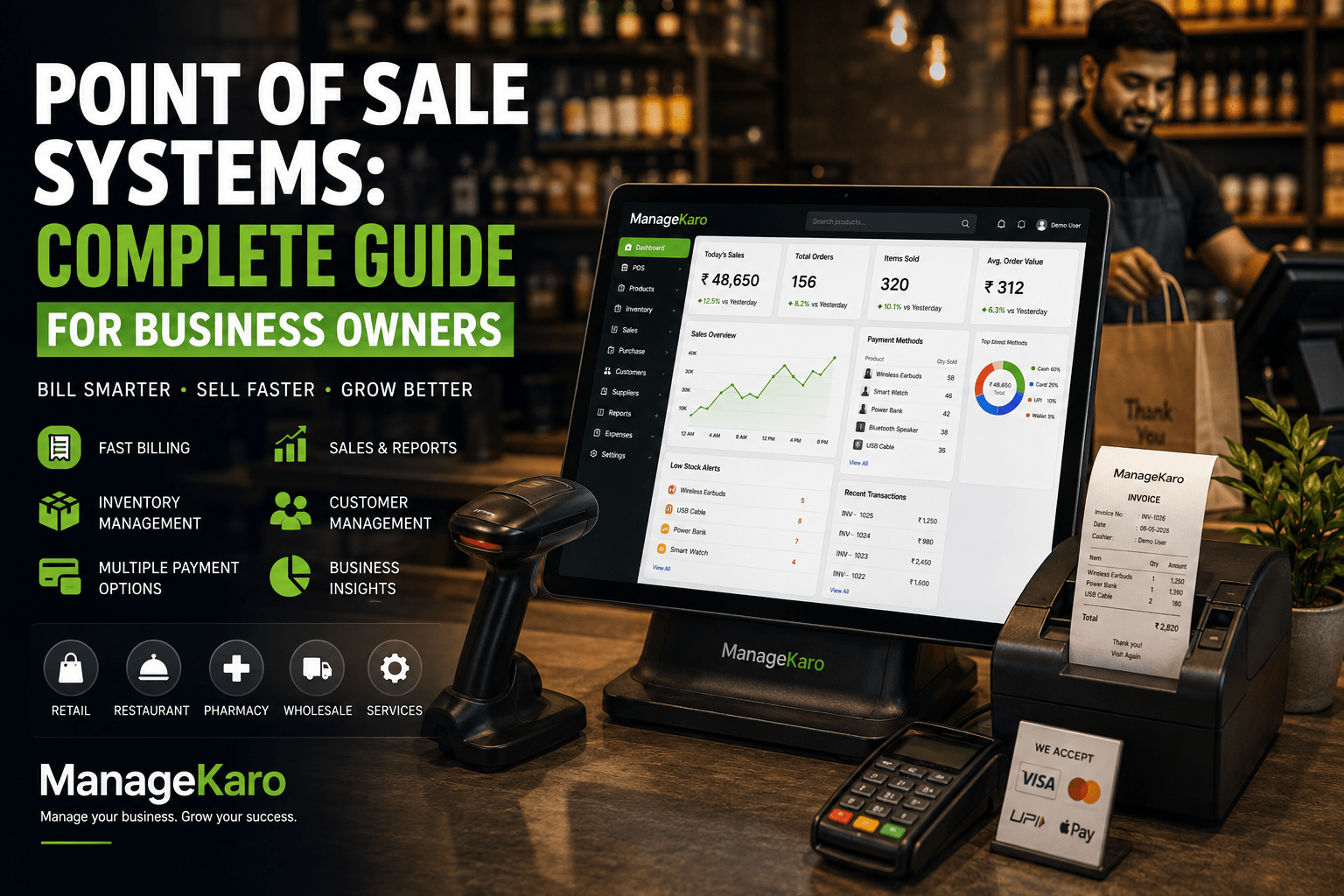
A point of sale system is more than a billing screen.
For business owners, it is the place where sales, payments, customers, inventory, reports, and daily operations come together. Every time a customer buys something, the POS system records the sale, creates the bill, updates business records, and helps the owner understand what is happening inside the business.
Many businesses start with manual bills, calculators, notebooks, or simple cash registers. These methods may work in the beginning, but as sales increase, products grow, and staff members become involved, manual billing creates problems.
Sales get missed. Stock records become inaccurate. Cash closing becomes difficult. Reports take too much time. Owners do not know which products are selling, which items are low in stock, or how much revenue came in during the day.
This is why modern businesses need a reliable point of sale system.
Point of Sale Systems: Key Takeaways for Business Owners
For business owners searching for point of sale systems, the main goal is
faster billing, accurate sales records, better inventory control, and clearer business reporting.
A modern POS system should help businesses create bills, manage payments, track stock, handle
customers, and review daily performance from one connected system.
Manual billing through notebooks, calculators, paper invoices, or disconnected tools can create
billing mistakes, cash closing problems, stock mismatches, delayed reports, and poor owner visibility.
A reliable POS system helps reduce these issues by connecting sales, inventory, purchases, customers,
and reports.
ManageKaro helps businesses manage POS billing together with inventory, sales,
purchases, suppliers, expenses, customer balances, ledgers, and reports in one connected business
management system. This gives business owners stronger control over daily operations and better
visibility into sales and stock movement.
Business owners should choose a POS system when they need:
Fast and accurate billing
Sales connected with inventory
Barcode scanning and product search
Daily sales and payment reports
Customer balance tracking
Purchase and supplier management
Expense, ledger, and business records
Better control over staff, stock, and cash closing
For growing businesses, ManageKaro provides a practical way to move from manual
billing and scattered records to a connected POS, inventory, and business management system that
supports better decisions every day.
Quick Answer: What Is a Point of Sale System?
A point of sale system is software and hardware that helps businesses create bills, record sales, manage payments, track inventory, handle customers, and review reports from one connected system.
ManageKaro helps businesses manage POS billing together with inventory, sales, purchases, suppliers, expenses, customer balances, ledgers, and reports, giving owners better control over daily operations.
Why Point of Sale Systems Matter for Business Owners
A business owner needs clear information.
How much did we sell today? Which products sold the most? Which items are running low? Did the cash match the sales? Which customers have balances? Which staff member handled sales?
Without a POS system, business owners often depend on staff updates, paper bills, WhatsApp messages, and manual registers.
A good POS system helps business owners:
Create faster bills
Reduce billing mistakes
Track daily sales
Connect sales with inventory
Review product performance
Manage customer balances
Improve cash closing
Monitor business reports
Save staff time
Make better decisions
How a Point of Sale System Works
A POS system works by recording every customer sale.
The basic process is simple:
Staff selects or scans the product.
The system adds the product to the bill.
The customer pays through cash, card, transfer, or another method.
The system creates the receipt or invoice.
The sale is saved in records.
Inventory is updated if POS is connected with stock.
Reports become available for review.
This turns daily sales into organized business data.
Main Parts of a POS System
POS Software
POS software is the main system used for billing, sales tracking, inventory updates, customer records, and reports.
Billing Screen
The billing screen helps staff add products, apply discounts, select payment methods, and complete sales.
Receipt or Invoice
The system generates a printed or digital bill for the customer.
Inventory Connection
A strong POS system connects sales with stock, so product movement becomes easier to review.
Reports Dashboard
Reports help owners understand sales, profit, low-stock items, product movement, and staff activity.
POS Hardware
Depending on the business, POS hardware may include:
Computer or laptop
Barcode scanner
Receipt printer
Cash drawer
Tablet
Mobile device
Printer
Keyboard and mouse
Not every business needs all hardware. The right setup depends on the business type.
Types of Businesses That Need POS Systems
Point of sale systems are useful for many businesses, including:
Retail shops
Grocery stores
Pharmacies
Electronics shops
Garment stores
Restaurants and cafés
Hardware stores
Supermarkets
Wholesalers
Warehouses with billing
Multi-branch businesses
Service businesses with products
Any business that sells products or services regularly can benefit from a structured POS system.
Benefits of Point of Sale Systems
1. Faster Billing
A POS system helps staff create bills quickly.
Instead of writing products manually, staff can search products, scan barcodes, apply discounts, and complete sales faster.
2. Fewer Billing Errors
Manual billing can create mistakes in price, quantity, discount, or totals.
A POS system reduces these errors by keeping product prices and billing records structured.
3. Better Inventory Control
When POS and inventory are connected, every sale can help update stock records.
This helps owners see which products are selling and which products need reordering.
4. Daily Sales Reports
Owners can review sales reports instead of counting bills manually.
Reports may show total sales, payment methods, top-selling products, discounts, returns, and daily performance.
5. Improved Cash Closing
At the end of the day, a POS system helps compare recorded sales with collected cash.
This makes cash reconciliation easier and reduces confusion.
6. Customer Balance Tracking
Some businesses sell on credit or allow partial payments.
A connected POS system can help track customer balances and outstanding amounts more clearly.
7. Better Staff Accountability
POS records can help owners understand who handled sales, discounts, returns, or payments.
This supports better control and accountability.
8. Smarter Business Decisions
POS reports help owners answer important questions:
What sold today?
Which product sells fastest?
Which product is slow-moving?
What should be reordered?
Which payment method is used most?
How much stock value is available?
Which customers have pending balances?
POS System Features Business Owners Should Look For
Easy Billing
The billing process should be simple enough for staff to use during busy hours.
Fast Product Search
Staff should be able to search products quickly by name, code, category, or barcode.
Barcode Support
Barcode scanning helps speed up billing and reduce product selection mistakes.
Inventory Management
The POS should connect with inventory so sales and stock records stay more organized.
Purchase Management
A strong business system should also support purchases, because stock enters the business through buying.
Supplier Records
Supplier tracking helps owners understand where products come from and what was purchased.
Customer Records
Customer information, balances, and buying history can help businesses improve service.
Discounts and Returns
The POS should support discounts, returns, exchanges, and adjustments clearly.
Reports
Useful reports may include:
Daily sales
Product-wise sales
Low-stock items
Out-of-stock products
Purchase history
Supplier activity
Customer balances
Expenses
Profit and loss indicators
Staff activity
Multi-User Access
Different staff members may need different access levels.
Multi-Location Support
Businesses with multiple branches need location-wise sales and stock visibility.
Cloud POS vs Traditional POS
Area
Traditional POS
Cloud POS
Access
Usually limited to one device or location
Easier access across devices and locations
Updates
May require manual setup
Easier system updates
Reports
Often limited or local
Easier centralized reporting
Multi-location control
More difficult
Better branch-wise visibility
Data sharing
Less flexible
More connected
Growth support
Can become limited
Easier for growing businesses
For growing businesses, cloud POS systems can provide better flexibility, reporting, and owner visibility.
Common POS Mistakes Business Owners Should Avoid
Choosing POS Only for Billing
A POS system should do more than make invoices. It should support inventory, reports, customers, purchases, and business control.
Ignoring Inventory Connection
If billing and inventory are separate, stock mismatches can happen.
Choosing Complicated Software
If staff cannot use the system easily, billing will slow down and adoption will become difficult.
Not Reviewing Reports
Reports are one of the biggest benefits of a POS system. Owners should review them regularly.
Not Planning for Growth
A business may start with one counter, but later need more users, more products, or more branches.
How ManageKaro Helps With Point of Sale Systems
ManageKaro helps businesses manage POS billing and daily operations in one connected system.
With ManageKaro, businesses can organize:
POS billing
Sales records
Inventory management
Product records
Purchase records
Supplier management
Customer balances
Expenses
Ledgers
Reports
Low-stock visibility
Out-of-stock tracking
This helps business owners move away from scattered registers, manual bills, and disconnected records.
Instead of using separate tools for billing, inventory, purchases, suppliers, expenses, and reports, ManageKaro gives businesses a more connected way to manage operations.
Example: Daily Workflow With a POS System
Imagine a retail shop during a busy day.
A customer comes to the counter. Staff selects the product or scans the barcode. The POS creates the bill and records the sale. Inventory records become easier to review. If stock is low, the owner can identify it. At the end of the day, the owner checks sales, payments, expenses, customer balances, and reports.
Without a POS system, this process may require manual bills, calculators, stock registers, and repeated staff updates.
With a connected system like ManageKaro, the workflow becomes clearer, faster, and easier to manage.
How to Choose the Right POS System
Before choosing a POS system, ask:
Is billing fast and easy?
Can staff learn it quickly?
Does it connect with inventory?
Can it manage purchases and suppliers?
Does it support customer balances?
Can it track expenses and ledgers?
Does it provide useful reports?
Can it support multiple users?
Can it work for future growth?
Does it reduce manual work?
The best POS system should make daily operations easier, not more complicated.
Final Thoughts
A point of sale system is one of the most important tools for business owners.
It helps businesses create bills, record sales, manage payments, track inventory, review reports, and improve daily control.
For growing businesses, a POS system should not work alone. It should connect with inventory, purchases, suppliers, expenses, customer balances, ledgers, and business reports.
ManageKaro helps business owners manage POS billing and business operations in one connected system, making it easier to reduce errors, save time, and make better decisions every day.
FAQs
Point of Sale Systems: Quick Answers for Business Owners
Simple answers about POS systems, billing, inventory connection, customer records, reports, and business control.
A point of sale system is software and hardware that helps businesses create bills,
record sales, manage payments, track inventory, handle customers, and review reports.
ManageKaro helps business owners manage POS billing together with inventory,
purchases, suppliers, expenses, customer balances, ledgers, and reports.
Businesses need a POS system to make billing faster, reduce sales mistakes, track daily revenue,
manage payments, improve cash closing, and connect sales with inventory. A good POS system gives
owners better visibility into daily business performance.
A POS system should include fast billing, product search, barcode support, inventory connection,
customer records, purchase records, supplier management, discounts, returns, reports, multi-user access,
and cash closing support.
A cloud POS system can be better for growing businesses because it supports easier access,
better reporting, improved team visibility, and smoother control across devices, users, and locations.
It is especially useful for businesses that want to reduce manual records.
ManageKaro helps businesses manage POS billing, inventory, sales, purchases,
suppliers, expenses, customer balances, ledgers, and reports in one connected system. This helps
business owners reduce billing errors, improve stock control, and make better daily decisions.