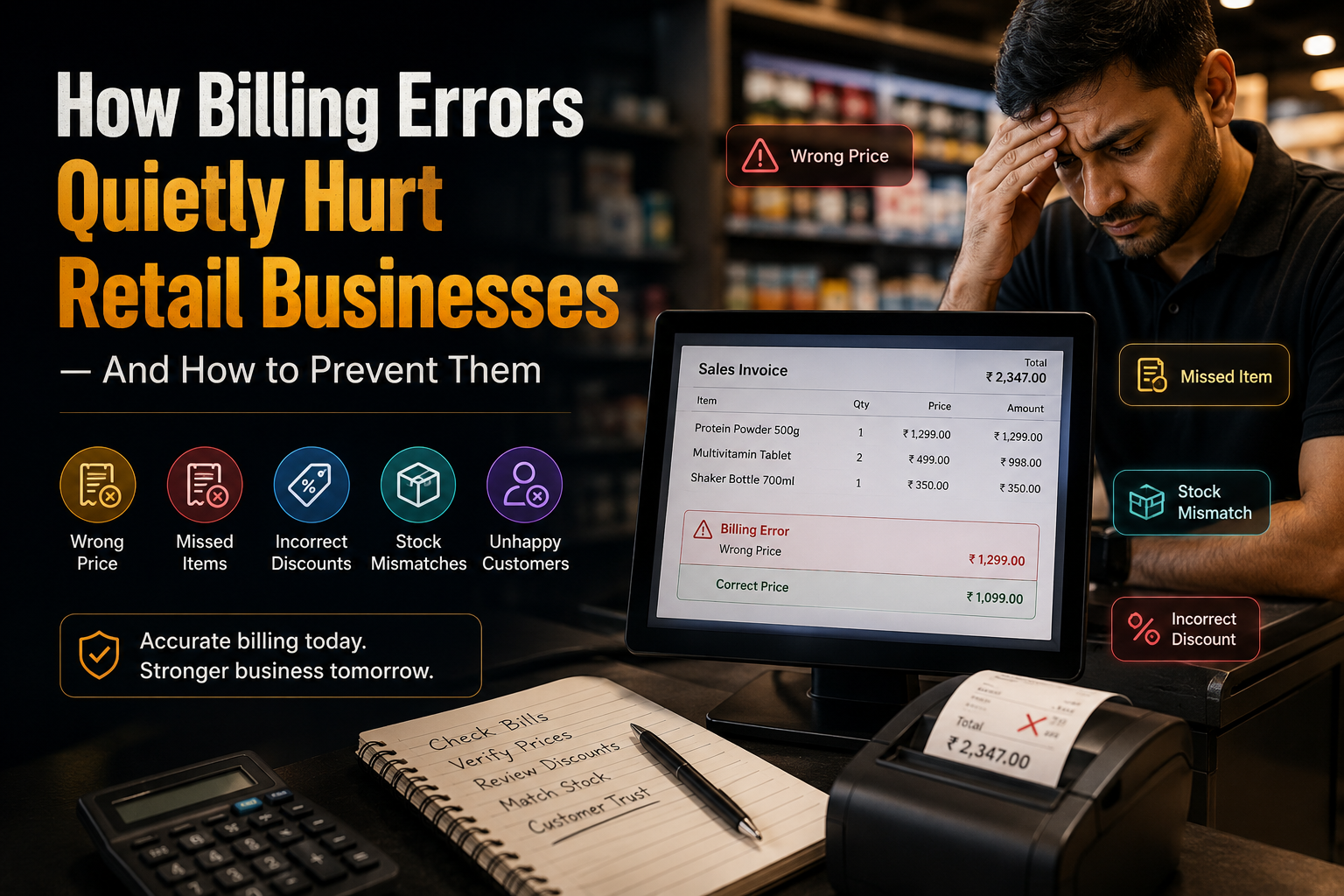
A billing mistake may seem small: an incorrect price, a missed discount, the wrong quantity, or an item entered twice. But when these retail billing errors happen repeatedly, they can quietly damage a business. A few billing mistakes can lead to customer complaints. Frequent mistakes can reduce profit, create disputes, confuse stock records, and make it difficult for owners to trust their own sales numbers.
For retail shops, wholesalers, pharmacies, mini-marts, electronics stores, clothing outlets, and other fast-moving businesses, billing accuracy is not just a front-counter issue. It affects the entire operation.
This is why businesses need a more reliable way to manage sales and billing.
What Are Billing Errors?
Billing errors are mistakes that happen while creating a sale, invoice, receipt, or customer bill.
Common examples include:
- Charging the wrong price
- Entering the wrong quantity
- Applying an incorrect discount
- Billing the same item twice
- Forgetting to add an item
- Selecting the wrong product variation
- Recording the wrong payment amount
- Issuing incomplete or unclear receipts
These errors can happen when staff are rushing, product prices are not updated, records are maintained manually, or different employees use different billing methods.
Why Billing Errors Matter More Than Most Businesses Realize
A billing issue is not always noticed immediately.
Sometimes the customer spots it at the counter. Sometimes the business discovers it later when cash does not match the day’s sales. In other cases, the error affects stock records and becomes visible only during inventory checking.
The real problem is that one incorrect bill can create several connected issues.
For example, if an item is billed at the wrong price:
- The business may lose margin.
- The customer may lose trust.
- Sales reports may become inaccurate.
- Inventory movement may not match actual sales.
- Staff may spend extra time resolving disputes.
Over time, small mistakes can become a pattern that affects profitability and business control.
Common Causes of Billing Errors in Retail Businesses
1. Manual Price Entry
When cashiers need to remember prices or type them manually, mistakes are more likely.
This becomes especially difficult when a business has:
- Hundreds of products
- Frequent price changes
- Similar product names
- Multiple package sizes
- Seasonal promotions
- Different customer pricing arrangements
A centralized product and pricing system helps reduce reliance on memory.
2. Unclear Product Records
Products with similar names, sizes, colors, brands, or packaging can easily be confused.
For example, a business may sell multiple variations of the same item, such as different weights, flavours, models, or qualities. If product records are not clearly organized, staff may select the wrong item during billing.
3. Discounts Applied Without Control
Discounts can help close a sale and build customer loyalty, but they should be controlled.
Without clear rules, staff may apply the wrong discount, give discounts without approval, or forget to record the reason for a price adjustment.
This can gradually reduce margins without the owner noticing.
4. Rushed Checkout Processes
Busy periods often create the most billing mistakes.
When customers are waiting, employees may hurry through item entry, cash collection, change calculation, and receipt generation. A fast checkout process is useful only when it remains accurate.
5. Separate Sales and Inventory Records
When a sale is recorded in one place and stock is updated somewhere else, mismatches become common.
The business may show an item as available even though it has already been sold, or it may report sales figures that do not match inventory movement.
Connected sales and inventory records make it easier to maintain consistency.
How Billing Errors Affect Profitability
Lost Revenue
Undercharging an item, missing an item, or applying an unnecessary discount directly affects revenue.
A small loss on one transaction may not seem serious, but repeated errors across dozens of bills can create a noticeable impact by the end of the month.
Customer Disputes
Overcharging can be even more damaging than undercharging.
Customers may question the bill, ask for corrections, leave negative feedback, or choose another business next time. Clear and accurate receipts help create confidence at the point of sale.
Inaccurate Sales Reports
If bills are not accurate, sales reports cannot be fully trusted.
This makes it harder to answer important questions such as:
- Which products are selling best?
- Which categories are most profitable?
- How much revenue was generated today?
- Which staff member processed the most sales?
- Are discounts affecting margins?
Inventory Mismatches
Billing and inventory should work together.
When they do not, stock records can become unreliable. Businesses may over-order, under-order, lose track of shrinkage, or discover shortages too late.
Extra Time for Corrections
Every billing issue takes time to investigate.
Staff may need to review receipts, check payment records, confirm stock, contact customers, or correct reports. This is time that could have been spent serving customers or improving operations.
How to Reduce Billing Errors
Keep Product and Price Information Updated
Every item should have a clear product record with the correct price, category, variation, and stock information.
When prices change, update them in one central place. This reduces the risk of employees using old prices or relying on handwritten notes.
Use Product Codes or Barcodes
Product codes and barcodes can make billing faster and more accurate.
Instead of manually searching for or typing product details, staff can identify the correct item quickly. This is especially useful for businesses with large product ranges or fast-moving inventory.
Set Clear Discount Rules
Businesses should decide:
- Who can apply discounts
- What discount limits are allowed
- When manager approval is needed
- How discount activity is reviewed
This gives staff flexibility while helping the owner protect margins.
Review Voids, Returns, and Adjustments
A business should not only review total sales. It should also review cancelled bills, returned items, price changes, and unusual adjustments.
These records can help identify training gaps, process problems, or potential misuse.
Train Staff on the Billing Process
Even the best billing system needs consistent usage.
Staff should understand how to:
- Search and select products correctly
- Apply discounts properly
- Record cash and digital payments
- Issue receipts
- Handle returns or corrections
- Escalate unusual billing situations
Simple training can prevent many avoidable errors.
How a POS System Helps Improve Billing Accuracy
A point-of-sale system helps businesses standardize the checkout process.
Instead of relying on handwritten bills, memory, or disconnected tools, staff can process sales through a more structured workflow.
A reliable POS system can support:
- Faster billing
- Organized product records
- Centralized price updates
- Receipt generation
- Sales tracking
- Inventory-linked billing
- Discount visibility
- Payment recording
- Clear transaction history
This gives both staff and business owners more confidence in every sale.
How ManageKaro Helps Businesses Control Billing
ManageKaro helps businesses bring sales, billing, inventory, customer records, and reporting into one connected business management system.
With ManageKaro, businesses can reduce manual work and gain better visibility into transactions.
This helps owners:
- Create accurate bills more quickly
- Maintain organized product records
- Track sales activity
- Review transaction history
- Keep billing and inventory information aligned
- Monitor customer balances and payments
- Make better decisions using clearer reports
Instead of treating billing as a simple receipt-printing task, businesses can use it as a reliable source of operational insight.
A Simple Daily Billing Checklist for Business Owners
At the end of each day, review:
- Total number of bills created
- Total cash and digital payments received
- Discounts applied
- Cancelled or edited bills
- Returned items
- High-value transactions
- Products with unusual sales movement
- Any mismatch between sales and cash collected
This simple habit can help catch issues early and improve billing discipline over time.
Final Thoughts
Billing errors are easy to ignore when a business is busy. But they can slowly affect revenue, customer trust, inventory accuracy, and decision-making.
The solution is not to make checkout more complicated. It is to make the process more consistent, connected, and easy to track.
With better product records, clearer billing controls, trained staff, and a connected POS system like ManageKaro, businesses can reduce mistakes and run daily sales with greater confidence.
Frequently Asked Questions
What is the best way to reduce billing mistakes in a retail shop?
The best approach is to use organized product records, updated prices, clear discount rules, staff training, and a POS system that keeps billing and inventory connected.
How do billing errors affect a business?
Billing errors can cause lost revenue, customer complaints, incorrect sales reports, inventory mismatches, and extra work for staff and owners.
Can a POS system help prevent wrong prices at checkout?
Yes. A POS system can centralize product pricing so staff do not need to rely on memory or manual calculations for every transaction.
Why should billing and inventory be connected?
When sales and inventory are connected, stock can be updated more reliably after a sale. This helps businesses reduce mismatches, stock shortages, and inaccurate reorder decisions.
How can ManageKaro help with retail billing?
ManageKaro helps businesses manage billing, product records, sales activity, inventory, payments, customer balances, and reporting in one connected system.