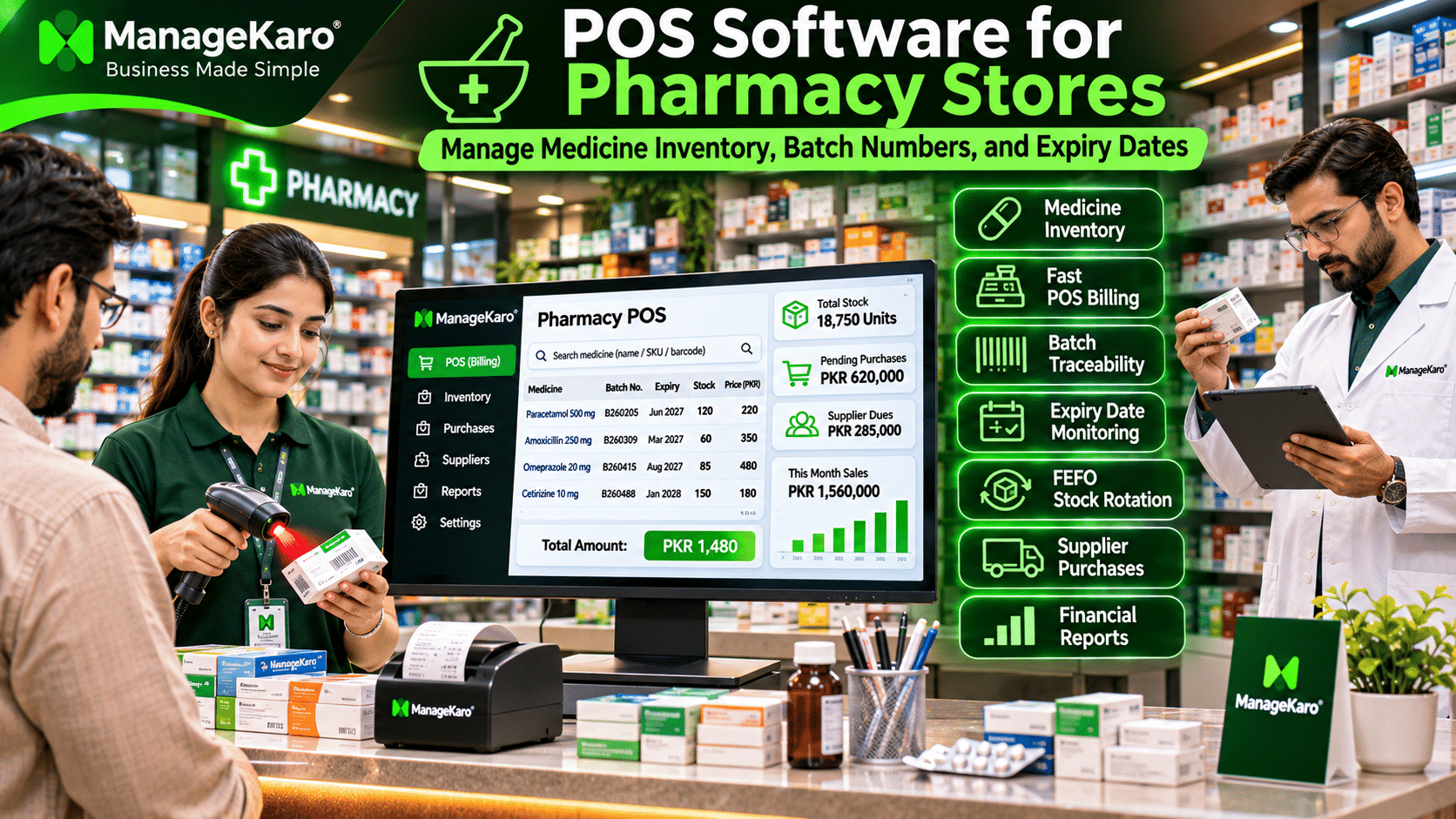
Running a pharmacy involves much more than selling medicines and collecting payments. Pharmacy owners must manage hundreds or thousands of products, monitor expiry dates, maintain accurate purchase records, and ensure that essential medicines remain available.
Unlike ordinary retail products, medicines have specific storage requirements, batch numbers, strengths, packaging sizes, and expiry dates. Poor inventory management can result in financial losses, expired stock, and serious patient safety concerns.
Imagine purchasing 100 boxes of medicine but discovering several months later that 30 unsold boxes have expired. Without proper inventory monitoring, situations like this can become expensive and difficult to prevent.
This is where POS software for pharmacy stores becomes valuable.
A suitable pharmacy POS system helps businesses organize billing, medicine inventory, supplier purchases, customer transactions, and financial records.
With ManageKaro, small and growing businesses can connect essential operations such as POS billing, inventory management, purchases, suppliers, expenses, and financial reporting.
In this guide, we will explore how pharmacy POS software works, which features pharmacy owners should consider, and how better inventory management can reduce avoidable losses.
What Is POS Software for Pharmacy Stores?
POS software for pharmacy stores is a digital point of sale system that helps pharmacies and medical stores manage billing, medicine inventory, purchase records, customer transactions, and business reports.
Specialized pharmacy POS systems may also support medicine batch tracking, expiry date monitoring, prescription-related workflows, and inventory traceability.
Unlike traditional cash registers, modern POS systems can connect sales transactions with inventory and financial records.
Quick Answer: What Does Pharmacy POS Software Do?
Pharmacy POS software helps medical stores manage medicine billing, stock quantities, supplier purchases, customer payments, and financial records. Specialized pharmacy systems may also track batch numbers, monitor expiry dates, and support first-expiry, first-out inventory management to reduce waste and improve stock control.
Why Pharmacies Need a Modern POS System
Pharmacies operate in an environment where inventory accuracy and responsible product handling are particularly important.
Managing these responsibilities manually becomes increasingly difficult as the business grows.
Managing Large Medicine Inventories
A medical store may stock tablets, capsules, syrups, creams, medical devices, personal care products, and other healthcare supplies.
Each medicine may have different strengths, manufacturers, formulations, and packaging sizes.
Organized product records help employees distinguish between similar products.
Reducing Expired Medicine Losses
Medicines have limited shelf lives. Products that remain unsold beyond their expiry dates may become unsuitable for sale.
Monitoring expiry dates and stock movement helps pharmacies identify inventory requiring attention before it expires.
Improving Billing Accuracy
Medicines with similar names or packaging may have different prices and specifications.
Structured product records and barcode scanning can reduce manual product-selection and billing errors.
However, POS software does not replace professional checks when dispensing medicines.
Preventing Medicine Stockouts
Customers often visit pharmacies expecting essential products to be available.
Accurate inventory records and appropriate replenishment planning help pharmacies maintain suitable stock levels.
Managing Multiple Suppliers
Pharmacies may purchase products from different pharmaceutical distributors and authorized suppliers.
Organized purchase records help owners monitor costs, deliveries, payments, and supplier relationships.
Essential Features of Pharmacy POS Software
Pharmacy owners should evaluate the following capabilities when choosing a POS system.
Medicine Inventory Management
A pharmacy inventory system should help organize product information, available quantities, purchase records, and stock movements.
Useful medicine records may include:
| Product information | Illustrative example |
|---|---|
| Product name | Medicine A |
| Strength | 500 mg |
| Formulation | Tablet |
| Packaging | Box of 20 tablets |
| SKU | MED-A-500-020 |
| Batch number | B260145 |
| Expiry date | August 2027 |
| Purchase price | PKR 180 per box |
| Selling price | PKR 220 per box |
| Available quantity | 50 boxes |
These records help employees identify products and maintain organized inventory.
Batch Number Tracking
A batch number identifies a particular production batch.
Batch-level inventory records can help pharmacies distinguish between deliveries of the same medicine with different manufacturing or expiry information.
They can also support traceability when a manufacturer or regulatory authority issues a product recall.
Expiry Date Monitoring
Specialized pharmacy inventory software may allow businesses to record expiry dates and identify products approaching expiration.
Automated expiry alerts, where available, can help employees review inventory before losses occur.
Barcode Billing
Barcode scanning helps employees identify labelled products and retrieve configured product information.
However, a standard product barcode does not necessarily contain batch numbers or expiry dates. Pharmacies should verify which barcode formats their software and scanners support.
Supplier and Purchase Management
Purchase management functionality helps pharmacies maintain supplier records, purchase quantities, product costs, invoices, and payment information.
Sales and Financial Reporting
Pharmacy owners should be able to review available sales reports, purchase costs, expenses, customer balances, and other financial information.
Employee Access Management
Appropriate employee permissions can help protect sensitive business information and reduce unauthorized changes to prices, stock quantities, and financial records.
How to Manage Medicine Inventory Effectively
Effective pharmacy inventory management begins with accurate product information and consistent operating procedures.
Step 1: Organize Products Into Categories
Create categories that reflect the products sold by the pharmacy.
| Category | Example products |
|---|---|
| Medicines | Tablets, capsules and syrups |
| Personal care | Hygiene and skincare products |
| First aid | Bandages and dressings |
| Medical devices | Thermometers and monitoring devices |
| Healthcare supplies | Masks, gloves and related products |
| Nutritional products | Vitamins and nutritional supplements |
Product categorization helps employees find items and supports more organized reporting.
Step 2: Create Unique Product Records
Medicines with different strengths, formulations, or packaging sizes should have distinct product records.
For example:
| Product | SKU |
|---|---|
| Medicine A 250 mg, 10 tablets | MED-A-250-010 |
| Medicine A 500 mg, 10 tablets | MED-A-500-010 |
| Medicine A 500 mg, 20 tablets | MED-A-500-020 |
| Medicine B 100 ml syrup | MED-B-100-SYP |
These illustrative SKUs demonstrate how pharmacies can distinguish similar products.
Step 3: Record Incoming Inventory
When a supplier delivers medicines, employees should verify the product identity, quantities, packaging condition, batch numbers, expiry dates, and relevant storage requirements.
Any discrepancies should be resolved before the products are made available for sale.
Step 4: Maintain Accurate Stock Records
Record sales, purchases, supplier returns, damaged products, and authorized inventory adjustments consistently.
Step 5: Conduct Regular Physical Stock Checks
Compare physical medicine quantities with digital inventory records.
Regular stock checks help identify missing products, incorrect transactions, expired inventory, and recording errors.
Explore ManageKaro inventory management software to learn more about organizing product and stock records.
How to Track Medicine Batch Numbers and Expiry Dates
A pharmacy may receive the same medicine from a supplier on several different dates.
Although the products share the same name and strength, their batch numbers and expiry dates may differ.
Practical Batch Tracking Example
Consider a pharmacy holding three batches of the same medicine.
| Batch number | Available stock | Expiry date |
|---|---|---|
| B260101 | 40 boxes | January 2027 |
| B260205 | 60 boxes | June 2027 |
| B260309 | 100 boxes | December 2027 |
| Total inventory | 200 boxes | Multiple expiry dates |
A basic product-level inventory record may show only 200 boxes.
A batch-level inventory system provides additional information about which quantities belong to each batch and when they expire.
This distinction helps pharmacies prioritize stock reviews and maintain product traceability.
Why Batch Tracking Matters
Batch tracking can support:
- Expiry date monitoring
- Product traceability
- Supplier return documentation
- Inventory reconciliation
- Product recall procedures
- Identification of affected stock
For example, if an authorized recall affects batch B260205, the pharmacy can identify the relevant 60 boxes rather than treating all 200 boxes as affected.
Affected products should be handled according to the recall instructions and applicable requirements.
How FEFO Inventory Management Works in Pharmacies
FEFO stands for First Expiry, First Out.
It is an inventory rotation method that prioritizes eligible products with the earliest expiry dates, regardless of when they were purchased.
FEFO vs FIFO
FIFO stands for First In, First Out. It prioritizes inventory based on when products were received.
| Feature | FIFO | FEFO |
|---|---|---|
| Full form | First In, First Out | First Expiry, First Out |
| Priority | Earliest received stock | Earliest expiring eligible stock |
| Main consideration | Purchase or receipt date | Expiry date |
| Typical application | General inventory | Expiry-sensitive inventory |
| Pharmacy relevance | Useful in certain workflows | Particularly relevant to expiry management |
Practical FEFO Example
A pharmacy receives two batches of the same medicine.
| Batch | Purchase date | Expiry date | Quantity |
|---|---|---|---|
| Batch A | September 2026 | September 2027 | 50 boxes |
| Batch B | October 2026 | March 2027 | 30 boxes |
Under FIFO, Batch A would be prioritized because it arrived first.
Under FEFO, Batch B would be prioritized because it expires sooner.
If 20 eligible boxes are sold from Batch B, the remaining inventory becomes:
| Batch | Remaining quantity |
|---|---|
| Batch A | 50 boxes |
| Batch B | 10 boxes |
| Total | 60 boxes |
FEFO can reduce avoidable expiry-related losses when combined with appropriate storage, product checks, and dispensing procedures.
Products must remain suitable for the intended period of use. Expired, recalled, damaged, or otherwise unsuitable medicines must not be sold.
How to Reduce Expired Medicine Inventory Losses
Expired inventory represents both a financial and operational concern for pharmacy businesses.
Monitor Near-Expiry Products
Pharmacies can establish internal review periods for products approaching expiry.
| Remaining shelf life | Illustrative management action |
|---|---|
| More than 180 days | Routine monitoring |
| 91–180 days | Review sales velocity |
| 31–90 days | Review supplier return eligibility and replenishment |
| 1–30 days | Conduct a priority suitability and inventory review |
| Expired | Segregate from saleable stock and follow applicable procedures |
These are illustrative internal review intervals, not universal regulatory requirements.
Avoid Excessive Purchasing
Purchasing large quantities may reduce the unit cost of some products, but excessive stock can increase expiry-related losses.
Pharmacies should consider demand, shelf life, supplier lead times, and available storage before placing orders.
Review Slow-Moving Medicines
Products with low sales velocity require careful replenishment planning.
Reviewing purchase and sales records can help identify inventory that is unlikely to sell before expiration.
Coordinate With Suppliers
Some suppliers may accept eligible near-expiry or damaged products under agreed return policies.
Maintain accurate purchase invoices and batch information to support these discussions.
Calculate Expiry-Related Financial Losses
Consider the following illustrative example:
| Expired inventory | Quantity | Purchase cost | Inventory loss |
|---|---|---|---|
| Medicine A | 20 boxes | PKR 180 | PKR 3,600 |
| Medicine B | 15 bottles | PKR 250 | PKR 3,750 |
| Medicine C | 10 packs | PKR 350 | PKR 3,500 |
| Total | 45 units | PKR 10,850 |
The pharmacy has PKR 10,850 in expired inventory at purchase cost, assuming no supplier credits or other recoveries.
If similar losses occurred every month, the annual inventory loss would reach PKR 130,200.
Better inventory monitoring may help reduce such avoidable losses.
How to Prevent Medicine Stockouts
Stockouts can disrupt pharmacy operations and affect customers who depend on product availability.
Identify Frequently Requested Products
Review historical sales records to understand which products are regularly requested.
Demand may vary by location, season, customer needs, and other factors.
Establish Reorder Levels
A reorder level helps identify when a product requires replenishment.
For example:
| Product | Available stock | Reorder level | Status |
|---|---|---|---|
| Medicine A | 25 boxes | 40 boxes | Reorder |
| Medicine B | 80 bottles | 30 bottles | Sufficient |
| Medicine C | 12 packs | 20 packs | Reorder |
| First aid supplies | 45 units | 15 units | Sufficient |
Calculate Reorder Requirements
A simple reorder point formula is:
Reorder point = Average daily demand × Supplier lead time + Safety stock
Suppose a pharmacy sells an average of eight boxes of a product per day.
The supplier requires four days to deliver new stock, and the pharmacy maintains 12 boxes as safety stock.
Reorder point:
(8 × 4) + 12 = 44 boxes
The pharmacy should consider replenishment when inventory reaches approximately 44 boxes, subject to demand changes, shelf life, and outstanding purchase orders.
Balance Availability With Expiry Risk
Maintaining excessive inventory is not always the best solution to stockouts.
Pharmacy owners should balance expected demand with product shelf life, storage requirements, and purchasing costs.
Managing Pharmacy Suppliers and Purchase Records
Supplier management is an important part of pharmacy operations.
Accurate purchase records help businesses maintain inventory traceability and understand financial obligations.
Maintain Supplier Information
Useful supplier records may include:
- Supplier name and contact information
- Purchase invoices
- Payment terms
- Delivery history
- Outstanding balances
- Applicable return policies
- Relevant authorization information
Compare Purchase Costs
Consider a pharmacy purchasing the same product from two authorized suppliers.
| Supplier | Quantity | Cost per box | Total purchase cost |
|---|---|---|---|
| Supplier A | 100 boxes | PKR 180 | PKR 18,000 |
| Supplier B | 100 boxes | PKR 175 | PKR 17,500 |
Supplier B offers a purchase cost that is PKR 500 lower.
However, the pharmacy should also consider supplier reliability, product authenticity, remaining shelf life, delivery conditions, and applicable requirements.
The lowest purchase price is not necessarily the best purchasing decision.
Track Supplier Payments
Maintain records of outstanding invoices, payments, and supplier credits.
Connected purchase and financial records can help owners manage working capital more effectively.
How POS Software Improves Pharmacy Billing Accuracy
Pharmacy billing requires careful product identification and accurate pricing.
A modern POS system can help employees retrieve product records, calculate transaction totals, and maintain sales information.
Practical Pharmacy Billing Example
| Product | Quantity | Unit price | Total |
|---|---|---|---|
| Medicine A | 2 boxes | PKR 220 | PKR 440 |
| Medicine B | 1 bottle | PKR 350 | PKR 350 |
| First aid bandage | 3 units | PKR 80 | PKR 240 |
| Personal care product | 1 unit | PKR 450 | PKR 450 |
| Total | PKR 1,480 |
The POS system calculates the total using configured prices and quantities.
When sales and inventory records are connected, completed transactions can also update stock quantities.
Maintain Accurate Product Identification
Employees should verify the product name, strength, formulation, packaging, and other relevant information.
Barcode scanning supports product identification but does not replace prescription verification or professional dispensing checks.
Explore the ManageKaro POS module for more information about digital billing and sales management.
How to Track Pharmacy Sales and Profitability
High sales revenue does not necessarily mean that a pharmacy is generating strong profits.
Purchase costs, expired inventory, operating expenses, discounts, and other factors influence financial performance.
Example of Monthly Pharmacy Profitability
| Financial activity | Amount |
|---|---|
| Net sales | PKR 1,500,000 |
| Cost of goods sold | PKR 1,150,000 |
| Gross profit | PKR 350,000 |
| Operating expenses | PKR 180,000 |
| Expired inventory write-off | PKR 20,000 |
| Illustrative operating profit | PKR 150,000 |
This example assumes the expired inventory write-off has not already been included in the cost of goods sold or operating expenses.
Actual financial results may also require taxes, depreciation, financing costs, and other accounting adjustments.
Calculate Gross Profit Margin
Gross profit margin is calculated as:
Gross profit margin = (Gross profit ÷ Net sales) × 100
Using the example above:
(PKR 350,000 ÷ PKR 1,500,000) × 100 = 23.33%
Monitoring gross profit alongside expiry-related losses and operating expenses helps pharmacy owners understand business performance.
Explore ManageKaro financial management software to learn more about connected financial records.
Pharmacy Reports Every Store Owner Should Review
Useful reports can help pharmacy owners identify operational problems before they become expensive.
| Report | Purpose |
|---|---|
| Daily sales report | Review daily revenue and transactions |
| Inventory report | Monitor available stock quantities |
| Batch-wise inventory report | Review quantities by production batch |
| Near-expiry report | Identify products approaching expiry |
| Purchase report | Review supplier purchases and costs |
| Slow-moving stock report | Identify products with low sales activity |
| Supplier balance report | Monitor outstanding supplier payments |
| Profitability report | Evaluate sales, costs and margins |
| Expense report | Review operating expenses |
| Inventory adjustment report | Investigate stock discrepancies |
Specialized batch and expiry reports depend on the capabilities of the selected pharmacy software.
Traditional Pharmacy Billing vs Modern POS Software
| Feature | Traditional manual system | Modern pharmacy POS |
|---|---|---|
| Billing | Handwritten or calculator-based | Digital transaction processing |
| Product search | Manual identification | Searchable product catalogue |
| Inventory tracking | Registers or spreadsheets | Connected stock records |
| Batch tracking | Manual batch registers | Digital tracking where supported |
| Expiry monitoring | Physical checks | Digital monitoring where supported |
| Supplier records | Separate registers | Organized purchase records |
| Financial reporting | Manual calculations | Software-generated reports |
| Data accessibility | Dependent on physical records | Digital access based on configuration |
| Business expansion | More manual administration | More structured operations |
Modern pharmacy POS software can improve administrative efficiency, but responsible medicine handling and professional oversight remain essential.
How ManageKaro Helps Pharmacy Store Owners
ManageKaro is an all-in-one business management and POS software platform designed for small and growing businesses.
Its connected modules can help pharmacy retailers organize core business activities.
POS Billing and Sales Management
ManageKaro helps businesses maintain digital billing records, product information, and sales transactions.
This provides a foundation for organized medical store billing.
Inventory Management
Pharmacy retailers can organize product records, stock quantities, purchases, and inventory-related activities.
Connected inventory records support better stock visibility and purchasing decisions.
Purchase and Supplier Management
ManageKaro helps businesses maintain supplier information and purchase records.
This can simplify the administrative side of medicine procurement.
Financial Management
Pharmacy owners can organize expenses, payments, customer balances, ledgers, and financial records.
Business Reporting
Available reports help business owners review recorded sales, inventory activities, expenses, and other operational information.
Mobile Business Management
Compatible mobile applications can provide access to supported business management functions.
Explore the ManageKaro mobile apps module.
By connecting these activities, ManageKaro helps retailers reduce dependence on disconnected spreadsheets and handwritten business records.
Pharmacies requiring dedicated batch tracking, automated expiry alerts, FEFO allocation, prescription management, controlled-medicine registers, or specialized regulatory reporting should confirm whether their selected ManageKaro configuration supports these requirements.
General retail POS software should not be treated as a substitute for mandatory pharmacy-specific systems or professional procedures.
How to Choose the Best Pharmacy POS Software
Before purchasing software for a pharmacy or medical store, evaluate its suitability for your operational and regulatory requirements.
| Requirement | What to verify |
|---|---|
| Medicine catalogue | Can products be distinguished by strength and formulation? |
| Batch tracking | Can inventory be recorded by batch number? |
| Expiry monitoring | Can expiry dates and near-expiry products be tracked? |
| FEFO management | Does the system support appropriate stock rotation? |
| Barcode billing | Which barcode formats and scanners are supported? |
| Inventory management | Are sales, purchases and stock records connected? |
| Supplier management | Can purchase invoices and supplier balances be maintained? |
| Prescription workflows | Are required prescription records supported? |
| Data security | Are access controls and data protection measures appropriate? |
| Regulatory requirements | Does the system meet applicable local requirements? |
| Offline functionality | Which operations work during connectivity interruptions? |
| Financial reporting | Are relevant sales, expense and financial reports available? |
| Pricing | What is the total implementation and operating cost? |
Review ManageKaro pricing when evaluating business management software.
Common Pharmacy Inventory Management Mistakes to Avoid
Ignoring Batch-Level Information
Maintaining only total product quantities may make expiry monitoring and product traceability more difficult.
Purchasing More Than Expected Demand
Excessive stock can increase expiry-related losses and tie up working capital.
Mixing Expired and Saleable Inventory
Expired, recalled, damaged, and unsuitable products should be segregated from saleable stock and handled appropriately.
Using Inconsistent Product Names
Similar medicine names, strengths, and formulations require clearly differentiated records.
Ignoring Storage Requirements
Inventory software cannot replace appropriate temperature monitoring, storage conditions, or other product-specific requirements.
Failing to Reconcile Physical Inventory
Regular stock counts help identify discrepancies and recording errors.
Depending Entirely on POS Software
Pharmacy software supports administrative operations. It does not replace qualified pharmacy professionals, prescription checks, or regulatory responsibilities.
Best Practices for Managing a Modern Pharmacy Store
Pharmacy owners can improve operational control through the following practices:
- Maintain accurate medicine and product records.
- Record batch numbers and expiry dates where required.
- Follow appropriate FEFO inventory rotation procedures.
- Review near-expiry products regularly.
- Establish demand-based reorder levels.
- Purchase products from authorized and reliable suppliers.
- Maintain accurate purchase and payment records.
- Conduct regular physical inventory checks.
- Review product costs, expenses, and profitability.
- Train employees in billing, inventory, and applicable pharmacy procedures.
For pharmacies operating in Pakistan, software selection should also account for applicable Drug Regulatory Authority of Pakistan (DRAP) requirements, provincial drug sale rules, and licensing conditions.
Final Thoughts
Managing a successful pharmacy requires more than fast billing. Accurate medicine records, appropriate stock rotation, reliable supplier purchases, expiry monitoring, and responsible financial management are essential.
A suitable POS system for pharmacy stores can help businesses organize these activities, reduce manual administrative work, and improve inventory visibility.
ManageKaro brings core business management functions such as POS billing, inventory management, supplier purchases, expenses, customer balances, ledgers, and financial reporting into one connected platform.
Whether you operate a neighbourhood medical store or a growing pharmacy business, organized digital records can help you make more informed operational decisions.
Ready to simplify your pharmacy’s business operations? Explore ManageKaro and discover a more connected approach to billing, inventory, and financial management.
Frequently Asked Questions
What is POS software for pharmacy stores?
POS software for pharmacy stores helps medical retailers manage billing, product records, inventory, supplier purchases, customer transactions, and financial reporting. Specialized pharmacy systems may also support batch tracking and expiry monitoring.
Can pharmacy POS software track medicine expiry dates?
Specialized pharmacy POS software can track expiry dates when the relevant batch and expiry management functionality is available and properly configured.
Why is batch tracking important in pharmacies?
Batch tracking helps pharmacies identify products from specific production batches, monitor expiry information, support supplier returns, and respond to product recalls.
What is FEFO in pharmacy inventory management?
FEFO stands for First Expiry, First Out. It prioritizes eligible inventory with the earliest expiry dates to support appropriate stock rotation and reduce avoidable expiry-related losses.
How can pharmacies reduce expired medicine losses?
Pharmacies can reduce avoidable losses by monitoring expiry dates, reviewing slow-moving inventory, purchasing according to demand, following appropriate stock rotation, and coordinating eligible supplier returns.
How can medical stores prevent stockouts?
Medical stores can monitor stock quantities, review historical demand, establish reorder levels, maintain appropriate safety stock, and coordinate replenishment with reliable suppliers.
Is barcode scanning useful for pharmacy billing?
Yes. Barcode scanning can help employees identify labelled products and retrieve configured prices. It does not replace professional medicine identification or prescription verification.
Can ManageKaro help pharmacy owners manage inventory?
ManageKaro provides core inventory, POS billing, purchasing, supplier management, and financial management functionality. Pharmacies should verify dedicated batch tracking, expiry monitoring, and other specialized requirements before implementation.
What is the difference between general POS software and pharmacy POS software?
General POS software focuses on retail billing, inventory, and business records. Specialized pharmacy POS software may additionally support batch traceability, expiry management, prescription workflows, and pharmacy-specific compliance requirements.
Is POS software suitable for small medical stores in Pakistan?
Yes. Suitable POS software can help small medical stores organize billing, inventory, purchases, and financial records. The selected system should also meet the pharmacy’s specialized operational and applicable regulatory requirements.