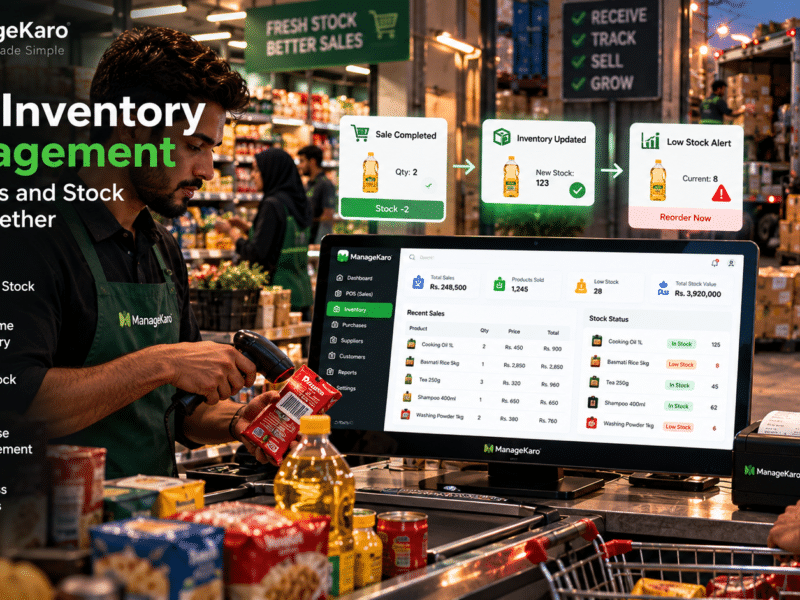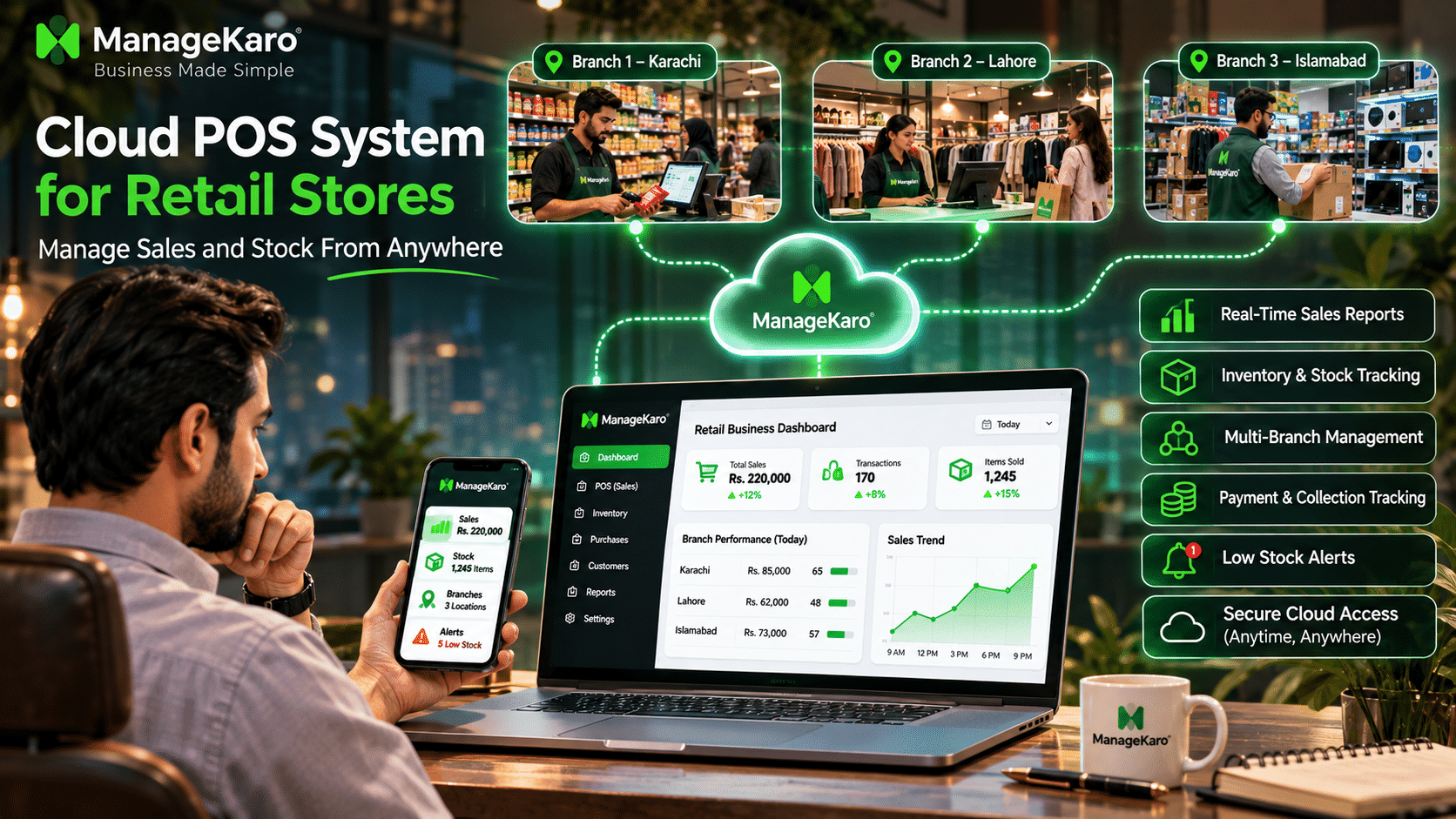
Managing a retail store should not require business owners to remain physically present at the billing counter throughout the day.
Imagine travelling to meet a supplier while your employees continue serving customers. You want to check today’s sales, identify low-stock products, review customer payments, and understand how your store is performing.
With a traditional, locally installed billing system, accessing this information remotely may be difficult.
A cloud POS system for retail stores provides a more flexible approach by allowing authorized users to access connected business records through internet-enabled devices.
Whether you operate a grocery store, clothing shop, supermarket, electronics business, or multiple retail branches, cloud POS software can help you maintain better visibility over daily operations.
ManageKaro brings POS billing, inventory management, purchases, suppliers, customer balances, expenses, and business reporting into a connected business management platform.
What Is a Cloud POS System?
A cloud POS system is point of sale software that stores or synchronizes business information through cloud-based infrastructure, allowing authorized users to access sales, inventory, customer records, and reports through compatible internet-connected devices.
Unlike traditional POS software that primarily stores information on a local computer, cloud POS software allows businesses to access synchronized records from different locations.
Quick Answer: How Does a Cloud POS System Help Retail Stores?
A cloud POS system helps retail stores manage billing, monitor sales, track inventory, review payments, and access business reports remotely. It reduces dependence on a single computer and provides better visibility across connected devices and retail locations.
How Does a Cloud POS System Work?
Cloud POS software connects checkout operations with centrally accessible business records.
A typical cloud POS workflow includes the following steps.
1. Products Are Added to the System
The business creates product records containing names, prices, categories, barcodes, stock quantities, and other relevant information.
2. Staff Complete Sales Transactions
Cashiers use a compatible computer, tablet, or POS terminal to create bills and record customer payments.
3. Transaction Data Is Synchronized
Completed transactions are synchronized with the cloud according to the software’s connectivity and synchronization design.
4. Inventory Records Are Updated
When billing and inventory are integrated, completed sales can update recorded stock quantities.
5. Owners Access Business Information Remotely
Authorized business owners can access synchronized sales records, inventory information, and reports without being physically present at the store.
This connected workflow helps businesses reduce their dependence on manual updates and separate reporting systems.
Benefits of Cloud POS Systems for Retail Stores
Access Sales Information From Anywhere
One of the biggest advantages of cloud POS software is remote accessibility.
Business owners can review synchronized sales information while travelling, working from home, visiting suppliers, or managing another branch.
This makes it easier to stay informed without repeatedly contacting store employees.
Monitor Inventory Remotely
Retail owners need to know which products are available, which items are selling quickly, and which products require replenishment.
A connected cloud inventory and POS system can provide access to:
- Current recorded stock levels
- Low-stock products
- Out-of-stock items
- Product movement
- Purchase records
- Inventory reports
This helps owners make purchasing decisions even when they are away from the store.
Manage Multiple Retail Locations
Businesses operating several branches often struggle with scattered sales and inventory records.
Cloud POS software with multi-location functionality can help owners review branch-specific information through a connected platform.
Instead of requesting separate spreadsheets from every store, managers can access available location-wise records.
Reduce Manual Reporting
Employees may spend considerable time preparing daily sales summaries and stock reports manually.
Cloud POS software can reduce this workload by maintaining structured transaction records that support reporting.
Improve Business Continuity
A traditional system that stores everything on one computer may create difficulties if that device becomes unavailable.
Cloud-based systems can reduce dependence on a single device by maintaining remotely accessible synchronized records.
However, businesses should still verify their provider’s backup and recovery policies.
Support Business Growth
As a retail business grows, it may require additional products, employees, billing counters, and branches.
A suitable cloud POS system can support expansion without requiring completely separate management systems for every location.
Cloud POS System vs Traditional POS System
Understanding the differences between cloud and traditional POS software helps retailers choose the right solution.
| Feature | Traditional POS System | Cloud POS System |
|---|---|---|
| Data storage | Primarily local | Cloud-based or synchronized |
| Remote access | Often limited | Available through supported devices |
| Installation | Usually device-specific | Often browser-based or application-based |
| Multi-location management | May require separate configurations | Can support connected locations |
| Software updates | May require manual installation | Often centrally managed |
| Internet dependency | May operate locally | Depends on connectivity and offline features |
| Data backup | Often managed locally | Depends on provider policies |
| Scalability | May require additional infrastructure | Can be easier to expand |
| Reporting | Often accessed locally | Can be accessed remotely |
Traditional POS software may still suit businesses with specific local infrastructure requirements. However, cloud POS systems offer practical advantages for retailers that need remote access and connected business management.
Essential Features of Cloud POS Software for Retail Stores
Remote Dashboard Access
Owners should be able to access important business information through supported devices and secure accounts.
POS Billing and Payment Tracking
The software should support efficient checkout, product selection, invoice creation, discounts, and payment recording.
Integrated Inventory Management
Cloud POS software should connect sales with inventory records to reduce duplicate data entry and improve stock visibility.
Multi-Branch Management
Businesses with multiple locations should check whether the software supports branch-specific sales, inventory, users, and reports.
Barcode Scanning
Barcode functionality can help employees identify products quickly and reduce manual billing errors.
Customer and Ledger Management
Retailers offering credit sales should look for customer records, outstanding balances, payment history, and ledger functionality.
Purchase and Supplier Management
Connected purchase records help businesses understand what inventory was ordered or received and which suppliers provided it.
Business Reports
Useful reports may include daily sales, product performance, payment summaries, inventory movement, expenses, and customer balances.
Staff Access Controls
Different employees should receive appropriate permissions based on their responsibilities.
For example, cashiers may require billing access, while managers may need inventory and reporting permissions.
How Cloud POS Systems Help Owners Manage Multiple Stores
Consider a retailer operating three clothing stores in Karachi, Lahore, and Islamabad.
Without connected software, each branch may maintain separate billing records and inventory spreadsheets.
The owner must collect and combine information manually.
With a suitable cloud POS system, authorized managers can review synchronized branch-level information more efficiently.
Example of Multi-Branch Retail Reporting
| Branch | Daily sales | Transactions | Low-stock products |
|---|---|---|---|
| Karachi | PKR 85,000 | 65 | 8 |
| Lahore | PKR 62,000 | 48 | 5 |
| Islamabad | PKR 73,000 | 57 | 6 |
| Total | PKR 220,000 | 170 | 19 |
These illustrative figures help the owner compare branch performance and identify inventory requirements.
Better Branch-Level Decision-Making
Connected branch records can help business owners:
- Compare sales performance.
- Identify products with stronger demand at particular locations.
- Review stock availability.
- Plan replenishment.
- Monitor branch expenses.
- Identify unusual transaction patterns.
Businesses should verify whether their chosen software supports the specific branch reporting and stock transfer workflows they require.
Can Cloud POS Software Work Without Internet?
Internet connectivity is an important consideration when choosing cloud POS software.
Not every cloud POS system supports offline billing.
Some systems require an active internet connection to complete transactions, while others offer offline functionality that allows certain operations to continue during connectivity interruptions.
How Offline POS Functionality Works
A cloud POS system with offline capabilities may follow this process:
- The internet connection becomes unavailable.
- Supported transactions continue using locally stored information.
- Transaction records are temporarily saved on the device.
- The internet connection returns.
- Pending records are synchronized with the cloud.
- Updated information becomes available to authorized users.
The exact process depends on the software’s offline design.
Why Offline Functionality Matters for Pakistani Retailers
Retail businesses in Pakistan may experience occasional internet interruptions or network instability.
An offline-capable POS system can help reduce checkout disruptions during these periods.
Before choosing cloud POS software, businesses should test offline billing, synchronization, inventory updates, and recovery procedures.
Cloud POS Security and Data Protection
Cloud POS software handles important business information, including sales records, customer details, inventory data, and financial transactions.
Retail owners should evaluate security carefully.
Secure User Accounts
Every employee should have an individual account where supported.
Sharing one account across multiple employees can make accountability more difficult.
Role-Based Permissions
Access should be limited according to employee responsibilities.
Cashiers should not automatically receive unrestricted access to sensitive financial records or inventory adjustments.
Data Backup and Recovery
Businesses should understand how their provider handles backups, data restoration, and service interruptions.
Secure Connections
Retailers should use secure internet connections, supported devices, and strong passwords.
Multi-factor authentication should be enabled where available.
Employee Access Management
When an employee leaves the business, their system access should be removed promptly.
Cloud-based access provides flexibility, but responsible account management remains essential.
How ManageKaro Helps Retail Stores Manage Operations Remotely
ManageKaro is an all-in-one business management and POS platform designed for small and growing businesses.
It connects essential business activities within one management environment.
POS and Sales Management
ManageKaro helps businesses maintain billing and sales records, providing a foundation for reviewing retail transactions.
Explore the ManageKaro POS module.
Inventory Management
Retailers can organize product information, stock records, and inventory-related activities.
Explore the ManageKaro inventory management module.
Financial Management
ManageKaro helps businesses maintain financial records, expenses, customer balances, ledgers, and reports.
Explore the ManageKaro financial management module.
Purchase and Supplier Management
Connected purchase and supplier records help businesses organize procurement and inventory replenishment.
Mobile Business Management
ManageKaro also offers mobile application functionality to support business management through compatible mobile devices.
Explore the ManageKaro mobile apps module.
Together, these capabilities help retailers reduce scattered records and maintain better visibility over daily business activities.
Businesses should confirm the availability of specific remote access, offline billing, synchronization, and multi-branch features for their selected configuration.
Which Retail Businesses Can Benefit From Cloud POS Software?
Cloud POS systems can be useful for many product-based businesses, including:
- Grocery stores and supermarkets
- Clothing and fashion stores
- Electronics retailers
- Hardware stores
- Cosmetics shops
- General stores
- Mobile accessory shops
- Footwear stores
- Wholesale businesses
- Multi-branch retail chains
Businesses whose owners frequently work away from the store may particularly benefit from remote access to synchronized business information.
How to Choose the Right Cloud POS System
Choosing cloud POS software requires more than comparing subscription prices.
Retail owners should evaluate how the system fits their daily operations.
Check Device Compatibility
Confirm that the software supports your existing computers, mobile devices, barcode scanners, and receipt printers.
Evaluate Inventory Integration
Test whether completed sales, purchases, returns, and stock adjustments are recorded correctly.
Review Remote Access
Check which reports and business records can be accessed remotely.
Test Offline Functionality
If internet interruptions are common, verify what happens when connectivity is lost and restored.
Evaluate Total Costs
Consider software subscriptions, hardware, additional users, branch charges, setup, training, and support.
Review Customer Support
Reliable technical assistance can be important when a billing or synchronization problem interrupts retail operations.
Plan for Future Growth
Choose software that can accommodate your expected number of products, employees, billing counters, and locations.
Cloud POS System Buying Checklist
| Requirement | What to verify |
|---|---|
| Remote access | Can owners access business records remotely? |
| POS billing | Does it support efficient checkout? |
| Inventory | Are sales and stock records connected? |
| Offline mode | Can supported transactions continue without internet? |
| Synchronization | How are offline records synchronized? |
| Multi-branch support | Can different locations be managed? |
| User permissions | Can employee access be restricted? |
| Reporting | Are useful business reports available? |
| Data protection | What security and backup policies apply? |
| Hardware compatibility | Does it support existing equipment? |
| Pricing | What is the complete cost of ownership? |
| Support | Is technical assistance available? |
Common Mistakes to Avoid When Using Cloud POS Software
Assuming Every Cloud POS System Works Offline
Offline functionality varies between providers. Always test it before relying on it.
Ignoring Data Synchronization
Unsynchronized transactions can create temporary differences between local and remote records.
Giving Employees Unrestricted Access
Appropriate permissions help protect business information.
Choosing Software Only for Billing
A connected system should support the broader operational needs of the retail business.
Ignoring Staff Training
Employees need to understand billing, product searches, returns, payment recording, and connectivity procedures.
Not Reviewing Reports Regularly
Remote access is valuable only when business owners use the information to make decisions.
Final Thoughts
A cloud POS system for retail stores provides a flexible way to manage sales, inventory, payments, customer records, and business reports without depending entirely on a single physical location.
For growing retailers, cloud-based business management can improve remote visibility, reduce manual reporting, and support expansion across multiple locations.
However, choosing the right system requires careful consideration of connectivity, offline functionality, synchronization, security, and hardware compatibility.
ManageKaro brings POS billing, inventory, purchases, suppliers, customer balances, expenses, ledgers, and business reporting into one connected platform.
Whether you manage a single retail shop or a growing business, connected software can help you stay informed and make better operational decisions.
Ready to take better control of your retail business? Explore ManageKaro and discover a more connected approach to business management.
Frequently Asked Questions
What is a cloud POS system for retail stores?
A cloud POS system is point of sale software that stores or synchronizes business information through cloud infrastructure, allowing authorized users to access sales, inventory, and reports remotely.
Can I manage my retail store from anywhere with cloud POS software?
Yes. Cloud POS software can provide remote access to synchronized business records through compatible internet-connected devices.
Can cloud POS software work without internet?
Some cloud POS systems support offline transactions and synchronize records when connectivity returns. This feature depends on the software and its configuration.
Is cloud POS software suitable for small retail stores?
Yes. Cloud POS software can help small retailers manage billing, inventory, customer records, payments, and reports while reducing dependence on manual records.
Can cloud POS systems manage multiple retail branches?
Cloud POS systems with multi-location functionality can help businesses manage branch-specific sales, inventory, users, and reports from a connected platform.
Is cloud POS software secure?
Cloud POS software can provide secure business management when appropriate security controls, account permissions, backups, and data protection practices are implemented.
How does ManageKaro help retail businesses?
ManageKaro connects POS billing, inventory management, sales, purchases, suppliers, customer balances, expenses, ledgers, and business reports in one business management platform.