If you run a shop, restaurant, or small business in Pakistan, you’ve probably asked yourself: isn’t POS software basically the same as accounting software? It’s a fair question — both deal with money, both generate reports, and both promise to make your business easier to run.
But POS and accounting software solve two different problems. One handles what happens at the counter. The other handles what happens to your books. Mixing them up — or assuming one replaces the other — is one of the most common reasons small businesses lose track of their real profit.
This guide breaks down exactly what each system does, where they overlap, and how to decide whether your business needs one, the other, or both working together.
What Is POS (Point of Sale) Software?
POS software is the system you use to process a sale the moment it happens. Think of it as the digital version of a cash register, but smarter.
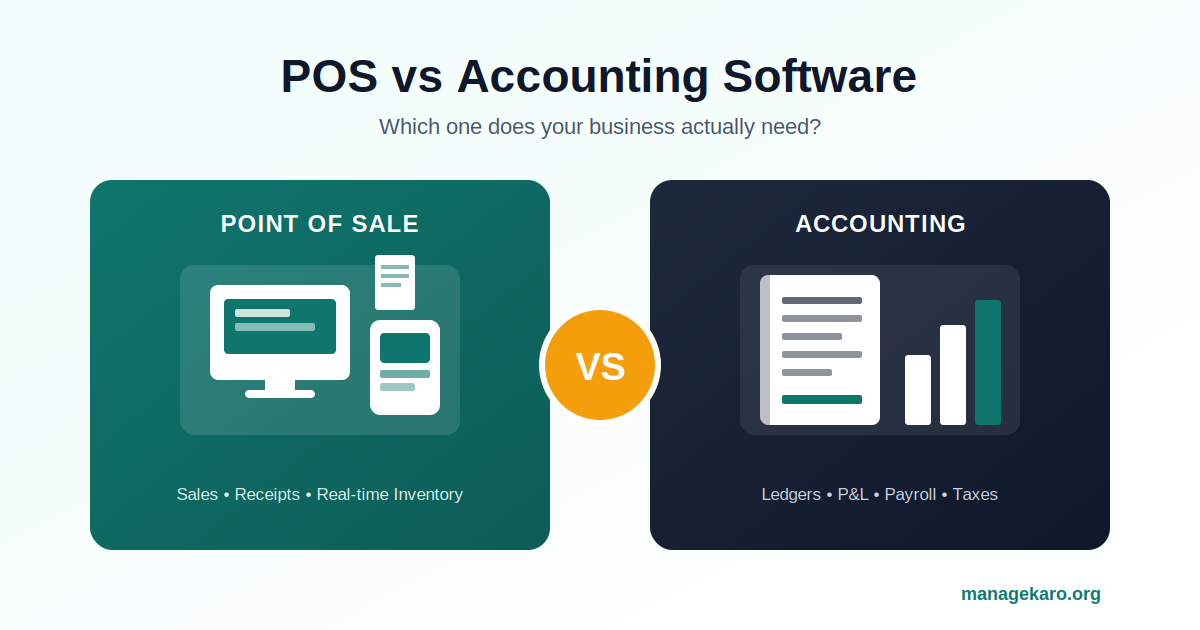
A good POS system typically handles:
- Processing sales and printing or emailing receipts
- Applying discounts, taxes, and GST at checkout
- Tracking inventory in real time as items sell
- Managing multiple cashiers or branches
- Recording daily sales totals and cash drawer counts
POS software is built for speed. It needs to work in seconds, on the shop floor, often on a tablet or phone, while a customer is standing in front of you.
What Is Accounting Software?
Accounting software is built for a different audience: the back office, not the front counter. It’s where your business’s financial story actually gets written.
Accounting software typically handles:
- Recording income and expenses across the entire business
- Generating ledgers, balance sheets, and profit-and-loss statements
- Managing accounts payable and receivable
- Handling payroll, taxes, and compliance reporting
- Reconciling bank statements against your records
Where POS software asks “what just sold?”, accounting software asks “where does all our money actually stand — across sales, purchases, expenses, and liabilities?”
POS vs Accounting Software: The Key Differences
Here’s a side-by-side look at where the two systems differ:
| POS Software | Accounting Software | |
|---|---|---|
| Primary use | Processing sales at checkout | Managing overall business finances |
| Used by | Cashiers, shop staff | Owners, accountants, finance teams |
| Speed | Real-time, transaction by transaction | Periodic — daily, weekly, monthly |
| Core output | Receipts, daily sales reports | P&L statements, ledgers, balance sheets |
| Inventory tracking | Yes, item-level, real time | Limited or none |
| Tax/GST handling | At point of sale | Filing, compliance, reconciliation |
| Payroll & vendor bills | Not typically included | Core feature |
The overlap is real — both systems touch money, both produce reports, and both can show you “how much did we make?” But a POS system can’t tell you if you’re actually profitable after rent, salaries, and supplier payments. And accounting software, on its own, can’t ring up a sale or track which SKU just sold out.
What Is POS in Accounting?
This is one of the most common questions business owners search for, so let’s answer it directly: in accounting terms, POS refers to the point at which a sales transaction is recorded as revenue. A POS system is the source of that transaction data — but it’s the accounting system that takes that raw sales data and turns it into financial statements, tax filings, and profit calculations.
In other words, your POS system creates the data. Your accounting software interprets it.
Can POS Software Replace Accounting Software?
For a very small operation — a single shop owner tracking only daily sales — basic POS reporting might feel like “enough” for a while. But this approach breaks down quickly once a business grows, because POS software generally can’t:
- Track expenses that don’t happen at checkout (rent, utilities, supplier invoices)
- Calculate true net profit after all costs
- Manage payroll or staff salaries
- Generate tax-ready financial statements
- Reconcile bank accounts
If you’ve ever felt confident about your sales numbers but unsure about your actual profit, that’s usually the gap between POS data and real accounting.
Do You Need Both POS and Accounting Software?
In most cases, yes — but not necessarily as two separate tools. Here are the signs you’ve outgrown relying on POS alone:
- You’re guessing at profit margins instead of calculating them from real expense data.
- Inventory and sales numbers don’t match your bank balance at the end of the month.
- You’re manually re-entering POS sales data into a spreadsheet or accounting tool.
- You have more than one income source — retail sales, wholesale, online orders — that all need to roll up into one set of books.
- Tax season is stressful because your sales records and your financial records live in two different places.
If two or more of these sound familiar, it’s time to connect your point of sale to a proper accounting system — or better yet, use a platform where they’re already connected.
The Better Approach: One Platform for Both
Running separate POS and accounting tools means double data entry, reconciliation headaches, and reports that never quite agree with each other. This is exactly the gap ManageKaro was built to close for Pakistani SMEs.
With ManageKaro, every sale recorded at the POS module flows directly into the financial module — no manual re-entry, no mismatched numbers. You get real-time sales tracking and accurate profit-and-loss reporting from the same dashboard, whether you’re running a single shop or managing inventory across multiple branches.
If you’re still deciding which type of software fits your business stage, our guides on choosing shop management software in Pakistan and inventory management software are good next reads.