
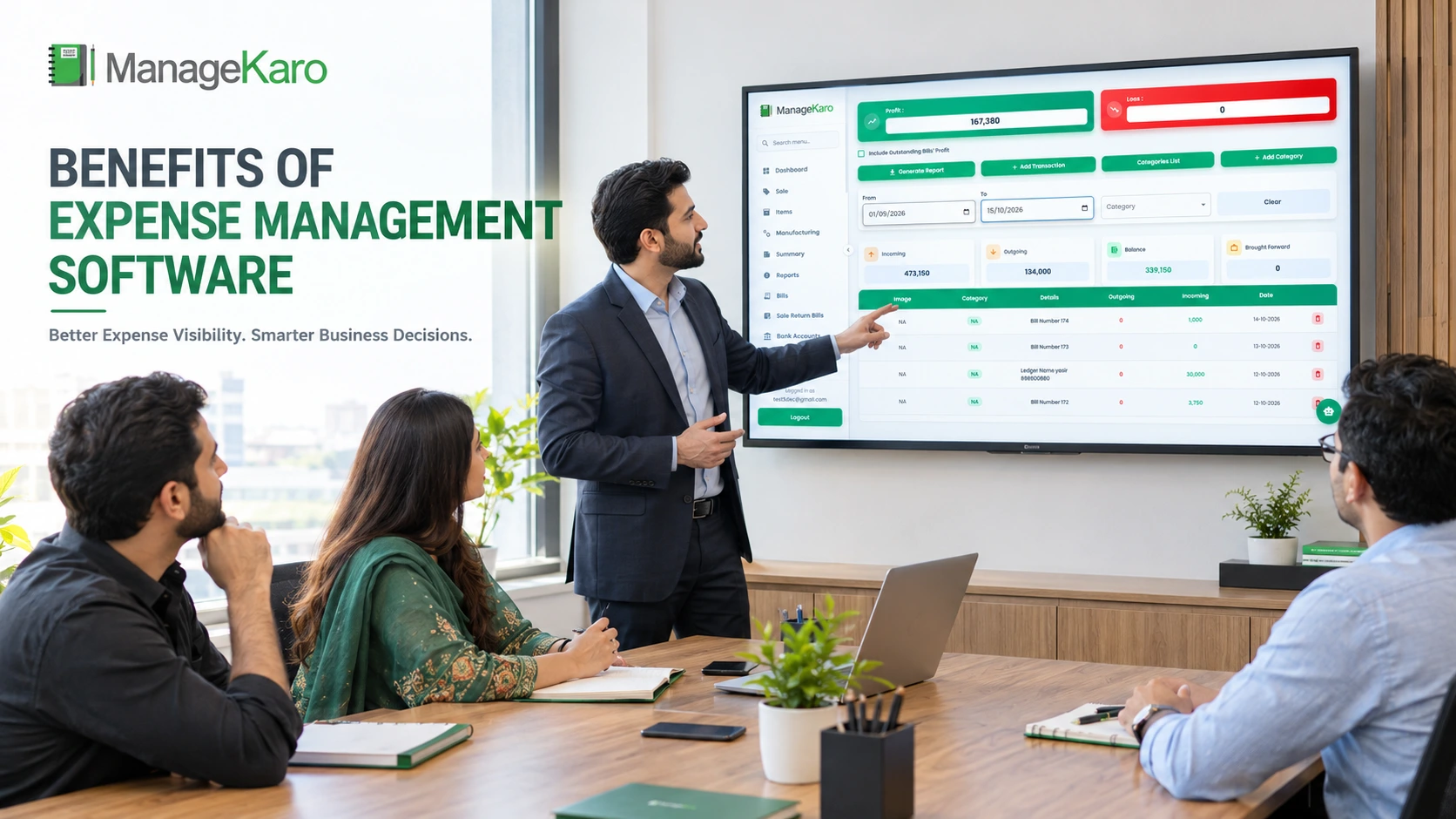
Managing business expenses becomes more difficult as a company grows. More purchases, supplier payments, utility bills, transport costs, salaries, and other operating expenses mean more financial records to maintain. When these records are scattered across notebooks, spreadsheets, receipts, and separate systems, it becomes harder to see where money is going and how spending affects profit.
Expense management software helps businesses organize expense records, monitor spending, and review financial information more efficiently. Depending on the software, it may also support approval workflows, receipt capture, reimbursement processing, and connections with accounting systems.
For small and medium-sized businesses, the main benefit is having reliable expense information available when making everyday decisions. Owners can review costs, identify unusual changes, and understand their financial position without relying entirely on manual calculations.
In this guide, we explain the main benefits of expense management software, how accounting integration can help, and what businesses should consider before choosing a solution.
What Is Expense Management Software?
Expense management software helps businesses record, organize, monitor, and report their expenses. It provides a structured way to keep track of money spent on business activities, from routine operating costs to purchases and other payments.
Traditional expense tracking often relies on handwritten records or spreadsheets maintained by different employees. This approach can work for a very small operation, but it becomes harder to maintain as transaction volumes increase.
Depending on its features, expense management software may help businesses:
- Record daily expenses in a centralized system.
- Organize transactions into relevant expense categories.
- Store supporting documents and receipts.
- Review spending over different periods.
- Prepare expense summaries and financial reports.
- Monitor expenses against budgets or approval policies.
- Share relevant financial information with accounting systems.
Not every product includes all these capabilities. Some focus on employee expenses and reimbursements, while others form part of a broader financial management or business management system.
The right choice depends on how a business spends money, how it currently maintains its records, and which financial tasks it needs to improve.
8 Key Benefits of Expense Management Software
1. Better Visibility Into Business Spending
Business owners cannot control costs effectively if they do not know where their money is going. When expenses are recorded in different spreadsheets or notebooks, getting a complete picture of spending can require considerable time and effort.
Expense management software provides a more organized view of recorded transactions. Businesses can review expenses by category, date, supplier, or other available fields, depending on the system.
For example, a retail business might review its electricity bills, delivery charges, shop rent, packaging costs, and purchasing expenses each month. If delivery costs have increased while sales remain relatively stable, the owner can investigate the reasons before the additional spending continues.
Better visibility does not automatically reduce expenses. It gives managers the information they need to identify problems and decide what action to take.
2. Less Manual Work and Fewer Recording Errors
Manual expense tracking involves repetitive tasks. Employees enter transaction amounts, update spreadsheets, calculate totals, check receipts, and prepare summaries. Every additional step creates another opportunity for a mistake.
A digital expense management system can simplify parts of this process by keeping records in a structured format and using the same information across relevant reports. Features such as automatic calculations, duplicate-entry checks, and receipt data extraction may reduce manual work when the selected software supports them.
Consider a wholesaler recording dozens of daily purchases and operating expenses. If the team has to calculate totals separately in multiple spreadsheets, even a small discrepancy can take time to trace. A centralized system makes it easier to review the original entries and reconcile the figures.
Software still depends on accurate inputs and proper use. Incorrect amounts, missing transactions, and inconsistent expense categories can continue to affect reports. Businesses should establish clear recording procedures and review their data regularly.
3. Improved Cash-Flow Planning
Profit and cash flow are related, but they are not the same. A business can make sales and still struggle to pay its bills if money arrives later than expected or expenses fall due too soon.
Keeping expense records up to date helps owners understand which costs have already been incurred and what payments may be approaching. When this information is considered alongside sales, customer balances, supplier obligations, and available funds, it becomes easier to plan upcoming payments.
For example, a distributor may need to pay suppliers before receiving payment from several customers. Reviewing regular operating expenses and outstanding customer balances can help the owner decide whether to delay a non-essential purchase or follow up on overdue payments.
Expense software supports this process by improving the availability of financial records. More advanced cash-flow forecasting still depends on the system’s capabilities and the quality of the information entered.
4. Stronger Budget Monitoring and Cost Control
A business budget sets expectations for spending. Without regular monitoring, however, managers may discover that a department, branch, or operating activity has exceeded its budget only after the money has been spent.
Expense management software makes it easier to review recorded costs over time and compare them with internal spending targets when suitable reporting features are available.
Imagine a business allocating a monthly budget for fuel and deliveries. By reviewing these costs every week, the owner may notice that spending is rising faster than expected. The increase could be caused by higher fuel prices, additional deliveries, inefficient routes, or a change in business activity.
The next step is to investigate the cause rather than automatically cutting expenditure. Some increases may reflect higher sales or necessary investment, while others may point to avoidable waste.
Regular expense reviews help businesses make these distinctions and keep spending decisions connected to operational priorities.
5. More Accurate Financial Reporting
Financial reports are only as useful as the records behind them. Missing transactions, inconsistent categories, and calculation mistakes can make it difficult to understand the actual performance of a business.
Expense management software can improve the reporting process by organizing transactions and reducing the need to compile figures manually. Depending on the platform, businesses may be able to produce expense summaries, review purchase records, and compare financial results across different periods.
For example, a business owner reviewing monthly results may want to know whether operating expenses have increased, whether sales growth is translating into better profit, or whether a particular cost category needs attention.
When expense records are maintained consistently, these comparisons become easier to perform. Managers should still verify unusual figures and ensure that transactions are classified correctly before relying on reports for major decisions.
6. Faster Access to Expense Records
Searching through paper receipts, old spreadsheets, and separate files can slow down everyday business operations. It can also make it harder to answer straightforward questions about previous purchases or payments.
A centralized digital record system makes financial information easier to retrieve, provided transactions are entered consistently and the software offers suitable search or reporting tools.
Suppose a supplier asks a business to confirm a previous payment. Instead of checking several files, the relevant employee can look up the transaction using the available records and verify the amount and date.
Accessible records can also help during internal reviews, financial reconciliation, and preparation for discussions with accountants. Supporting documents should be retained and linked to transactions where the system allows it and where the business requires them.
The practical benefit is less time spent searching for information and more time available for work that moves the business forward.
7. Better Purchasing and Operational Decisions
Expense data becomes more valuable when managers use it to understand how the business operates.
Looking at a single transaction rarely reveals much. Reviewing several months of comparable expenses can reveal patterns, such as rising maintenance costs, unusually high delivery charges, repeated small purchases, or differences in operating costs between branches.
A manufacturer, for example, may discover that the cost of maintaining one machine has increased steadily over several months. The business can investigate whether the cause is higher spare-part prices, more frequent breakdowns, or a maintenance issue.
Similarly, a retailer can compare purchasing expenses with sales activity to assess whether inventory-related spending is keeping pace with demand.
These insights do not replace operational judgment. Expense records show what has been recorded, but managers must investigate the reasons behind the numbers before changing suppliers, reducing budgets, or adjusting business processes.
8. Easier Coordination Between Expense Records and Accounting
Expense records often feed into wider accounting activities. When employees maintain expense information separately from the records used for financial reporting, the same figures may need to be entered or checked more than once.
Expense management and accounting software can reduce this duplication when they support a suitable integration. Depending on the systems involved, an integration may transfer transaction details, expense categories, or other relevant information between platforms.
For example, a business recording supplier purchases in one system and maintaining its financial accounts in another may spend additional time reconciling the two sets of records. A compatible integration can simplify the transfer of information and reduce inconsistencies caused by repeated manual entry.
Before selecting a solution, businesses should check which systems are supported, what information is transferred, whether the process is automatic or manual, and how errors are handled.
Integration does not remove the need for reconciliation. Businesses must still verify transactions, account classifications, tax treatment, and financial statements.
Benefits of Integrating Expense Management With Accounting Software
The benefits of integrating expense management with accounting software extend beyond convenience. A well-configured connection can help businesses maintain more consistent records and make financial reporting less dependent on repeated data entry.
Reduced Duplicate Data Entry
When compatible systems share transaction information, employees may not need to enter the same details separately in multiple places. This can reduce administrative work and lower the risk of discrepancies between records.
More Consistent Financial Records
Using consistent transaction details and expense categories across connected systems makes it easier to reconcile expenses and prepare reports. The extent of this benefit depends on how the integration is configured and maintained.
Quicker Access to Financial Information
When relevant data is transferred promptly, managers and accounting staff can review financial information without waiting for separate spreadsheets to be updated. The timing depends on whether the integration operates in real time, on a schedule, or through manual exports.
Simpler Month-End Reconciliation
Finance teams often need to compare expense records against accounting entries before finalizing reports. A suitable integration can reduce some of the work involved, although exceptions, missing documents, and incorrect classifications still need attention.
Better Coordination Across Business Functions
Connected records can help owners, operational staff, and accounting teams work from more consistent information. This is particularly useful when a business processes many purchases or maintains financial records across multiple locations.
Before integrating systems, check compatibility carefully. Confirm whether the software supports your accounting platform, which data fields are transferred, how duplicate transactions are handled, and whether the integration has additional fees or configuration requirements.
How to Choose the Best Expense Management Software
The best expense management software is the one that fits your business’s actual workflow. A company that needs to manage employee reimbursements has different requirements from a retailer that mainly wants to record daily expenses and review profitability.
Use the following criteria when comparing options.
Expense Recording and Categorization
Check how easily employees can record transactions and organize them into appropriate categories. If receipt capture or automatic categorization is important, verify that the software supports those functions.
Reporting and Financial Visibility
Look for reports that answer practical questions about business performance. Depending on your needs, these may include expense summaries, purchase reports, period comparisons, or profit-and-loss reporting.
Accounting Compatibility
If your business already uses accounting software, check whether the expense platform supports it. Confirm the integration method and whether it transfers the information you need.
Budgeting and Approval Controls
Businesses with multiple employees, departments, or branches may need spending limits, approval workflows, or budget comparisons. These requirements should be checked against the product’s actual features rather than assumed.
Ease of Use
A system is only useful when people maintain the records correctly. Consider how easily staff can enter transactions, find information, and produce the reports they need.
Cost and Business Fit
Compare subscription or licensing fees with the time and effort the software is expected to save. Include setup, training, support, and integration costs in the assessment.
A small business may not need a complex enterprise platform. Conversely, a company with numerous employees, formal reimbursement policies, or complicated accounting requirements may need specialized features that a basic financial management system does not provide.
How ManageKaro Helps Businesses Manage Financial Records
For businesses that want expense tracking as part of their wider operations, ManageKaro offers a financial management module designed to bring key business records together.
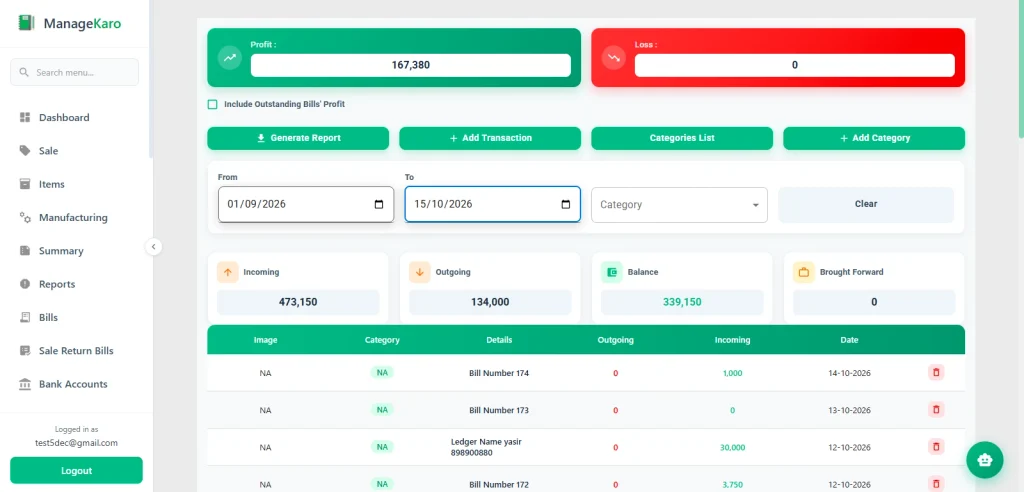
Its published financial-module features include daily sales records through the Daily Book, profit-and-loss calculations, customer ledgers, and financial reports covering sales and purchases. These features can help business owners review recorded transactions and understand how their operations are performing.
For example, a retailer can use daily records to review sales and expenses, maintain customer account information, and examine profit-and-loss reports when assessing business performance. Having these records organized within the wider business management system can make routine financial reviews easier.
ManageKaro’s suitability depends on the workflow you need. Businesses looking for specialized employee reimbursement tools, automatic receipt extraction, or a direct integration with a particular third-party accounting platform should confirm those specific capabilities before making a decision.
If your priority is to organize everyday financial records, monitor business performance, and keep key sales and purchase information accessible, explore the ManageKaro Financial Management Module to see whether it fits your requirements.
Is Expense Management Software Worth It for Small Businesses?
Expense management software can be worthwhile when the time spent maintaining records manually, correcting errors, or preparing financial summaries becomes a regular burden.
A small shop with a handful of transactions each day may be able to manage with a simple spreadsheet. As the business grows, however, additional suppliers, staff, locations, and operating costs can make manual tracking harder to maintain.
Consider a wholesaler that records purchases, transport charges, utility bills, and customer payments across several spreadsheets. At the end of the month, the owner has to combine the information to understand spending and profitability.
A suitable digital system can organize those records, make reports easier to prepare, and help the owner identify changes in operating costs. Whether the investment pays off depends on the business’s transaction volume, the system’s price, the features it uses, and the time it saves.
The best approach is to identify the current problem first, then select software that solves it without adding unnecessary complexity.
Explore, our guide about expense management for small and medium-sized businesses.
Frequently Asked Questions
What are the main benefits of expense management software?
The main benefits include better visibility into spending, less manual work, fewer recording errors, improved budget monitoring, easier access to financial records, and more consistent reporting. Suitable integrations can also reduce duplicate data entry between expense and accounting systems.
How does expense management software help reduce business costs?
It helps businesses identify where money is being spent and review changes in operating expenses. Managers can use this information to investigate unnecessary purchases, rising supplier costs, or inefficient processes. Software does not automatically reduce costs; the savings depend on the actions a business takes.
What are the benefits of integrating expense management with accounting software?
A suitable integration can reduce duplicate data entry, keep relevant records more consistent, speed up access to financial information, and simplify parts of month-end reconciliation. The exact benefits depend on compatibility and the information exchanged between the systems.
Is expense management software suitable for small businesses?
Yes. Small businesses can benefit when they need a more organized way to track purchases, operating expenses, and financial performance. The right system should match the business’s size, budget, reporting needs, and existing workflow.
What should businesses look for in expense management software?
Consider expense recording, categorization, reporting, accounting compatibility, approval controls, ease of use, support, and total cost. Verify specific capabilities before purchasing, especially if your business needs reimbursements, automatic receipt capture, or third-party integrations.
Can expense management software improve cash flow?
It can support cash-flow planning by making expense records easier to review and helping owners understand upcoming costs. Reliable forecasts also require information about sales, outstanding receivables, payment deadlines, and available funds.
How is expense management software different from accounting software?
Expense management software focuses on recording, monitoring, and controlling spending. Accounting software handles a broader set of financial activities, which may include ledgers, journal entries, financial statements, and tax-related records. Some platforms combine both types of functionality, while others connect through integrations.
Final Thoughts
The benefits of expense management software become clearer when businesses use accurate records to make better decisions. Organized expenses can help owners monitor costs, prepare financial reports, plan upcoming payments, and identify changes that deserve attention.
The right solution depends on the work a business needs to improve. Some companies require specialized reimbursement and approval workflows, while others need a straightforward way to maintain daily financial records and review business performance.
Start by identifying where your current process creates delays, errors, or gaps in visibility. Then compare software based on those needs, verify the features available, and choose a system your team can maintain consistently.
For businesses looking to connect everyday financial records with wider business management, explore ManageKaro’s Financial Management Module and review its published features.
Also, read our guide on expense management software in Pakistan.

2 thoughts on “Benefits of Expense Management Software for Modern Businesses”